
A museum moved its portal to a new address. The resolver now answers with that new address, the route to it is installed, and the load balancer there is healthy. Some clients still open the retired address. What failure mode is this?
Select an answer to reveal the explanation.
Short Explanation
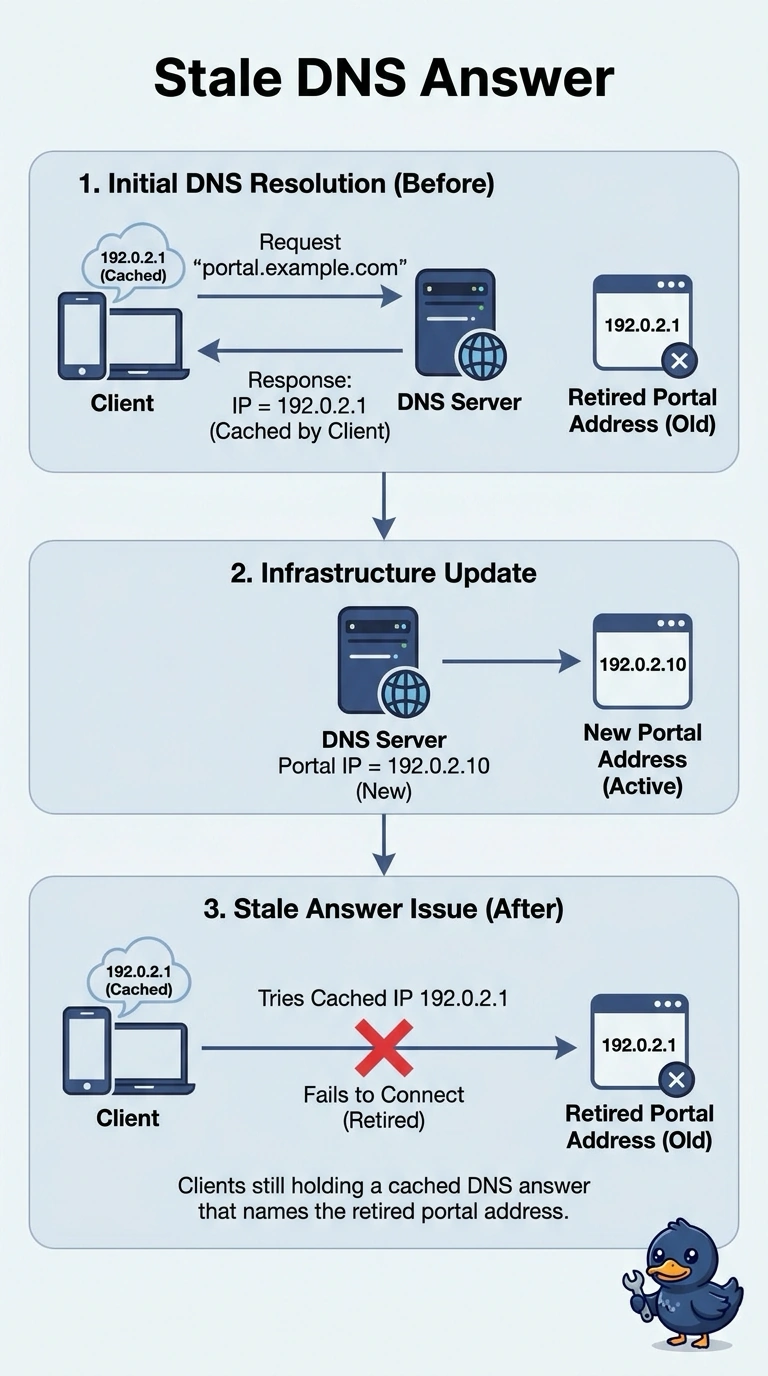
It’s like some people still using yesterday’s bus schedule stuck on the fridge. Your resolver, route, and load balancer are already set for the new address, but those clients keep opening the old one because they’re holding a cached DNS answer. Check what the failing clients are still using, not just what a fresh query returns.
Full Explanation
The failure mode is a cached DNS answer that still names the retired portal address. The resolver now answers with the new address, the route to it is installed, and the load balancer is healthy; clients that continue opening the old address are acting on an answer they have not refreshed. A missing second resolver does not explain this symptom: clients using the current resolver already receive the new address, and adding another resolver does not help clients that are not asking for a fresh answer. A missing route is ruled out by the fact that the route to the new address is installed. A failed load-balancer health check is ruled out because the balancer is healthy. Exam caveat: the stale answer may be held on the client or by an intermediate resolver that the client is allowed to use, so identify who still holds it rather than assuming the client itself has the cache. Practical check: compare a fresh query from a failing client with the resolver’s current answer, then check the remaining lifetime on the cached record. Ask which address the failing client is still using; relying only on a fresh query can make you revisit routing or the balancer even though both are already correct.