
A new public-works hire asks which phone app enrolls the device and then shows the catalog, people, and city resources. How should the technician separate the productivity apps?
Select an answer to reveal the explanation.
Short Explanation
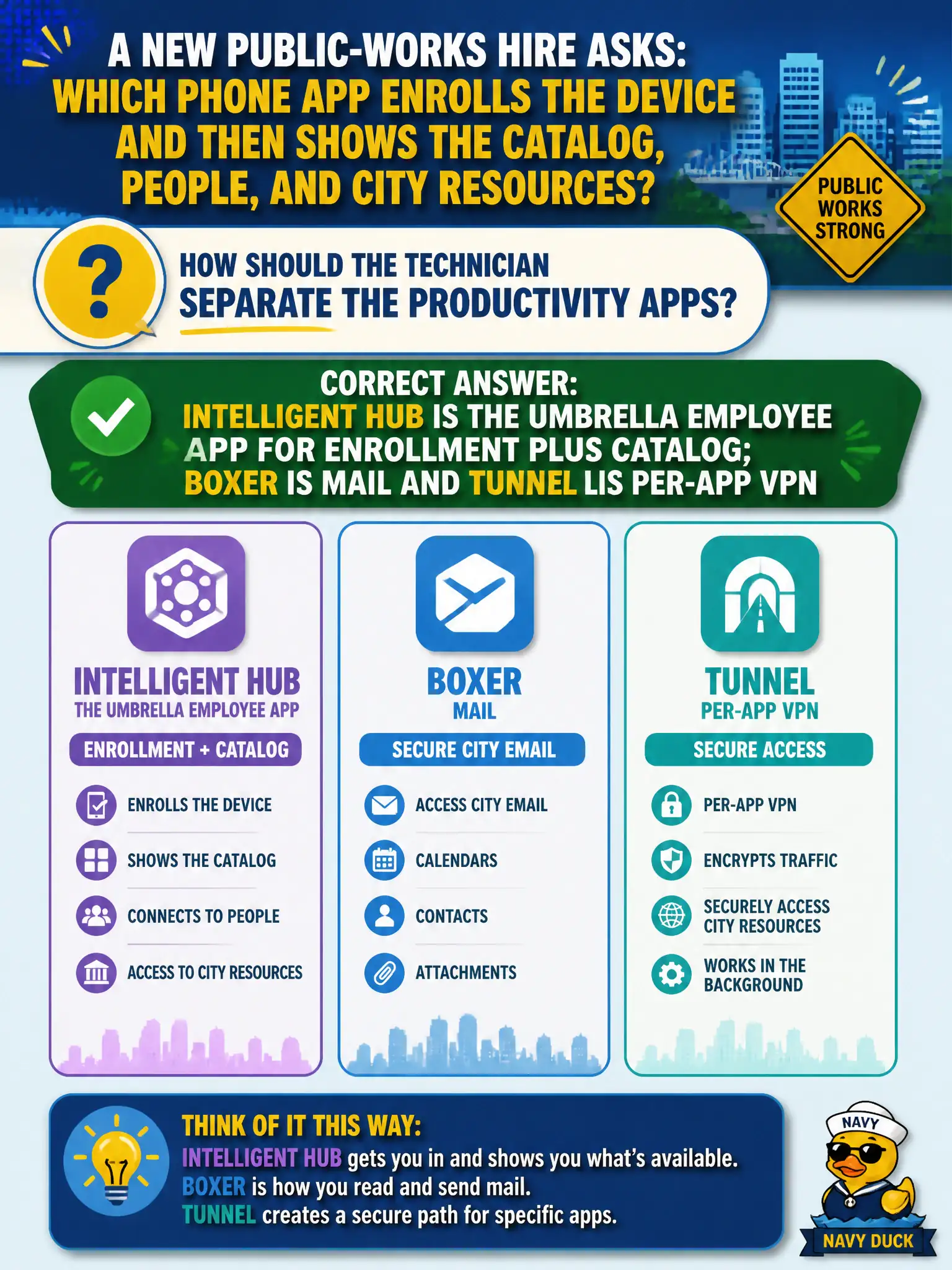
Hub is the Swiss Army knife staff actually tap: enroll, catalog, people; Boxer is the mail slot and Tunnel is the per-app VPN straw. Do not swap those jobs.
Full Explanation
When a new public-works hire asks which phone app enrolls the device and then shows the catalog, people, and city resources, the technician should separate the productivity apps this way: Intelligent Hub is the umbrella employee app for enrollment plus catalog; Boxer is mail; Tunnel is per-app VPN. Hub is the Swiss Army knife staff actually tap; Boxer is the mail slot; Tunnel is the per-app VPN straw—do not swap those jobs. Workspace ONE Tunnel enrolling the device while Hub is only a VPN icon fails by concept: Tunnel provides per-app VPN for managed applications; it is not the MDM enrollment client or the full digital workspace. Workspace ONE Boxer enrolling the device and then becoming the full digital workspace fails because Boxer is limited to managed mail, calendar, and contacts—not enrollment-plus-catalog-plus-people. Horizon Client as the MDM agent on iOS with Hub only for Windows fails because Horizon Client connects to virtual desktops and apps; it is not the iOS MDM enrollment agent, and Hub is the cross-platform employee workspace app including mobile. Exam caveat: associate exams often test exact product boundaries among Hub, Boxer, Tunnel, and Horizon Client; installing the wrong app leaves enrollment or mail or VPN incomplete even if icons look similar. Operational check: enroll a public-works test phone with Intelligent Hub, confirm catalog/people/resources appear in Hub, use Boxer only for mail/calendar, and use Tunnel only where per-app VPN is assigned—not as the enrollment client.