
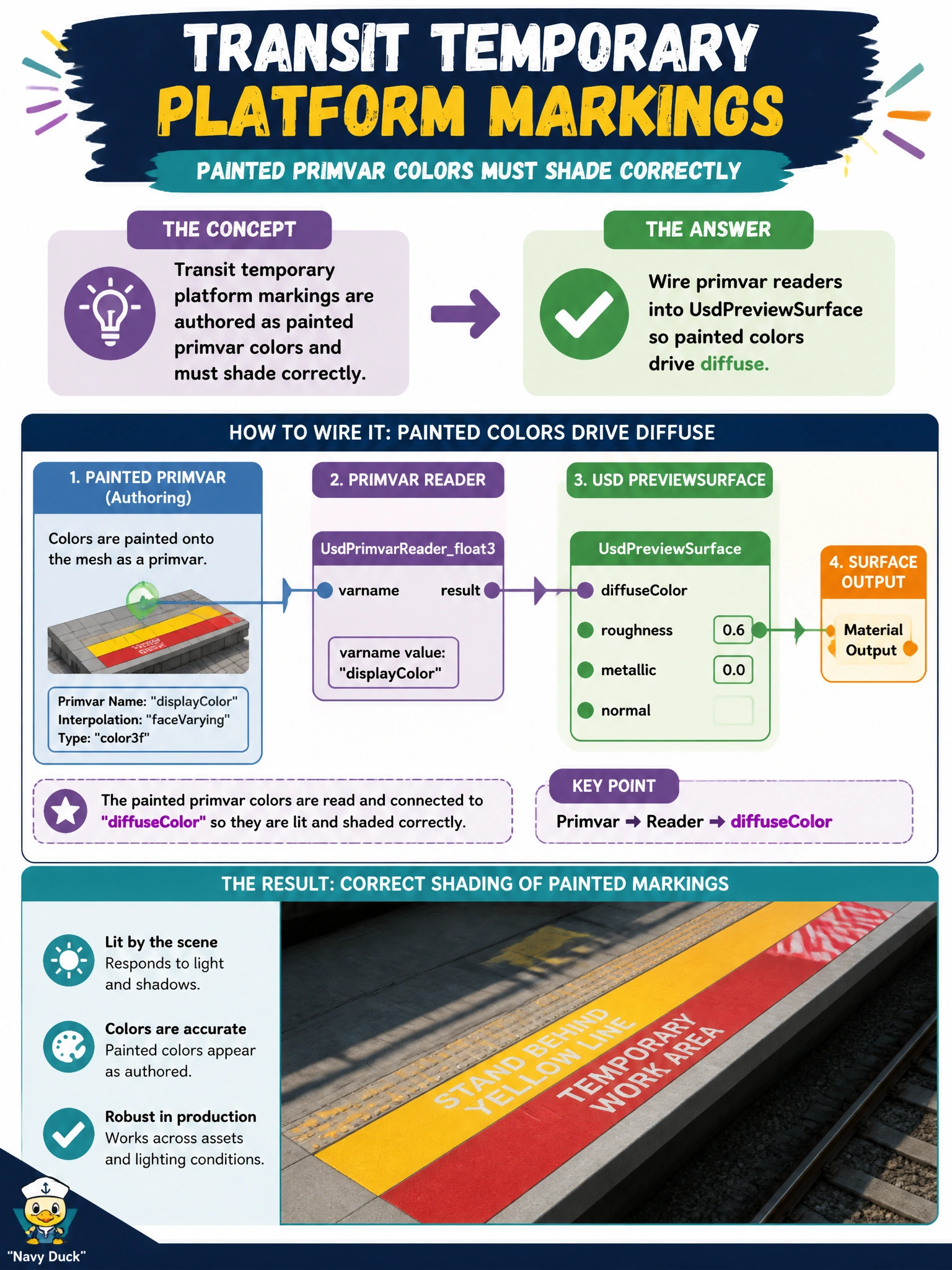
Transit temporary platform markings are authored as painted primvar colors and must shade correctly. How should PreviewSurface consume them?
Select an answer to reveal the explanation.
Short Explanation
Painted marking colors already live on the mesh as primvars—hook primvar readers into UsdPreviewSurface so diffuse follows those temporary stripes.
Full Explanation
Temporary transit platform markings authored as painted primvar colors must feed shading to appear correctly for riders and stakeholders. Wiring primvar readers into UsdPreviewSurface so painted colors drive diffuse is the correct consumption pattern: the mesh carries the marking colors, and PreviewSurface samples them for stakeholder visualization of temporary stripes and deck markings.
Ignoring primvars and hard-coding a single gray diffuse forever discards the authored markings and makes every temporary scheme look identical. Reading colors only from an offline PDF swatch book keeps color intent outside the stage where twin viewers cannot reach it. Deleting primvars at bind time to shrink the file removes the data PreviewSurface needs and defeats painted-marking workflows.
Exam caveat: temporary markings still need durable primvars through publish; “temporary” refers to the civic event lifespan, not permission to strip primvars in CI. Confirm reader connections survive packaging, payload masking, and any LOD swaps used on platform decks.
Operational check: paint marking colors into primvars on a platform deck, wire PreviewSurface primvar readers to diffuse, view markings in the transit viewer, hard-code gray on a clone and confirm markings disappear, restore primvar wiring, and include the network in the temporary-marking package.