
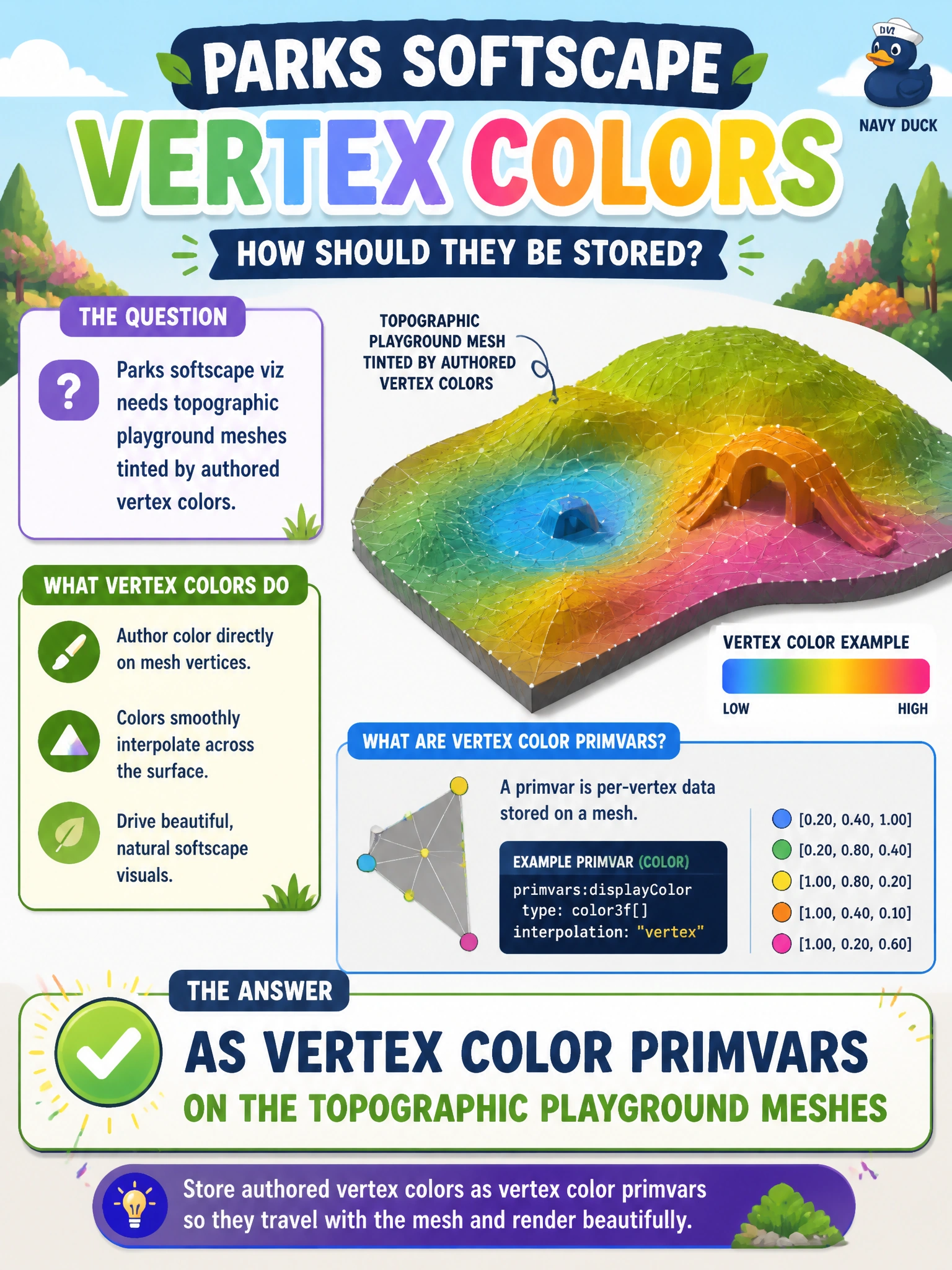
Parks softscape viz needs topographic playground meshes tinted by authored vertex colors. How should those colors be stored?
Select an answer to reveal the explanation.
Short Explanation
Think of vertex colors as spray paint baked onto the playground mesh—primvars carry those tints into softscape viz. Spreadsheets and GPU vendor strings will not shade the topography.
Full Explanation
Parks softscape visualization for topographic playground meshes depends on authored vertex colors surviving into the twin as mesh data, not as side-channel notes. Storing those colors as vertex color primvars on the topographic playground meshes attaches visual attributes directly to geometry so viewers and later PreviewSurface networks can sample tints for softscape viz without rebuilding the playground topology.
Comments in a spreadsheet never loaded by USD fail because the stage has no path to that spreadsheet when a municipal viewer opens the twin; operators would shade from memory. JPEG filenames without primvars name image files; they do not encode per-vertex colors on the mesh and do not drive topographic tinting. GPU vendor strings on the stage root identify graphics hardware vendors, which is irrelevant to playground softscape color authorship and changes with workstation fleets.
Exam caveat: vertex color primvars must use the interpolation mode and naming convention your parks viz stack expects. A primvar that exists but is never read by the shading network still looks “missing” in the viewer even though storage was correct.
Operational check: author vertex color primvars on a playground mesh, open the parks softscape twin, confirm topographic tints appear, strip the primvars on a negative test package and confirm tint loss, restore primvars, and verify a PreviewSurface or display path can consume them for softscape review.