
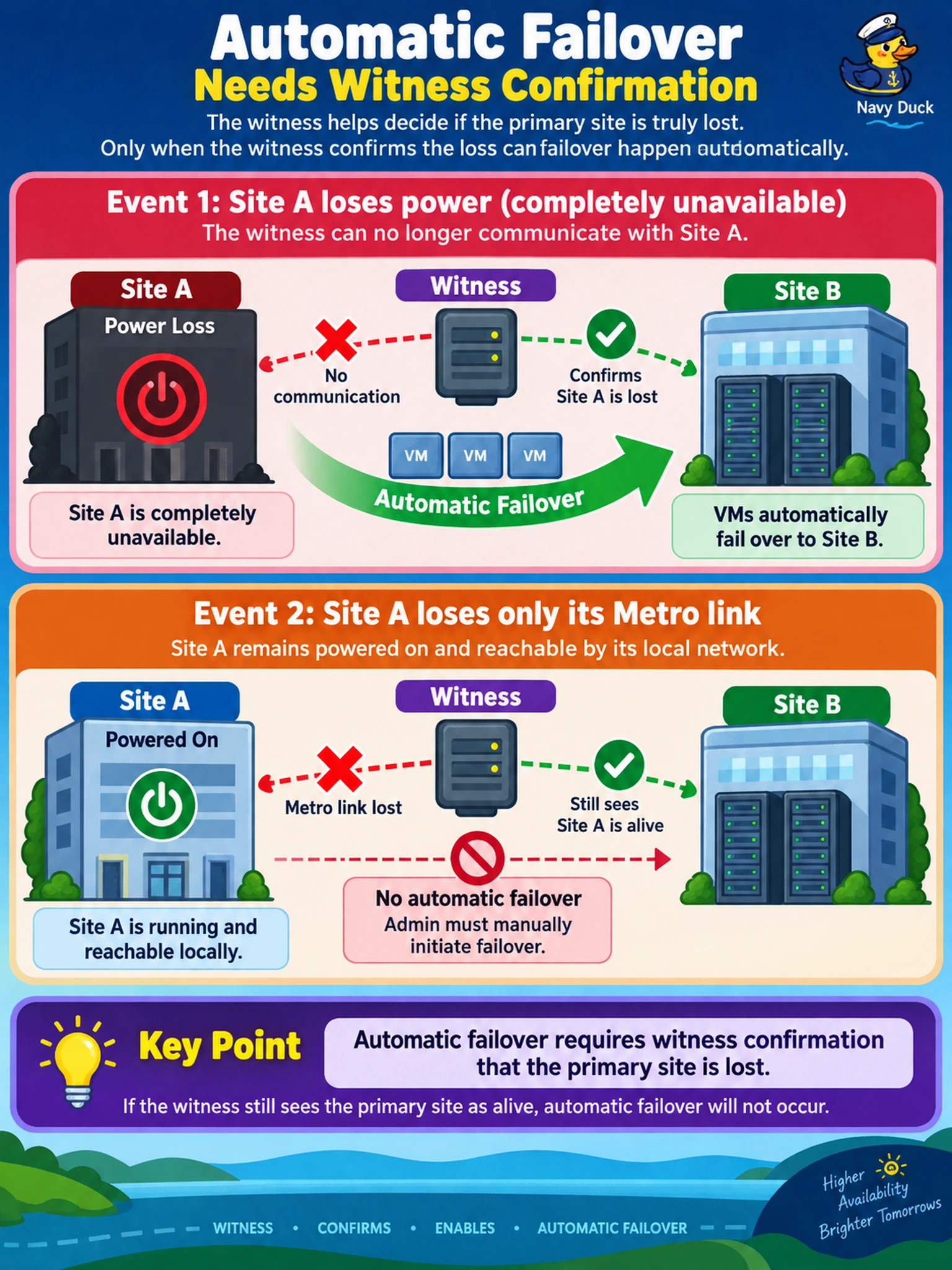
Your Metro Availability domain spans Site A and Site B with a witness. During a power loss, Site A becomes completely unavailable and VMs fail over to Site B without admin action. Later, Site A loses only its Metro link but remains powered on and reachable by its local network. An admin must manually initiate failover. Why did the first event allow automatic failover while the second did not?
Select an answer to reveal the explanation.
Short Explanation
Think of Metro failover like a traffic light with a witness watching both roads. If the witness sees the whole primary site go dark, it lets the secondary take over automatically; if the light is just flickering, you need a planned switchover to avoid two sites fighting. You don't want split-brain VMs, so the failure mode and site health decide the path.
Full Explanation
Metro Availability keeps workloads highly available by synchronously replicating VMs between two sites while preserving a consistent recovery point. During a full-site outage, the witness or quorum mechanism can confirm that the primary site is unavailable, allowing automatic failover to the secondary site. During partial outages, degraded health, or ambiguous connectivity, automatic action is suppressed so administrators can perform a planned failover and avoid split-brain. A bandwidth warning alone does not justify automatic site takeover; Metro replication may still be consistent, and manual action is safer when the primary remains reachable. Secondary-site health warnings also do not prove the primary site failed, and they should not trigger automatic recovery unless the failure condition and witness state confirm it. Witnesses are not a NearSync-only feature; they exist to provide tie-breaking evidence for Metro failover decisions, so claiming Metro always needs manual confirmation ignores the documented automatic path for confirmed site loss. Exam caveat: distinguish a confirmed full-site failure from a network partition or health warning before choosing automatic versus planned failover. Operational check: review the protection domain health, witness status, and recent failover logs, then run a controlled planned failover before relying on automatic behavior in production.