
A laptop joins Wi-Fi only when the lid is held at certain angles. The antenna wire at the hinge looks pinched. Which part should be reseated or replaced?
Select an answer to reveal the explanation.
Short Explanation
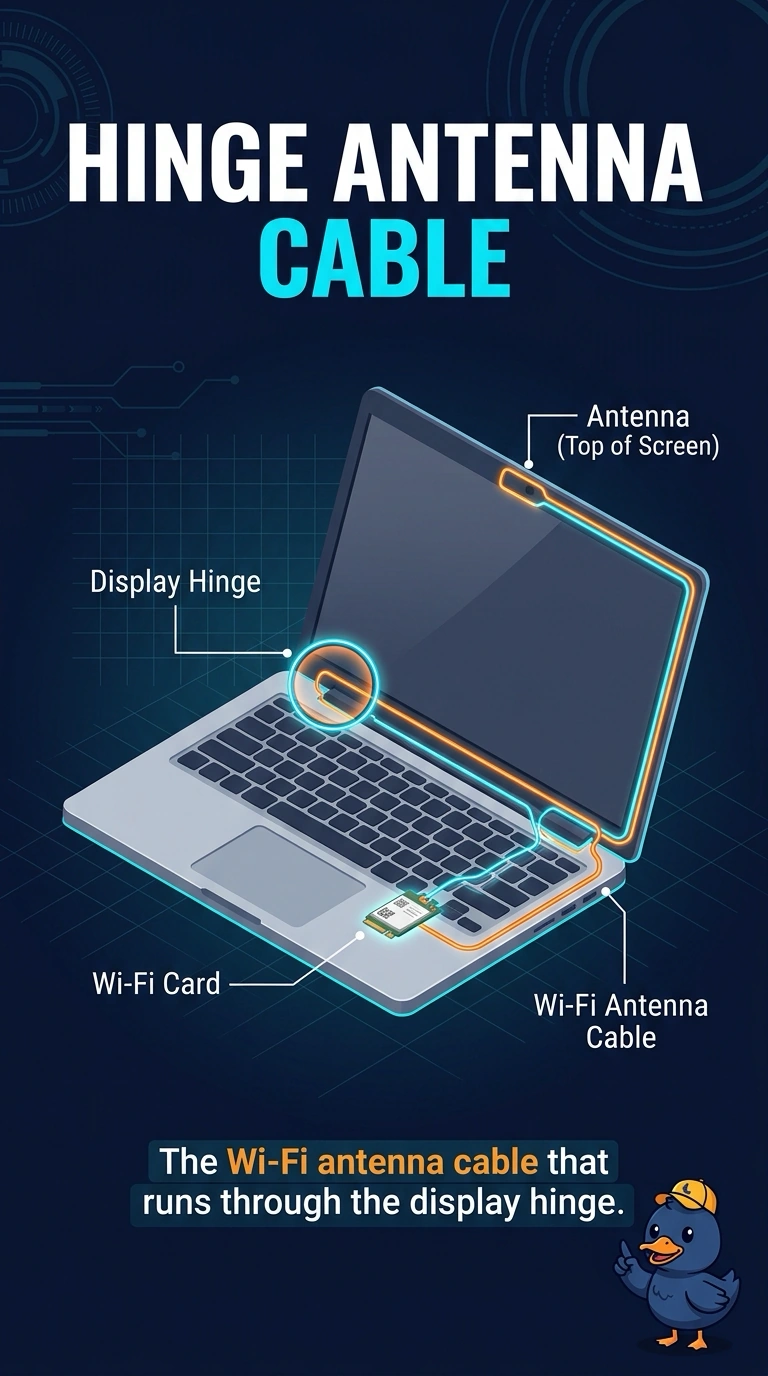
You’ve found a useful clue: the pinched Wi-Fi antenna cable runs through the display hinge, so moving the lid can interrupt the signal. The battery, touchpad cable, and SIM tray don’t carry the Wi-Fi signal through that hinge.
Full Explanation
Laptop Wi-Fi antennas are usually in the display, with a thin antenna cable routed through the hinge. A pinched cable there can make the connection depend on the lid angle, which matches the symptom, so reseat or replace the Wi-Fi antenna cable that runs through the display hinge. The main battery supplies power; it does not flex or route the radio signal through the hinge. The touchpad cable carries touchpad signals, not the Wi-Fi signal. A SIM tray holds a cellular identity and is not the antenna for a Wi-Fi-only connection; the lid-angle symptom points to the pinched antenna cable instead. Exam caveat: check whether the cable is pinched along its hinge route or poorly seated before deciding it needs replacement, since either issue can cause an intermittent connection. Practical check: reseat or replace the antenna cable, then open and close the lid through its normal range and confirm that Wi-Fi stays connected at every angle. Repeat the movement several times to check that the fault does not return, and make sure the cable is not pinched as the lid closes.