
After a ticketed wayside-PLC replacement, the rail visibility baseline still describes the removed controller. Which next step is right?
Select an answer to reveal the explanation.
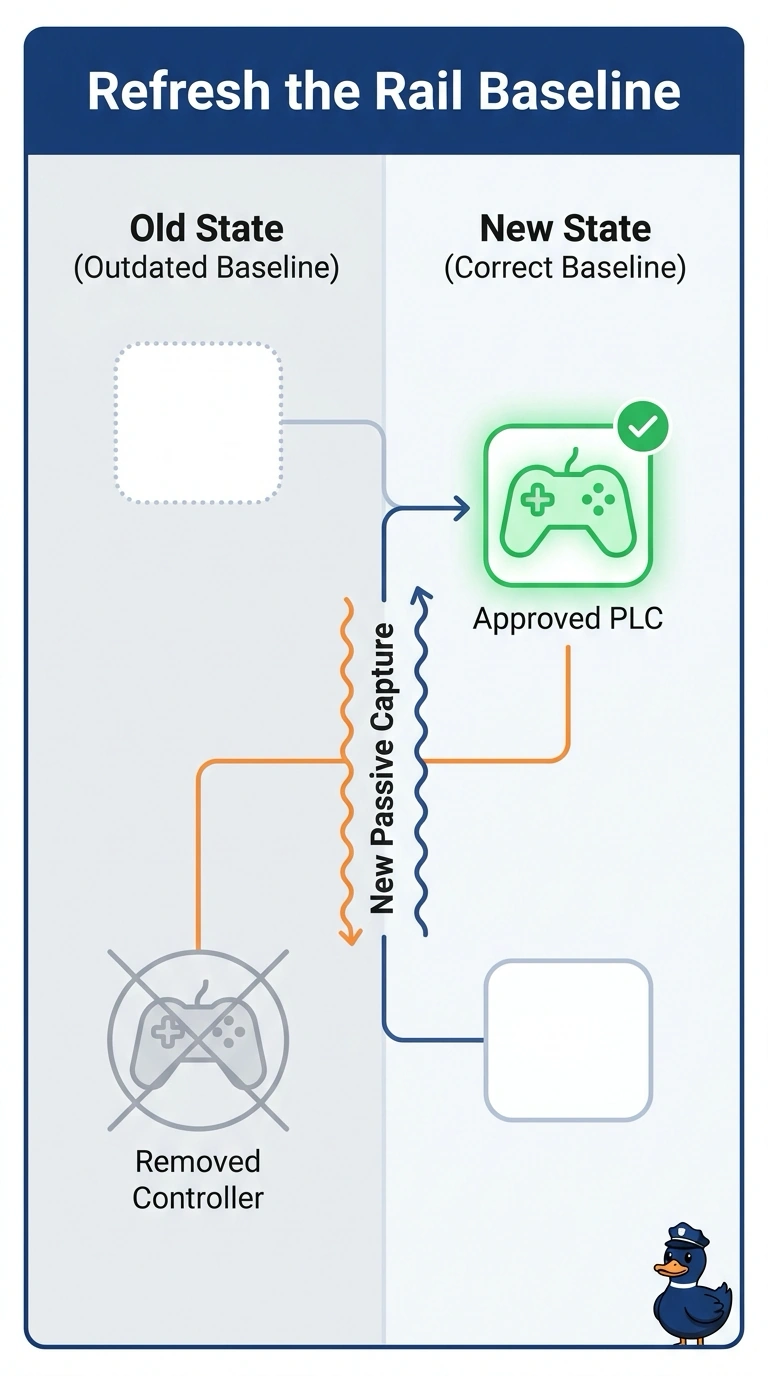
Short Explanation
After a ticketed PLC replacement, you need the baseline to reflect the approved change, not keep naming the removed controller. Refresh it with a passive capture so the new PLC is known and the removed one is no longer listed. Treating every new flow as normal, actively scanning cabinets during peak service, or relying only on enterprise firewall deny logs will not correctly refresh the wayside inventory.
Full Explanation
A communication baseline is useful only when it reflects real, approved changes. The wayside PLC was replaced under a ticket, but the baseline still names the removed controller, so refresh it with a new passive capture that identifies the approved PLC and removes the old one. Passive capture reads traffic the cell is already sending, updating the inventory without probing the new controller during morning peak service. Deleting the baseline and treating every new flow as normal for the rest of the operating year discards the comparison; an unknown device would be accepted just like the approved PLC. Actively scanning every wayside cabinet during peak service sends unsolicited sessions to field devices while trains are operating, rather than safely refreshing the baseline. Enterprise firewall deny logs show traffic refused at the enterprise edge; they cannot inventory a wayside cell that does not pass through that firewall, so they cannot establish which PLC replaced the old one. Exam caveat: refresh the baseline after the ticketed change, not instead of documenting it. If passive capture misses the new PLC, check the sensor or network span rather than using a production scan as a shortcut. Practical check: confirm the updated baseline lists the new PLC’s vendor and address from the ticket and no longer lists the removed controller.