
A one-MAC port-security setting on a Cisco Industrial Ethernet switch err-disables when a technician puts an unmanaged desktop switch under a panel and hangs the PLC plus a laptop from it. Which fix fits?
Select an answer to reveal the explanation.
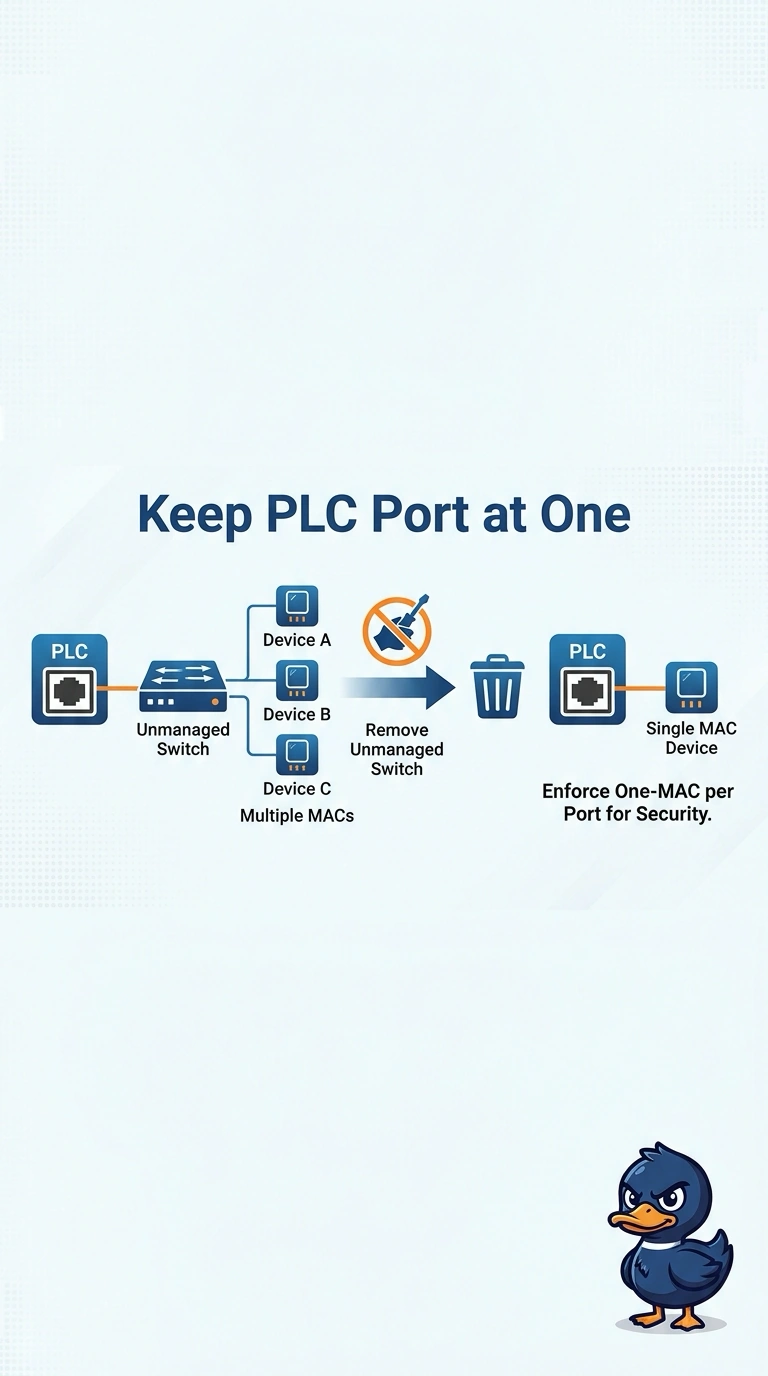
Short Explanation
Your PLC port is meant to serve one device, so an unmanaged switch makes several MAC addresses appear on it and triggers the violation. Remove the switch and keep the maximum at one. Raising the limit accepts extra devices instead of removing them.
Full Explanation
Port security with a maximum of one is there so your PLC port accepts the PLC and nothing else. An unmanaged desktop switch makes several MAC addresses appear on that one jack, including the laptop, so the violation is real. Remove the unmanaged switch, cable the PLC directly to the access port, and keep the maximum at one. Raising the maximum until the alarm stops teaches the switch to accept a collection of unknown devices, which can leave a laptop on the cell network. Disabling port security makes the desktop switch a permanent design and drops the control. Moving the desktop switch onto an uplink is not a maintenance convenience: that uplink would carry a pile of MAC addresses from a panel, and the PLC would still not be back on its own secured port. Exam caveat: if two legitimate devices must share a drop, design that deliberately with a managed switch and a maximum that matches the drawing; do not discover the design by raising the number until err-disable stops. Operational check: after the unmanaged switch is gone, show port-security interface should report a maximum of 1 and only the PLC MAC, and the port should stay up.