
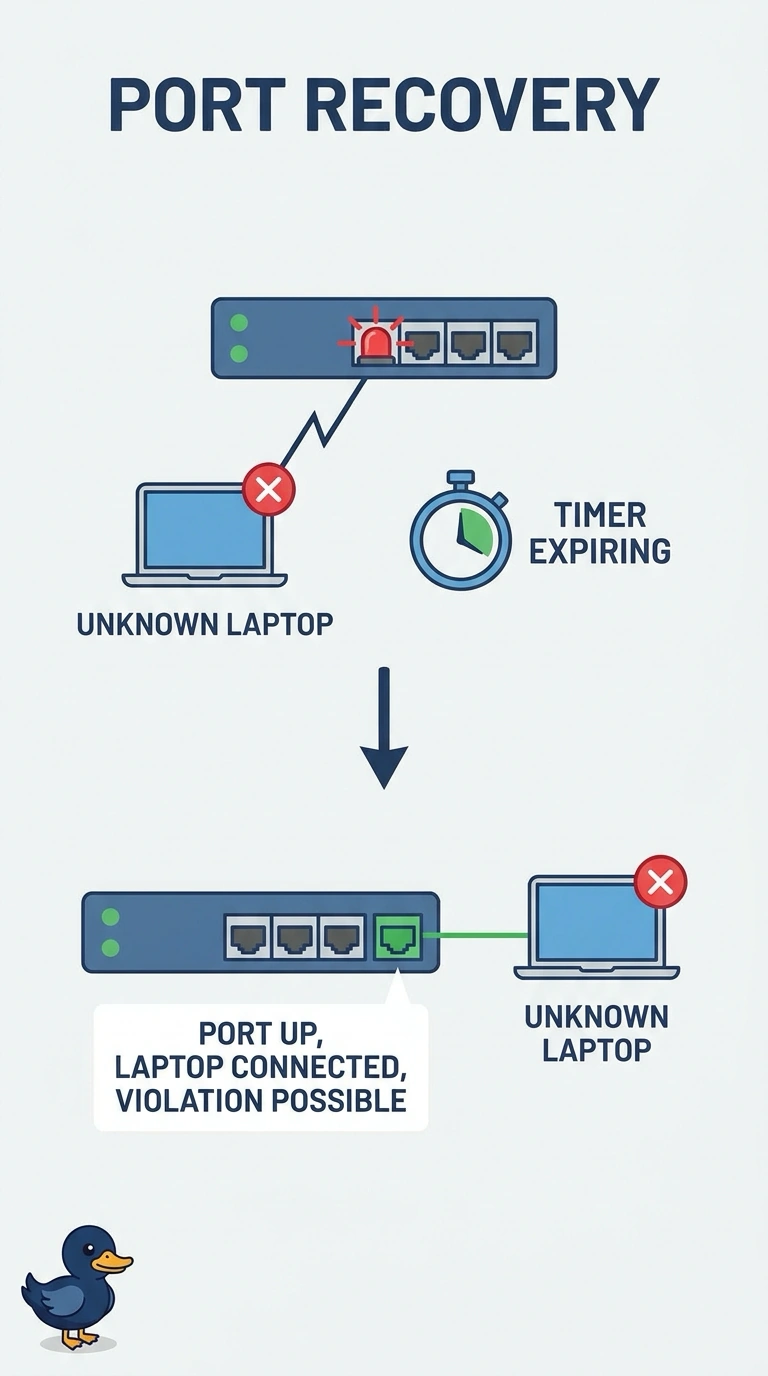
A food-plant bagging port err-disabled after a port-security violation. Recovery for that violation is enabled, and the unknown laptop is still plugged in. What should you expect when the timer expires?
Select an answer to reveal the explanation.
Short Explanation
An automatic door that reopens while the stranger is still in the frame will only slam again. You should expect this port to leave the error-disabled state and violate once more, because the unknown laptop never left. Recovery is not a cleanup of the device that caused the hit.
Full Explanation
When port security has err-disabled a port, recovery for that cause brings the interface back up after the timer. It does not remove the device that caused the violation. The unknown laptop is still plugged in, so when it sends frames the port can violate again and return to err-disable. That is the outcome to expect. Recovery is a timer, not a repair of the attach. The port does not stay down until someone erases the startup configuration. Erasing startup would wipe the switch, which is far beyond what this timer does, and the timer is specifically there to re-enable the port. Recovery also does not learn the laptop as the only secure MAC or move the bagging PLC to a new VLAN. The secure MAC list is not rewritten into a blessing of the rogue device when the timer fires. Recovery does not delete port security on every access port. The feature re-enables one err-disabled interface. The other ports keep whatever port security they already had, and the laptop is not granted a normal forwarding seat by the timer. Exam caveat: recovery can be reasonable after the laptop is removed and the PLC MAC is confirmed. With the laptop still attached, the timer only reopens the violation. Operational check: clear the unknown device first, confirm the bagging PLC is the secure MAC, and only then let the port return to service.