
Someone asks to set port security with a maximum of one MAC on the trunk uplink between two cell switches at a bakery. Which response is sound?
Select an answer to reveal the explanation.
Short Explanation
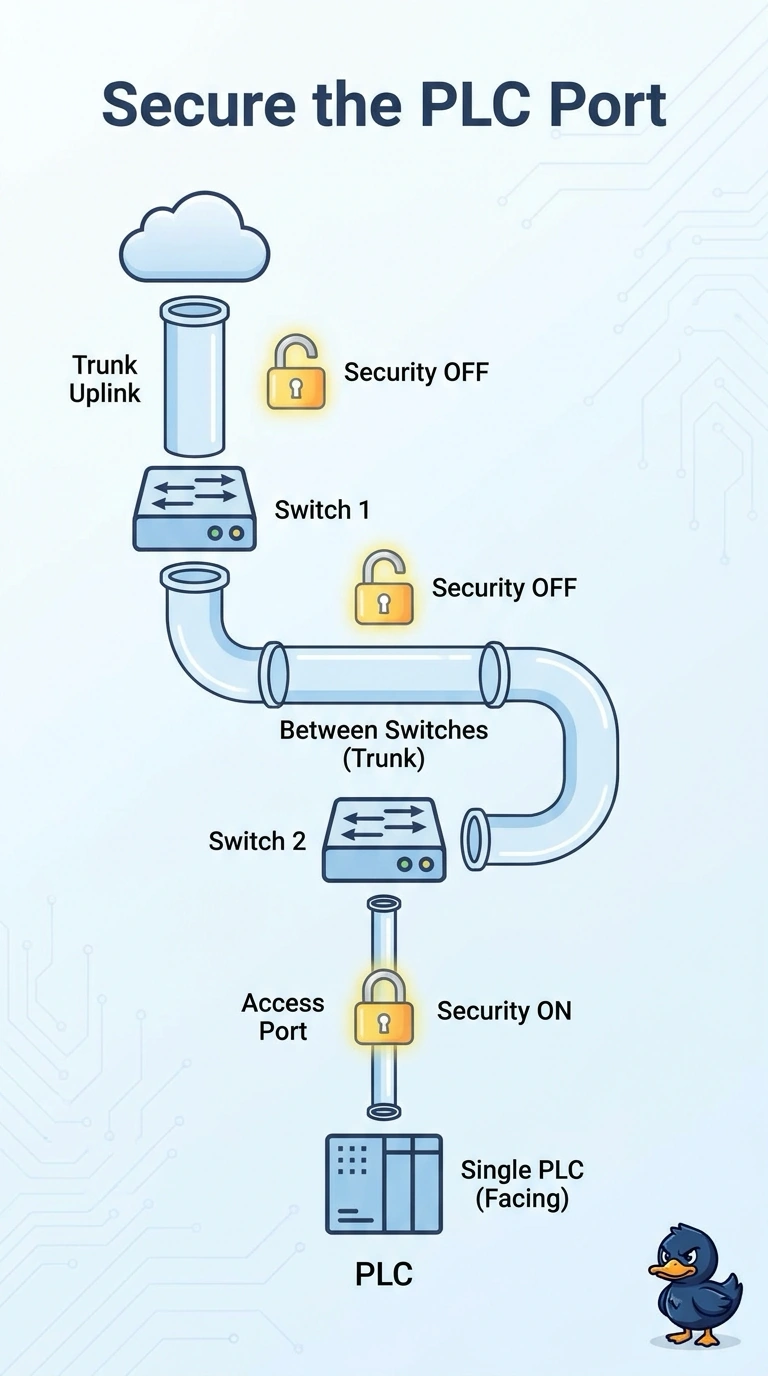
Think of the trunk as a hallway, not a single desk: you leave port security off that link and use the one-MAC limit on the access port facing one PLC. You protect the single-device connection without blocking the many devices that need the uplink.
Full Explanation
Port security is intended for an access port with a known device, such as the single PLC. A trunk between switches carries many MAC addresses—often one or more per active host—so a one-MAC maximum can err-disable the uplink or drop the cell as soon as a second station communicates. Applying that limit to the trunk does not usefully make the neighboring switch the only legal MAC. Making the trunk an access port to meet the limit would strand every VLAN but one, while sticky learning on the trunk would still store a single address and punish other devices. The sound choice is to leave port security off the trunk and apply it on the access port facing the PLC. The caveat is that an uplink still needs controls, just not a one-MAC cap: shut unused ports and allow only the VLANs the trunk should carry. As a practical check, run show port-security interface on the PLC port and confirm the uplink is not included in the feature. Record before-and-after evidence in the work order, including the changed interface or account, time, and approver. On the next shift, verify that the original symptom is gone and the change did not open a second path while closing the first. If the process is in a live batch, leave the controller running and complete only work that does not restart it; this helps prevent a correct fix from becoming an unplanned outage.