
A blower PLC must stay online if someone plugs a second device into its Cisco IE access port. The port should drop the extra MAC, record the event, and keep forwarding the PLC. Which violation mode matches?
Select an answer to reveal the explanation.
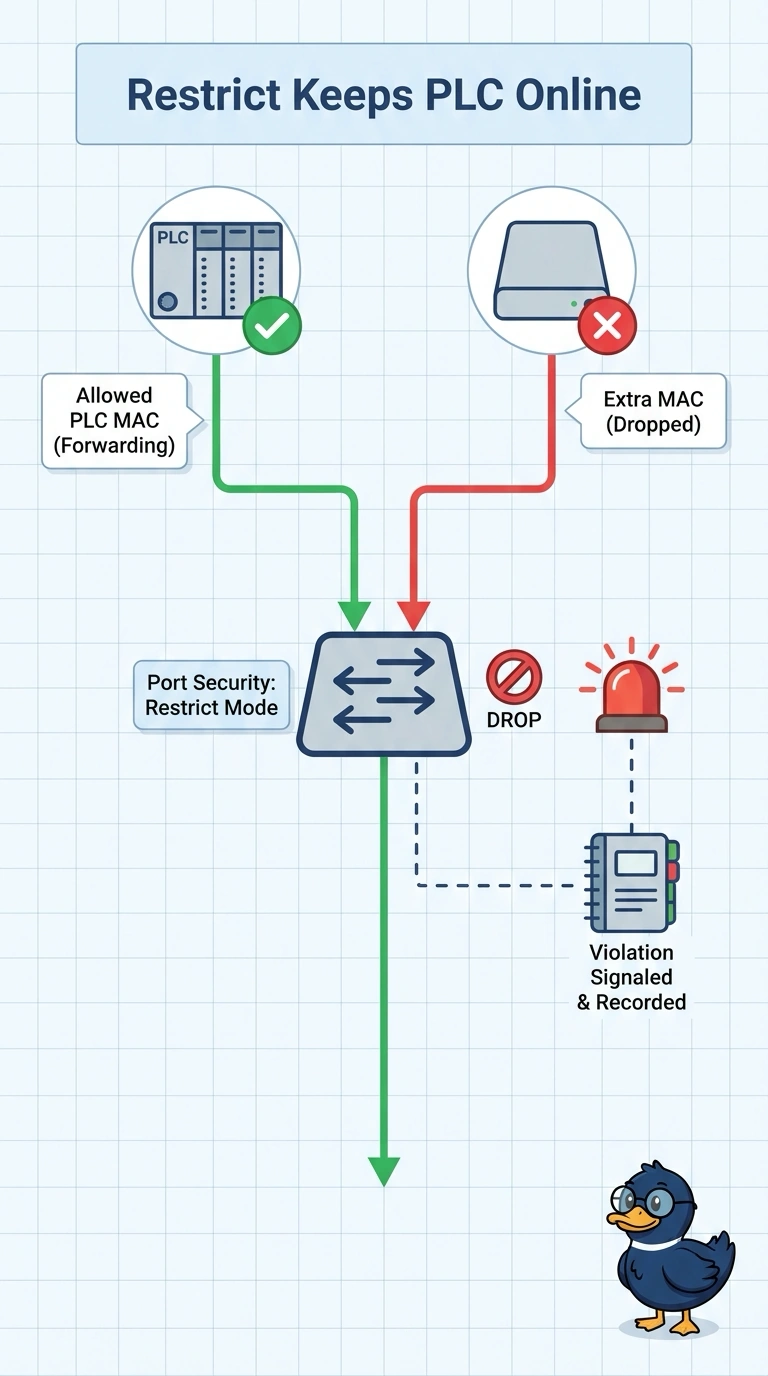
Short Explanation
You want the bouncer to refuse the extra guest and call it in, without locking the door on the PLC that already belongs there. Restrict is that setting. Shutdown closes the whole door, and protect refuses the guest in silence.
Full Explanation
Cisco IOS port security has three violation modes, and they do not treat the legitimate MAC the same way. Restrict drops frames from MAC addresses that exceed the secure maximum, increments the violation count, and can send a syslog message and an SNMP trap, while the secure PLC MAC keeps forwarding. That matches a blower that must stay in service and a team that still needs an alert. Shutdown error-disables the interface, so the PLC loses link along with the intruder. Protect drops the extra MAC and leaves the port up, but it does not log or send an SNMP trap, so the plant can host a rogue device for a long time without a page. Turning port security off and hoping storm control will pick a MAC does nothing of the kind. Storm control limits floods. It does not bind the port to the PLC address. Exam caveat: restrict still requires a maximum that fits the port. A maximum of one is right for a single PLC, and an uplink is the wrong place for that maximum. Operational check: generate a test violation in a window and confirm the PLC stays up, the violation counter increments, and a log or trap arrives.