
After a Cisco IE switch was replaced, a clean-in-place PLC shows link up, but the HMI on VLAN 20 cannot reach it. show vlan brief lists the PLC port in VLAN 1. Which fault is that?
Select an answer to reveal the explanation.
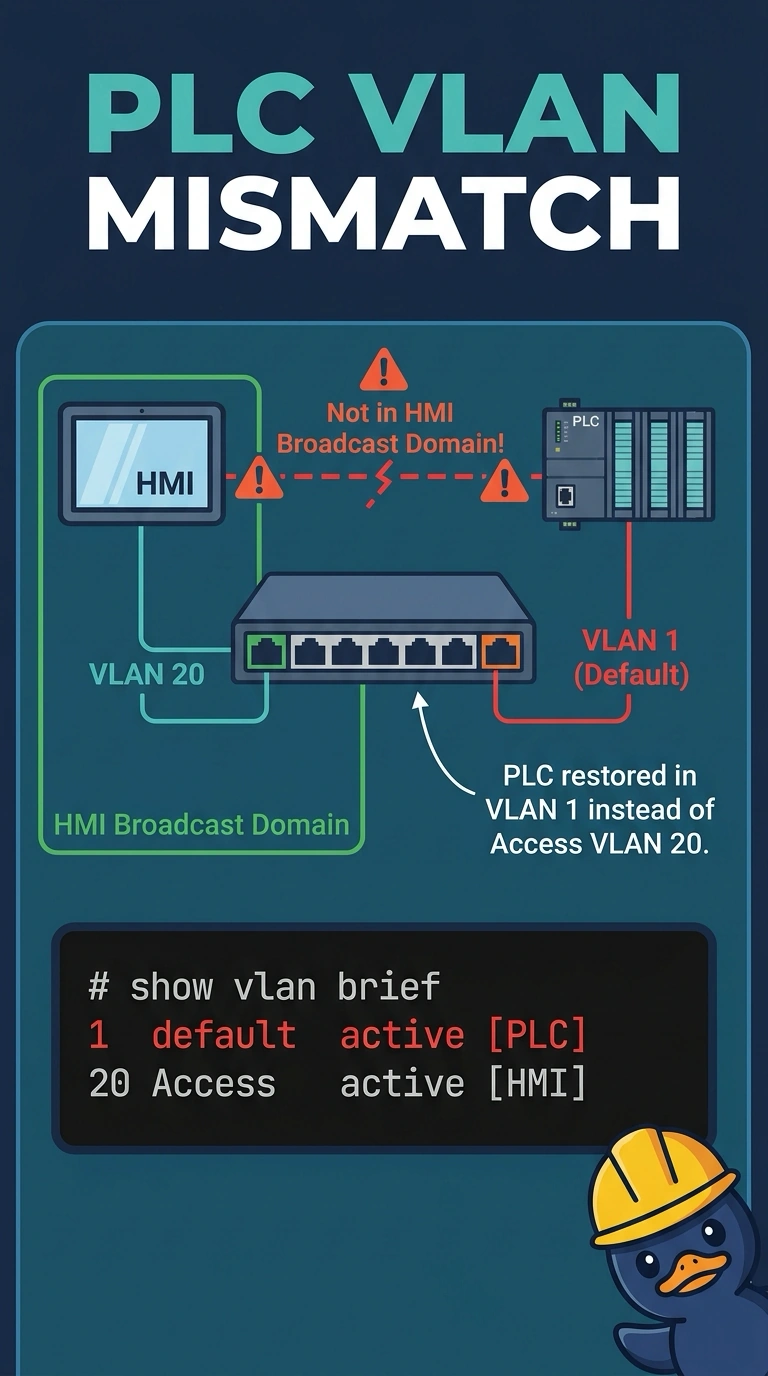
Short Explanation
You’ve got a live link, but the PLC is in the wrong VLAN for the HMI. Check the access VLAN before chasing DNS or wireless issues. A port in VLAN 1 is outside the HMI’s VLAN 20 broadcast domain.
Full Explanation
When two industrial hosts cannot communicate after a switch swap, check the access VLAN. show vlan brief places the PLC port in VLAN 1, while the HMI is on VLAN 20. The live link shows that the interface is not shut or error-disabled, and the PLC is in a different broadcast domain from the HMI; the question gives no indication that those VLANs are routed together. Restoring switchport access vlan 20 puts the PLC back with the HMI. A wiped cell DNS server would not move a switch port between VLANs, and DNS is not needed for a typical PLC-to-HMI conversation that uses addresses. A wireless controller failover does not, by design, rewrite copper access VLANs on an IE switch. Port security in shutdown mode error-disables the port, so it would not appear as a normal link-up member of VLAN 1. Exam caveat: if VLAN 1 and VLAN 20 were intentionally routed and an ACL were the only block, the VLAN would still be the discrepancy shown by this output. Restore the VLAN specified in the network design, then retest. Practical check: assign the port to VLAN 20, confirm the setting with show vlan brief, and verify that the HMI reaches the PLC address. Save the configuration so a reboot does not return the port to VLAN 1.