
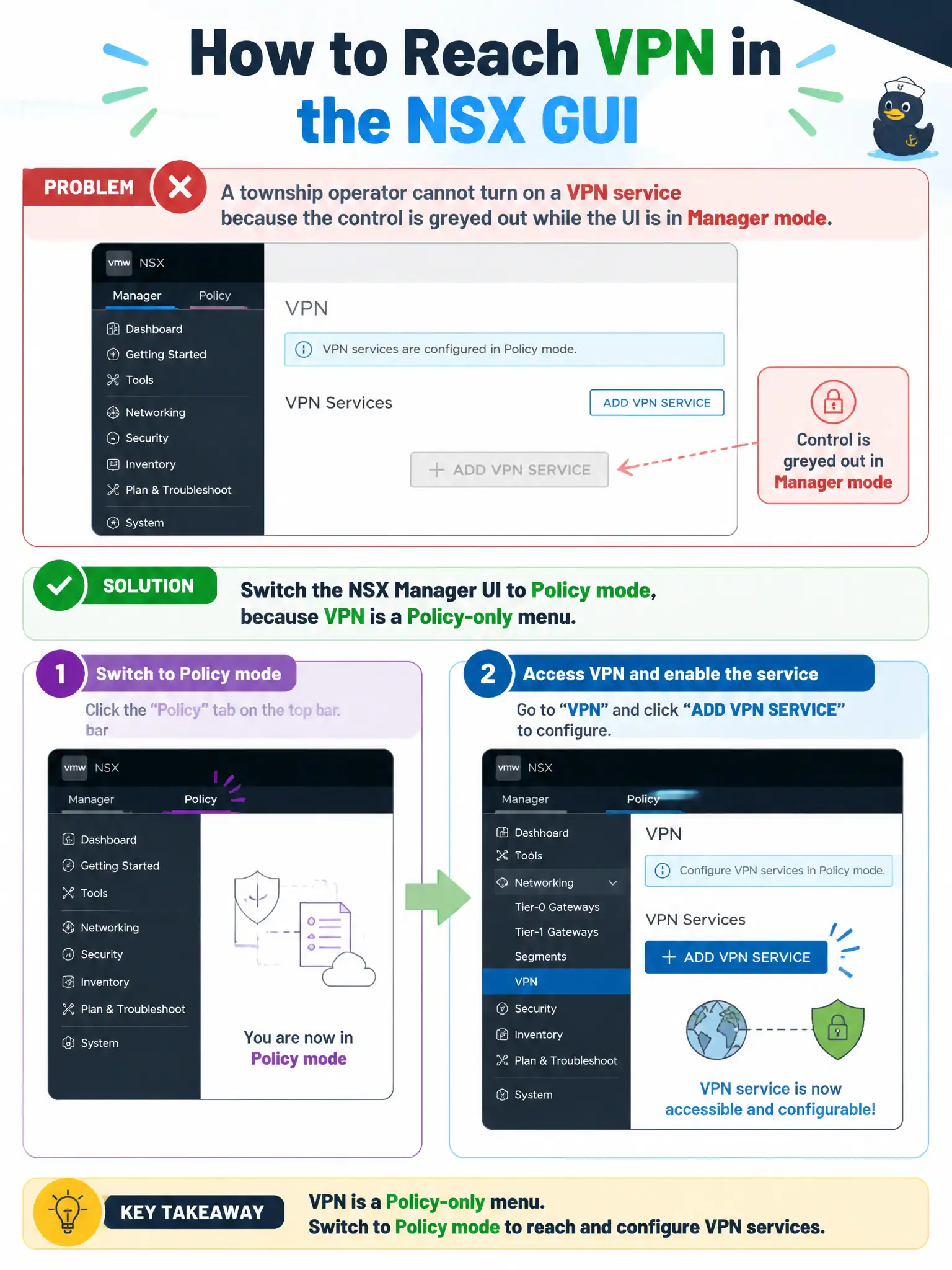
A township operator cannot turn on a VPN service because the control is greyed out while the UI is in Manager mode. How should the operator use the NSX GUI to reach that service?
Select an answer to reveal the explanation.
Short Explanation
VPN is a Policy-mode counter. If you are standing in Manager mode, that button stays grey. Switch modes. The DCUI, Avi, and Carbon Black do not un-grey NSX VPN.
Full Explanation
A township operator who cannot turn on a VPN service because the control is greyed out while the UI is in Manager mode should switch the NSX Manager UI to Policy mode—VPN is a Policy-only menu in NSX-T. Enabling VPN on the ESXi DCUI of a transport host does not expose the NSX VPN service configuration. Installing NSX Advanced Load Balancer first so VPN appears in Manager mode confuses Avi/LB with the NSX Policy VPN menu. Opening Carbon Black Cloud and publishing VPN as a sensor policy addresses endpoint security, not NSX VPN. Exam caveat: other services such as DNS are likewise Policy-oriented; greyed Manager menus often mean wrong UI mode rather than a broken license. Operational check: switch NSX Manager to Policy mode, open the VPN service area, confirm the control is available, and update township runbooks to start VPN work in Policy mode. In municipal operations, record the chosen control and the rejected alternatives in the change ticket so future on-call staff understand which failure modes would affect city services. Re-validate after the next maintenance window that the same GUI path and realized state still hold under the current NSX build used by the civic platform team.