
GIS operators must save a health-check monitor for a load-balancer pool that fronts civic map servers. Which NSX GUI area holds that object?
Select an answer to reveal the explanation.
Short Explanation
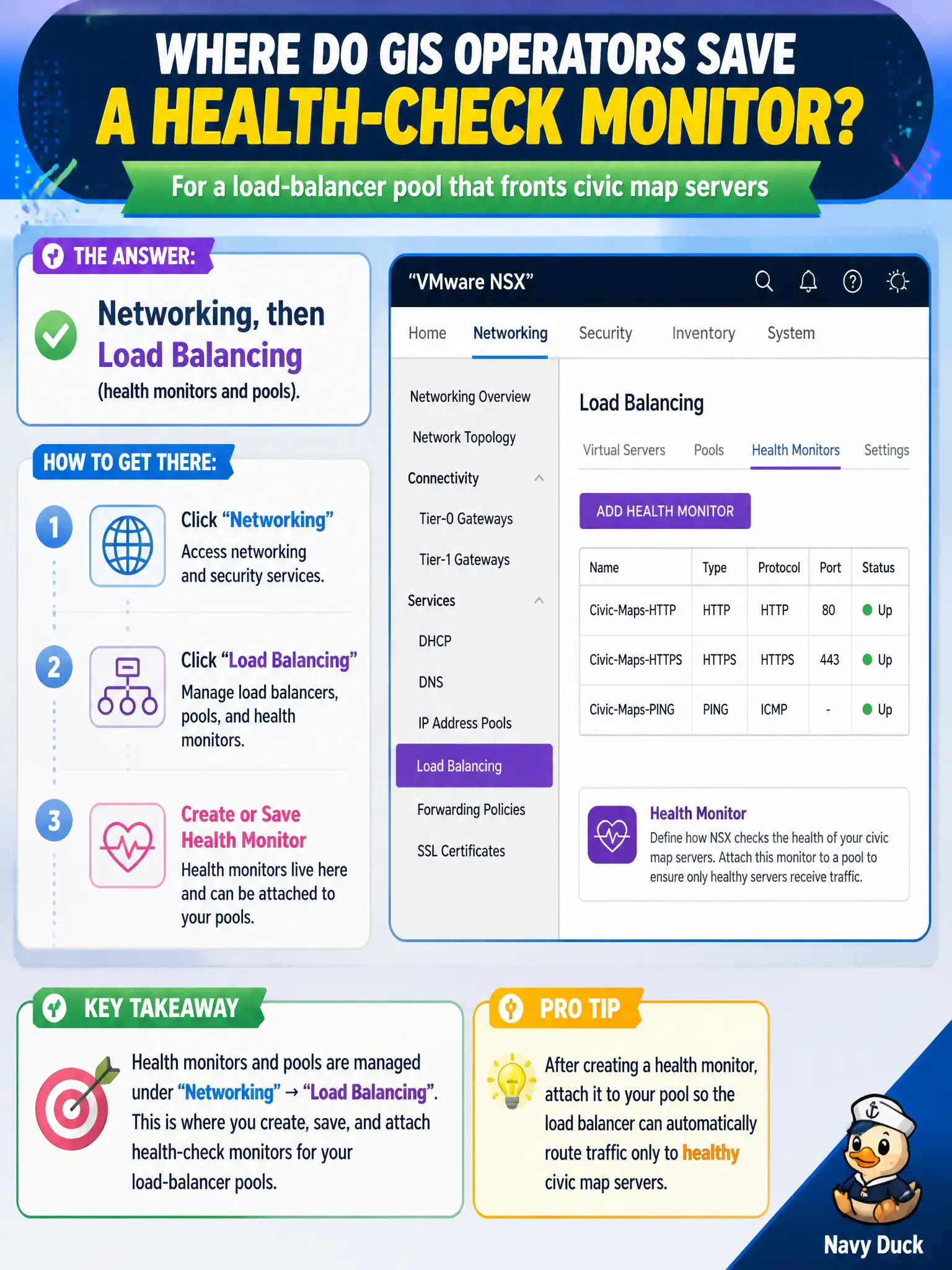
A map-server pulse check is a load-balancer stethoscope, not an IDS signature. Networking, then Load Balancing, is where monitors and pools live.
Full Explanation
GIS operators who must save a health-check monitor for a load-balancer pool that fronts civic map servers find that object under Networking → Load Balancing, where health monitors and pools live. Security → IDS/IPS signatures configure detection content, not LB pool monitors. System → Certificates holds trust material; a health-check certificate is not a substitute for a monitor object. Inventory → Tags with a tag named HealthCheck labels inventory and does not define load-balancer health checks. Exam caveat: monitor type and interval must match what map servers actually answer (HTTP path, port); a green pool with the wrong monitor still fails users. Operational check: under Networking → Load Balancing, create or select the health monitor, attach it to the map-server pool, verify member health status, and document the monitor settings in the GIS runbook. In municipal operations, record the chosen control and the rejected alternatives in the change ticket so future on-call staff understand which failure modes would affect city services. Re-validate after the next maintenance window that the same GUI path and realized state still hold under the current NSX build used by the civic platform team.