
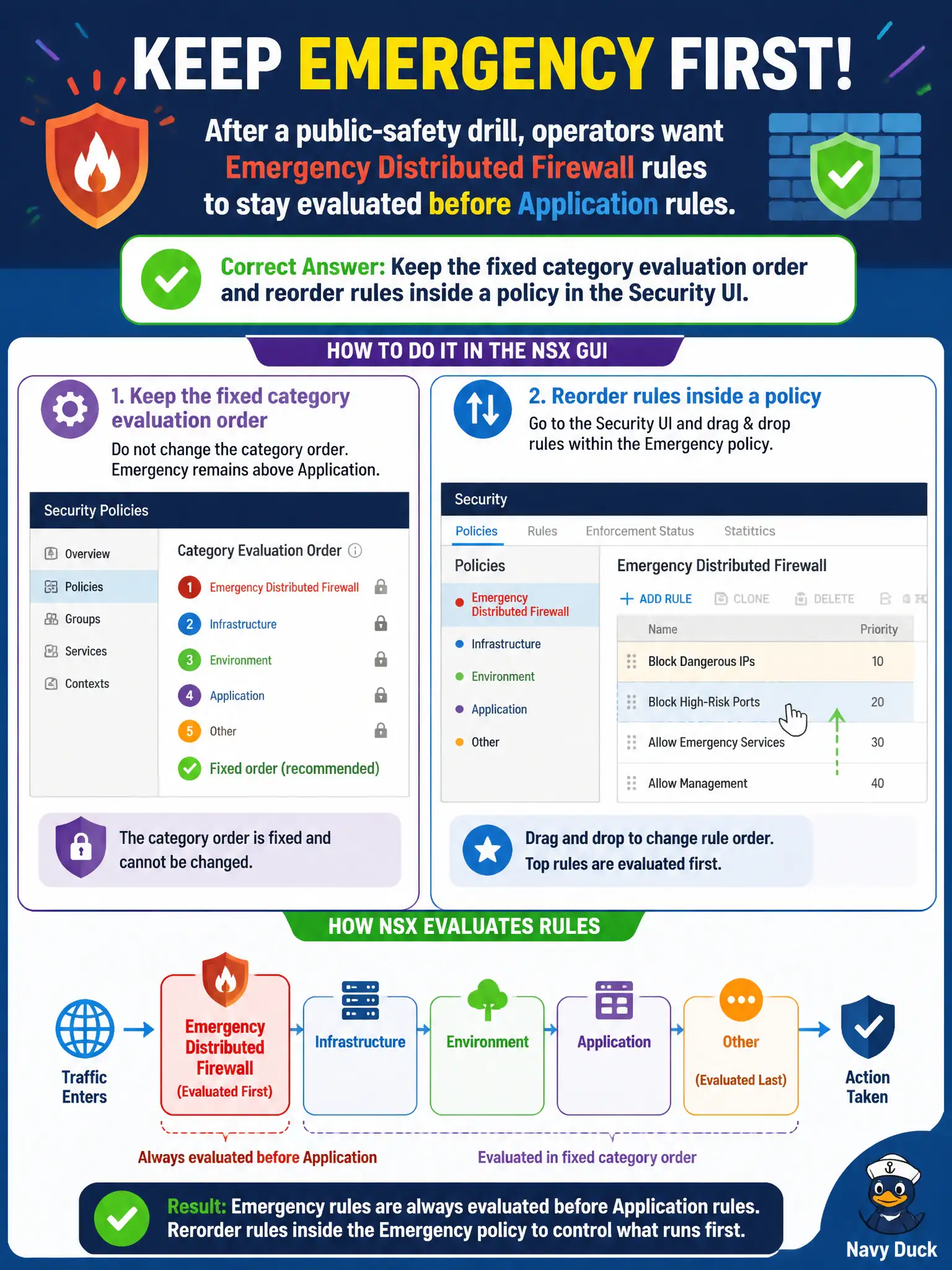
After a public-safety drill, operators want Emergency Distributed Firewall rules to stay evaluated before Application rules. How should they use the NSX GUI?
Select an answer to reveal the explanation.
Short Explanation
Emergency is already the civic fire-lane — you do not invent a new lane in front of it. Category order is fixed. Reorder rules inside a policy; do not drag Emergency under Application.
Full Explanation
After a public-safety drill, operators who want Emergency Distributed Firewall rules to stay evaluated before Application rules keep the fixed category evaluation order and reorder rules inside a policy in the Security UI—Emergency already precedes Application in Policy-mode category order. Creating a new first category above Emergency is not supported; category order is fixed. Dragging the Emergency category below Application would reverse the intended priority and is not how the Security UI works. Renaming policies with an AAA prefix in the vSphere Client does not change NSX category evaluation. Exam caveat: know the defined order (Ethernet, Emergency, Infrastructure, Environment, Application) so civic incident rules placed in Emergency actually evaluate before Application allow rules. Operational check: open Security DFW categories, confirm Emergency still sits above Application, reorder only rules within the Emergency policy as needed after the drill, publish, and Traceflow a test flow that should hit Emergency first. In municipal operations, record the chosen control and the rejected alternatives in the change ticket so future on-call staff understand which failure modes would affect city services. Re-validate after the next maintenance window that the same GUI path and realized state still hold under the current NSX build used by the civic platform team.