
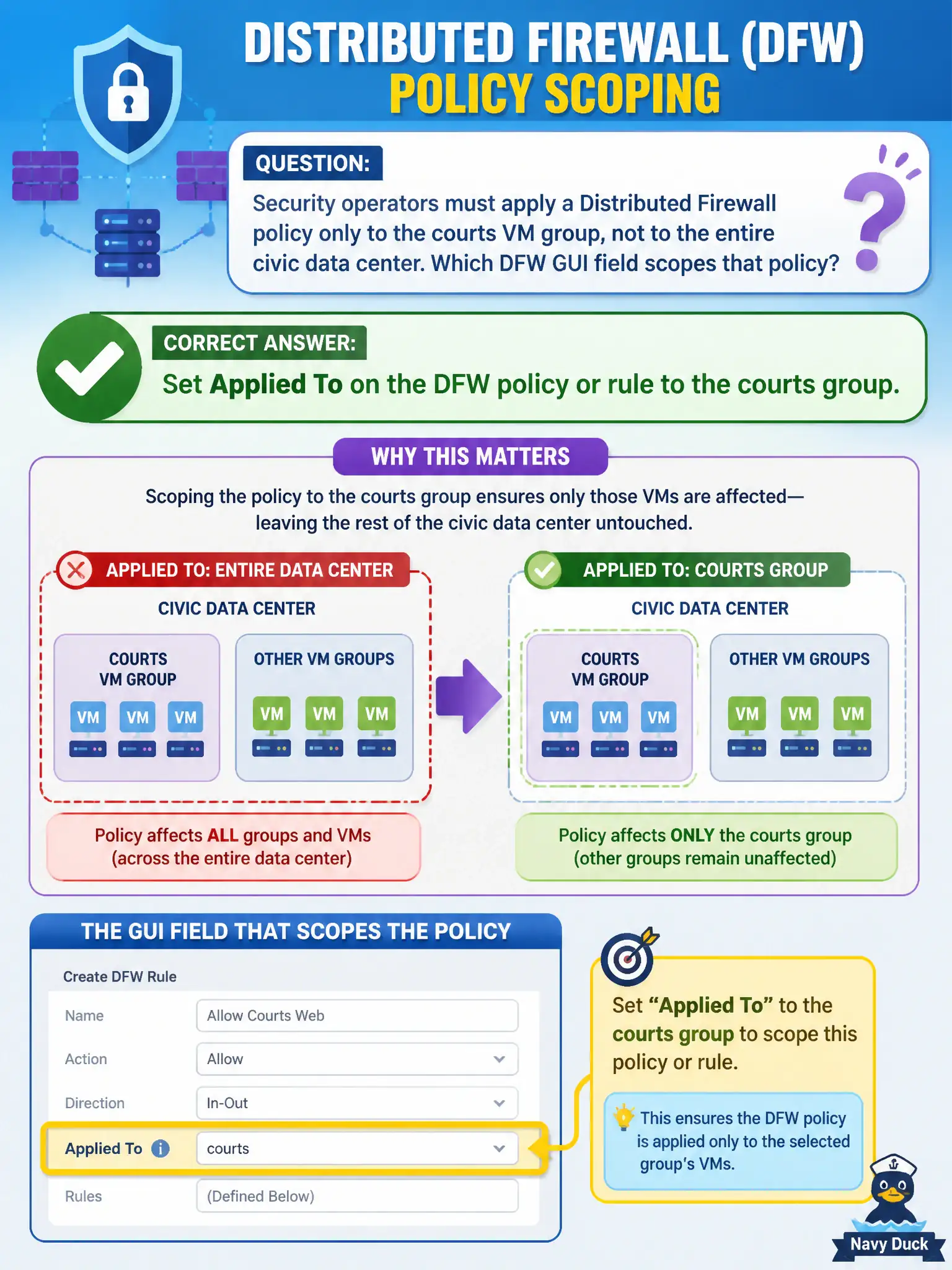
Security operators must apply a Distributed Firewall policy only to the courts VM group, not to the entire civic data center. Which DFW GUI field scopes that policy?
Select an answer to reveal the explanation.
Short Explanation
Applied To is the which-hallway sticker. Put the courts group there so the policy does not blanket the whole civic building. All-DFW, VPN, and vMotion are not that sticker.
Full Explanation
Security operators who must apply a Distributed Firewall policy only to the courts VM group set Applied To on the DFW policy or rule to that courts group—the GUI field that scopes enforcement instead of blanketing every protected vNIC. Leaving Applied To at DFW (all) pushes the courts policy broadly across the civic data center, which is the opposite of scoped intent. Believing Applied To exists only on VPN sessions and using VPN to scope DFW confuses VPN services with Distributed Firewall scoping. Using vMotion as Applied To misunderstands a vSphere mobility feature as a DFW scope field. Exam caveat: Applied To on policy versus rule can interact with how sections publish—verify effective scope on a courts test VM and a non-courts VM before production. Operational check: set Applied To to the courts group on the policy/rule, publish, confirm courts VMs enforce the new rules while other agency VMs do not, and document the scope in the security change ticket. In municipal operations, record the chosen control and the rejected alternatives in the change ticket so future on-call staff understand which failure modes would affect city services. Re-validate after the next maintenance window that the same GUI path and realized state still hold under the current NSX build used by the civic platform team.