
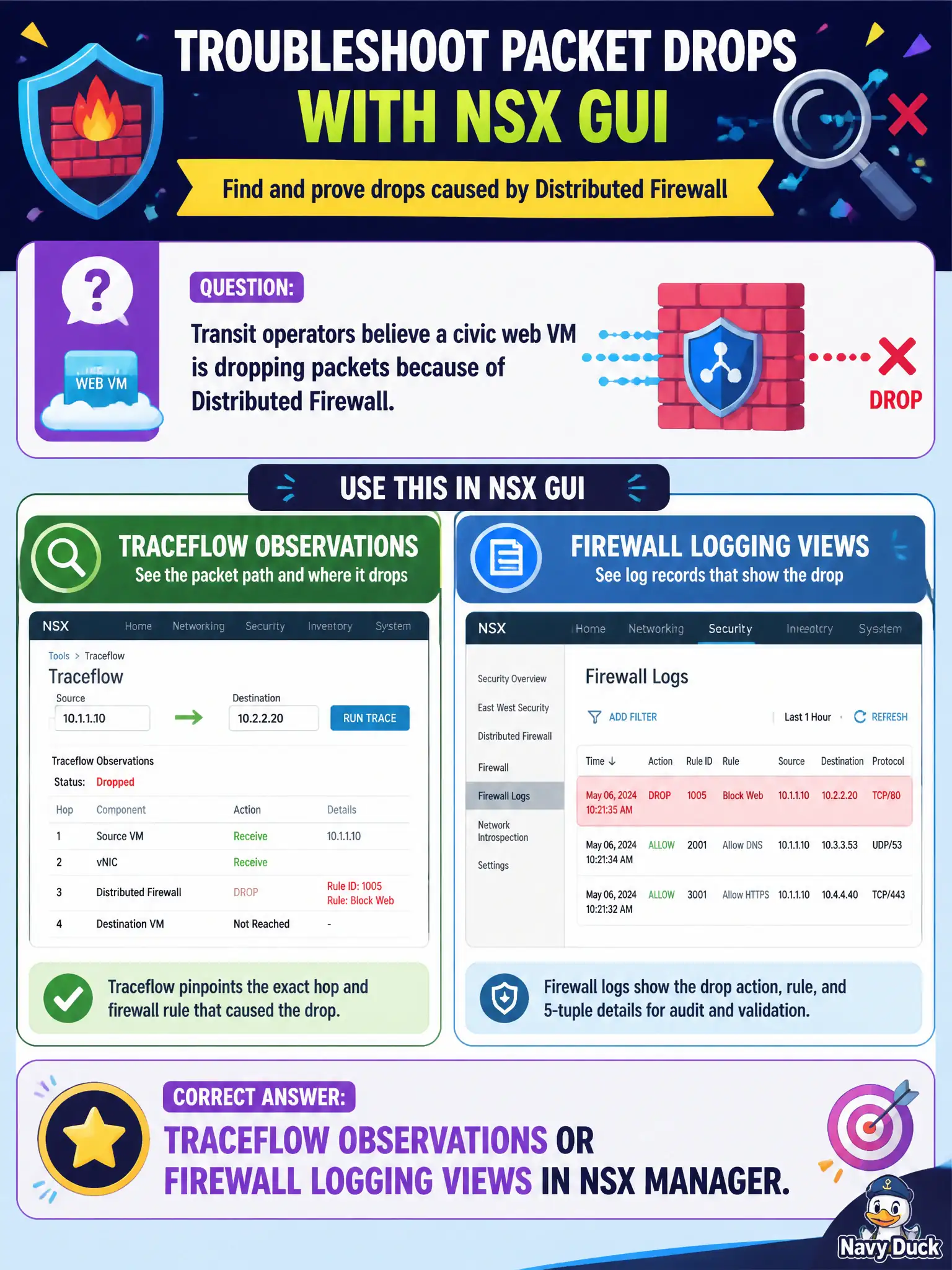
Transit operators believe a civic web VM is dropping packets because of Distributed Firewall. Which NSX GUI tool should they use to see that drop?
Select an answer to reveal the explanation.
Short Explanation
If the civic hallway lock ate the packet, look at NSX's own camera — Traceflow or firewall logs in the Manager GUI. ESXi pktcap, snapshots, and CAM printouts are not the associate GUI answer.
Full Explanation
Transit operators who believe a civic web VM is dropping packets because of Distributed Firewall should use Traceflow observations or firewall logging views in NSX Manager—the associate GUI tools that show DFW disposition. The ESXi CLI pktcap-uw utility is a host packet-capture path, not the VCTA-required GUI answer. Taking a vSphere snapshot of the web VM and inspecting the snapshot for dropped packets does not record DFW drop reasons. Printing only the physical access-switch CAM table shows L2 forwarding on the wire, not overlay DFW decisions. Exam caveat: enable or scope firewall logging appropriately; Traceflow shows a simulated path observation and may differ from a live asymmetric failure if underlay issues exist. Operational check: run Traceflow between the transit client and web VM, review observations for DFW drop/allow, correlate with firewall logs for the rule ID, and adjust the civic policy only after identifying the hitting rule. In municipal operations, record the chosen control and the rejected alternatives in the change ticket so future on-call staff understand which failure modes would affect city services. Re-validate after the next maintenance window that the same GUI path and realized state still hold under the current NSX build used by the civic platform team.