
A clinic change window must power off a records VM and tighten its Distributed Firewall rules. How should the operator use GUIs to achieve both goals?
Select an answer to reveal the explanation.
Short Explanation
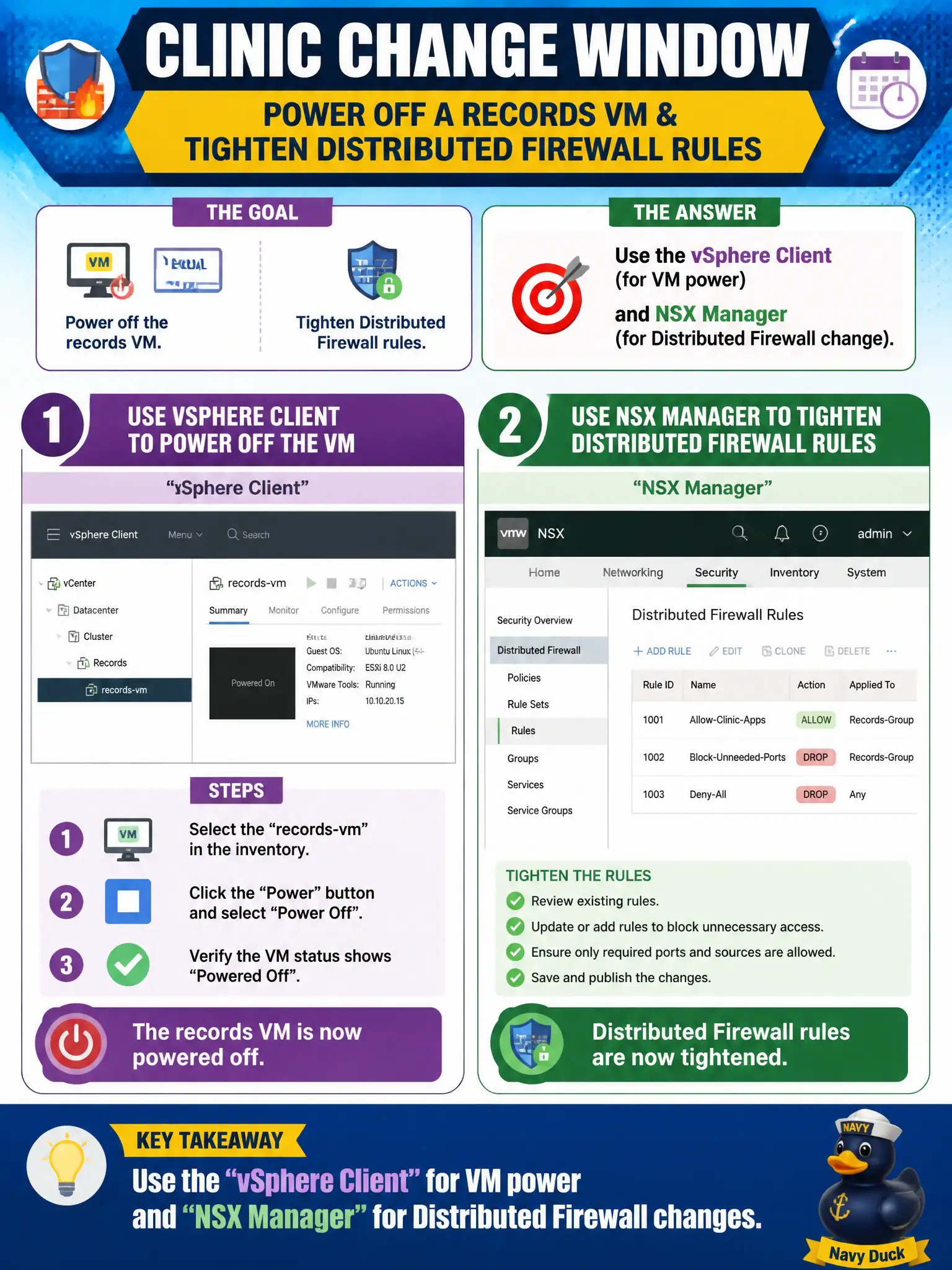
Power is the lights switch in vSphere; the hallway locks are in NSX. Two tabs, two jobs. Do not expect NSX to power VMs, vSphere to publish DFW, or Carbon Black to do both.
Full Explanation
A clinic change window that must power off a records VM and tighten its Distributed Firewall rules should use the vSphere Client for VM power and NSX Manager for the Distributed Firewall change—two GUIs for two control planes. Using only NSX Manager fails because NSX Manager is not the VM power console for guest power operations. Using only the vSphere Client fails because it does not publish Distributed Firewall policies. Using Carbon Black Live Response for both power and firewall addresses endpoint response, not NSX DFW policy publication or standard vSphere power workflows. Exam caveat: sequence matters—confirm power state and maintenance mode expectations before publishing deny rules that could complicate recovery testing. Operational check: in vSphere, power off the records VM per change ticket; in NSX Manager, update and publish the DFW rules for the clinic group; verify rule realization; then power on and test allowed flows. In municipal operations, record the chosen control and the rejected alternatives in the change ticket so future on-call staff understand which failure modes would affect city services. Re-validate after the next maintenance window that the same GUI path and realized state still hold under the current NSX build used by the civic platform team.