
Auditors asked the county for an inventory of NSX grouping objects used on civic workloads. Which NSX GUI page lists or exports those groups?
Select an answer to reveal the explanation.
Short Explanation
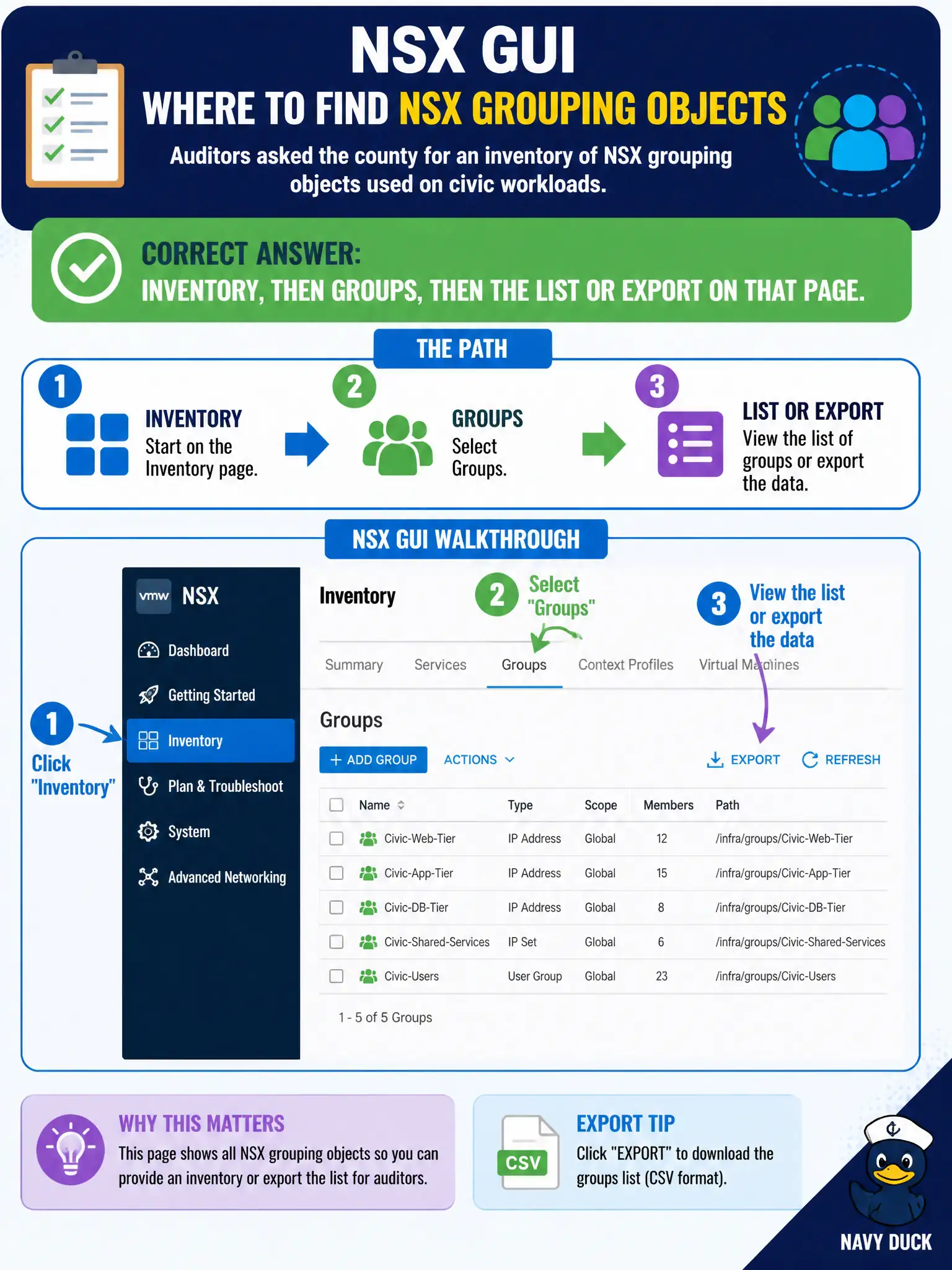
The auditor wants the city's grouping roster, not a support zip and not a laptop EDR list. Inventory, then Groups, is that roster.
Full Explanation
Auditors asking the county for an inventory of NSX grouping objects used on civic workloads should use Inventory → Groups and the list or export on that page—the authoritative GUI roster of grouping objects. Generating a System support bundle produces troubleshooting artifacts, not the curated group inventory export auditors expect. The ESXi Host Client local users list on one transport host shows host accounts, not NSX groups. Importing Carbon Black Cloud device inventory as NSX groups confuses endpoint device lists with NSX Security/Inventory grouping. Exam caveat: groups may be nested or empty; export what auditors asked for (names, members, usage) and note dynamic membership that can change between snapshots. Operational check: open Inventory → Groups, filter to civic workloads of interest, export or screenshot the list per audit request, and cross-check a sample group against DFW references. In municipal operations, record the chosen control and the rejected alternatives in the change ticket so future on-call staff understand which failure modes would affect city services. Re-validate after the next maintenance window that the same GUI path and realized state still hold under the current NSX build used by the civic platform team.