
A 311 operator needs to jump from the 311 web VM to its related NICs, segments, and groups. Which NSX GUI path is the fastest?
Select an answer to reveal the explanation.
Short Explanation
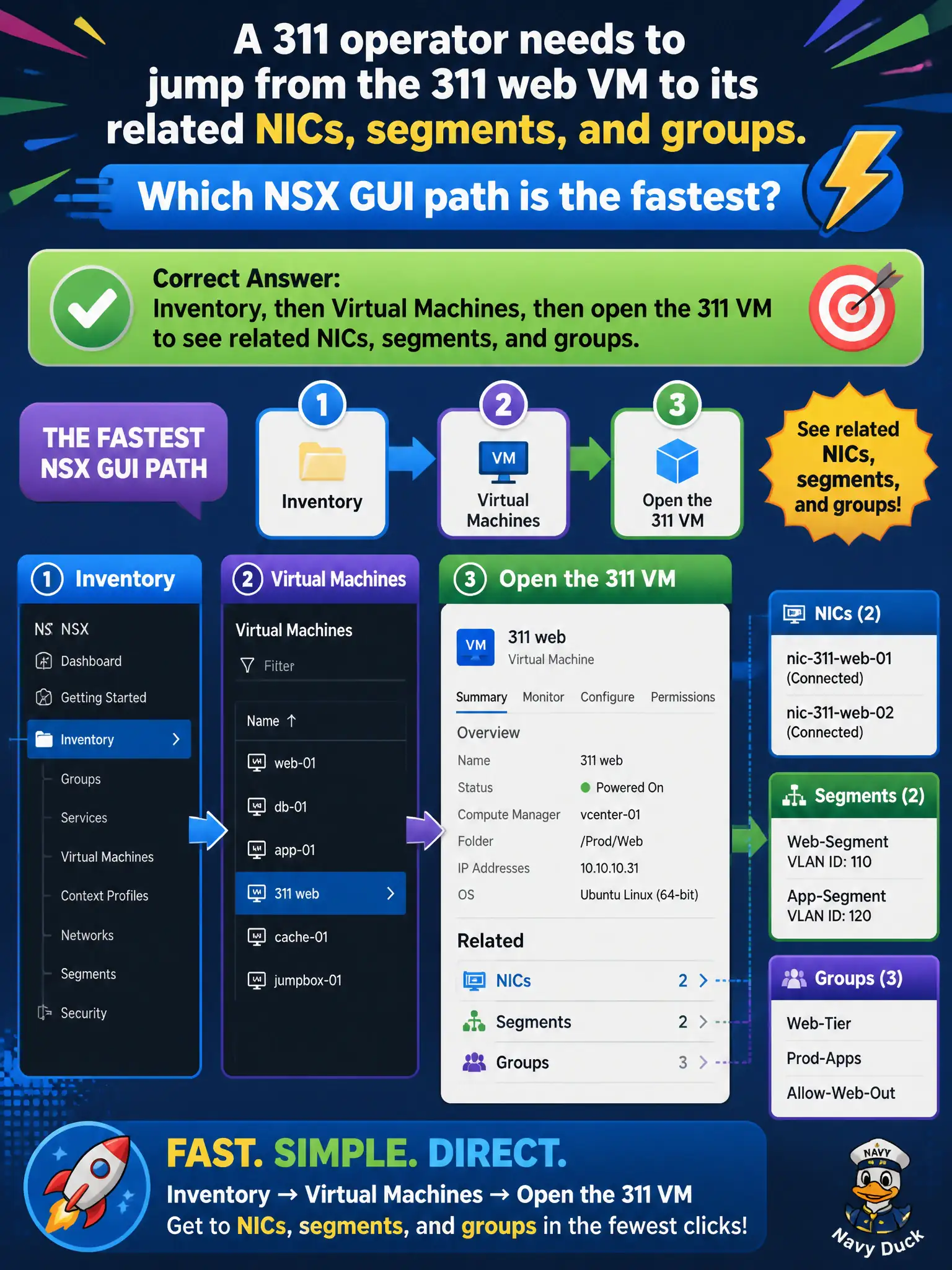
The 311 web server is a named computer in the civic inventory, not a host you prepare. Inventory, then Virtual Machines, then the VM, is the shortcut to its NICs, segments, and groups.
Full Explanation
A 311 operator who needs to jump from the 311 web VM to its related NICs, segments, and groups should open Inventory → Virtual Machines and open that VM—the related-object shortcut for civic workload networking context. System → Fabric → Nodes preparation is for transport nodes (ESXi/Edge), not for treating an application VM as a transport node. Relying only on the Home compliance widget does not replace the VM object page that lists NICs, segments, and groups. The vSphere content library ISO list for the 311 template shows templates, not live related NSX objects. Exam caveat: Inventory depends on compute-manager sync; if the VM is missing, fix vCenter registration/sync before assuming the workload is absent from NSX. Operational check: open Inventory → Virtual Machines → 311 web VM, confirm NIC, segment, and group associations match the runbook, and use that page as the starting point for any 311 networking change. In municipal operations, record the chosen control and the rejected alternatives in the change ticket so future on-call staff understand which failure modes would affect city services. Re-validate after the next maintenance window that the same GUI path and realized state still hold under the current NSX build used by the civic platform team.