
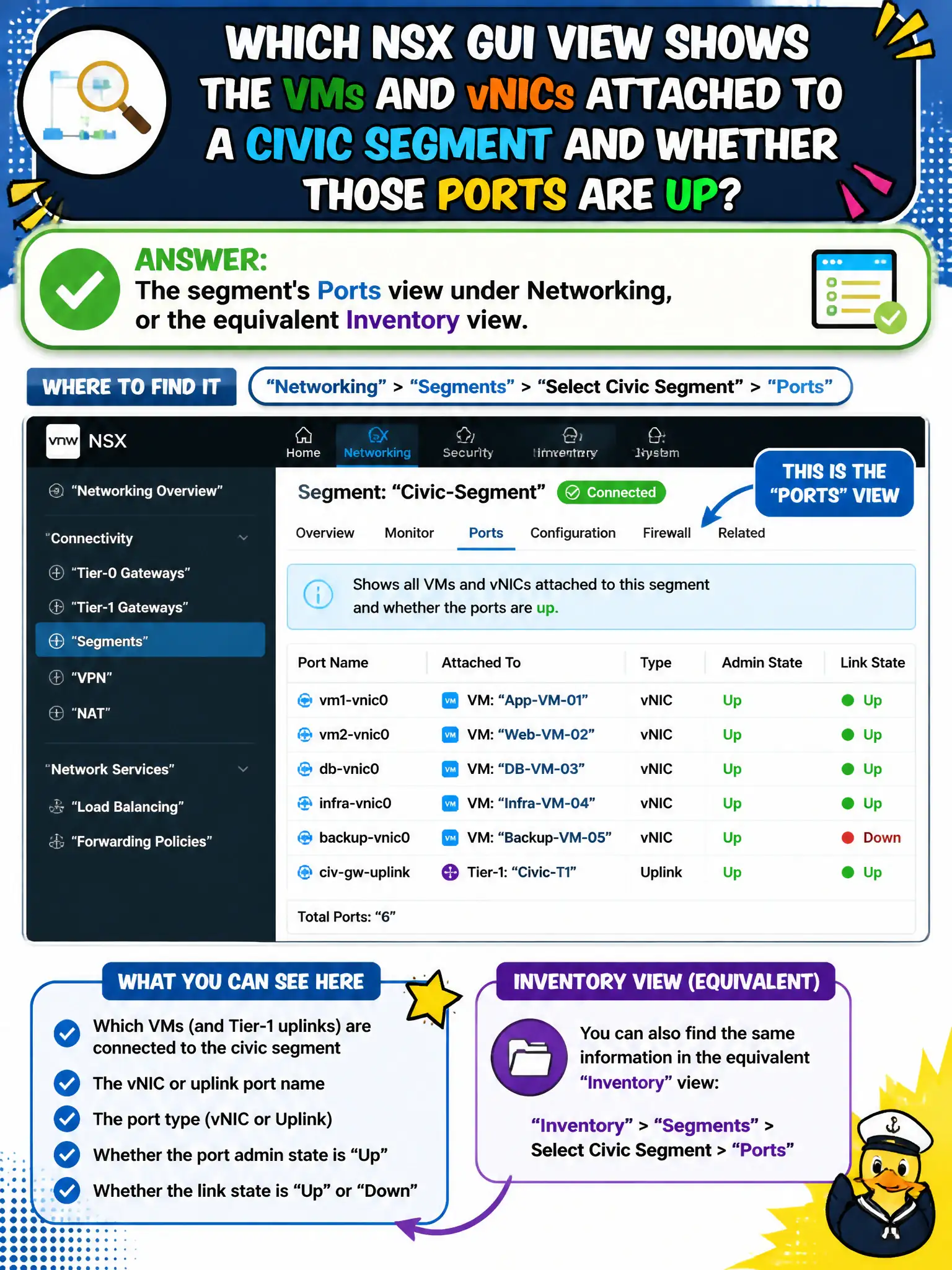
Permit-system operators need to see which VMs and vNICs are attached to a civic segment and whether those ports are up. Which NSX GUI view shows that?
Select an answer to reveal the explanation.
Short Explanation
Who is plugged into the permit hallway is on the segment's Ports list, not on a license or a disk group. Open the segment in Networking and read Ports.
Full Explanation
Permit-system operators who need to see which VMs and vNICs are attached to a civic segment and whether those ports are up open the segment's Ports view under Networking (or the equivalent Inventory view)—the GUI that lists attachments and link status. System → Licenses shows edition entitlements, not segment vNIC membership. vSAN disk groups in the vSphere Client enumerate storage devices, not NSX segment ports. Workspace ONE enrollment status tracks EUC devices, not overlay port realization. Exam caveat: a missing port may mean the VM still sits on a VLAN port group, the segment is unrealized, or inventory sync lags—confirm attachment before blaming the guest OS. Operational check: open the permit segment Ports view, verify expected VMs show Connected/Up, spot-check one vNIC against the vSphere adapter setting, and capture the port list for the permit change window. In municipal operations, record the chosen control and the rejected alternatives in the change ticket so future on-call staff understand which failure modes would affect city services. Re-validate after the next maintenance window that the same GUI path and realized state still hold under the current NSX build used by the civic platform team.