
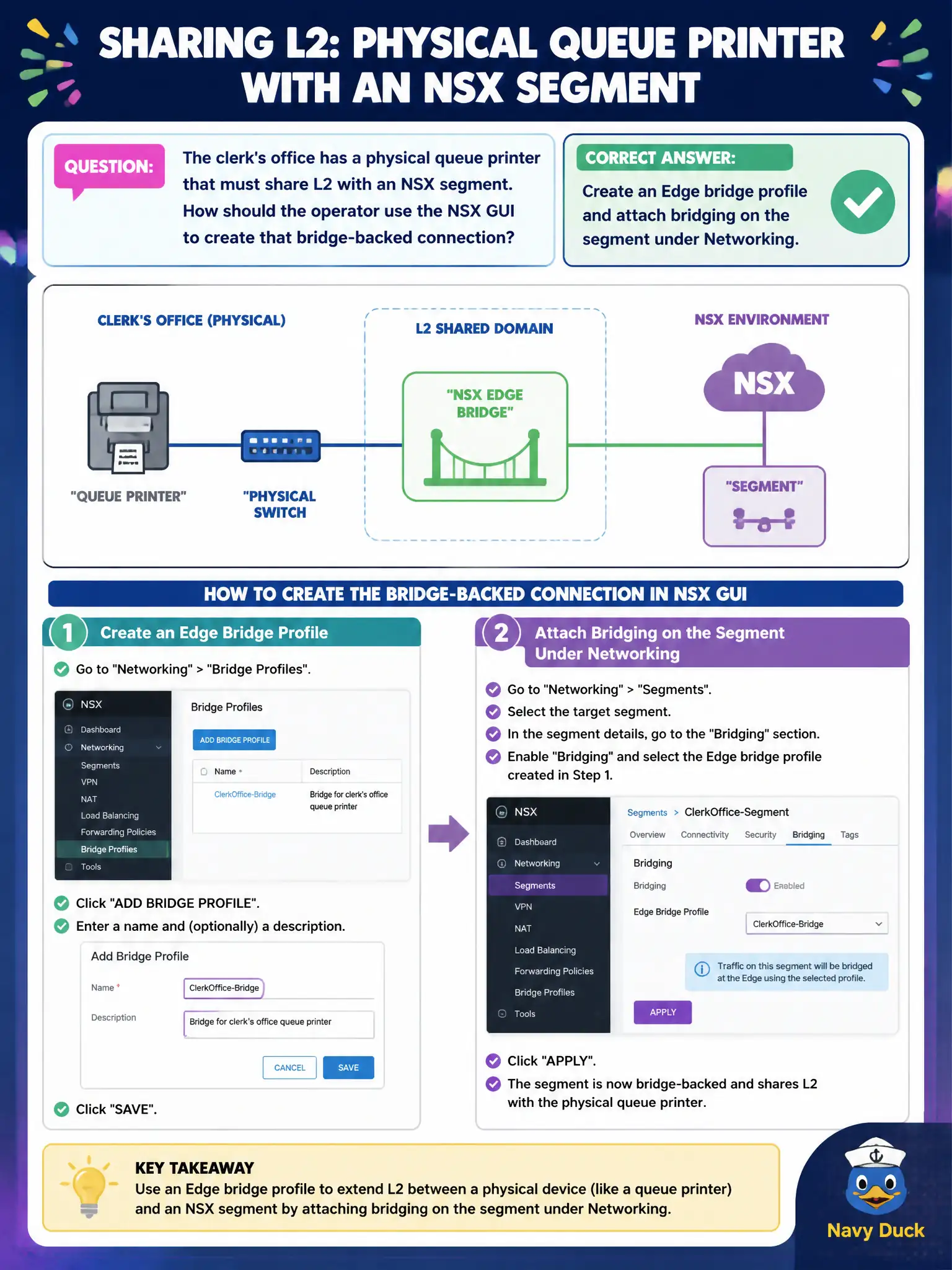
The clerk's office has a physical queue printer that must share L2 with an NSX segment. How should the operator use the NSX GUI to create that bridge-backed connection?
Select an answer to reveal the explanation.
Short Explanation
A hallway printer is still a hallway printer — it does not speak Geneve by magic. Bridging is an NSX Networking job: an Edge bridge profile plus a bridge on the segment. Horizon clones and Manager nodes are the wrong tools.
Full Explanation
When the clerk's office physical queue printer must share L2 with an NSX segment, the operator creates an Edge bridge profile and attaches bridging on the segment under Networking—the supported GUI path to bridge physical devices onto overlay or VLAN-backed civic segments. Enabling Geneve encapsulation in the printer's own menu is not how printers become VTEPs; physical devices stay L2 endpoints behind the bridge. Publishing a Horizon instant clone of the printer confuses EUC desktop cloning with L2 bridging. Adding the printer as an NSX Manager cluster node under System → Fabric is invalid and dangerous—printers are not Manager appliances. Exam caveat: bridging has Edge placement and VLAN tagging requirements; wrong uplink or VLAN ID yields silent isolation rather than shared L2. Operational check: create the Edge bridge profile, attach bridging on the clerk segment with the correct VLAN, place a test ping between the printer and a segment VM, and record the bridge Edge in the change ticket. In municipal operations, record the chosen control and the rejected alternatives in the change ticket so future on-call staff understand which failure modes would affect city services. Re-validate after the next maintenance window that the same GUI path and realized state still hold under the current NSX build used by the civic platform team.