
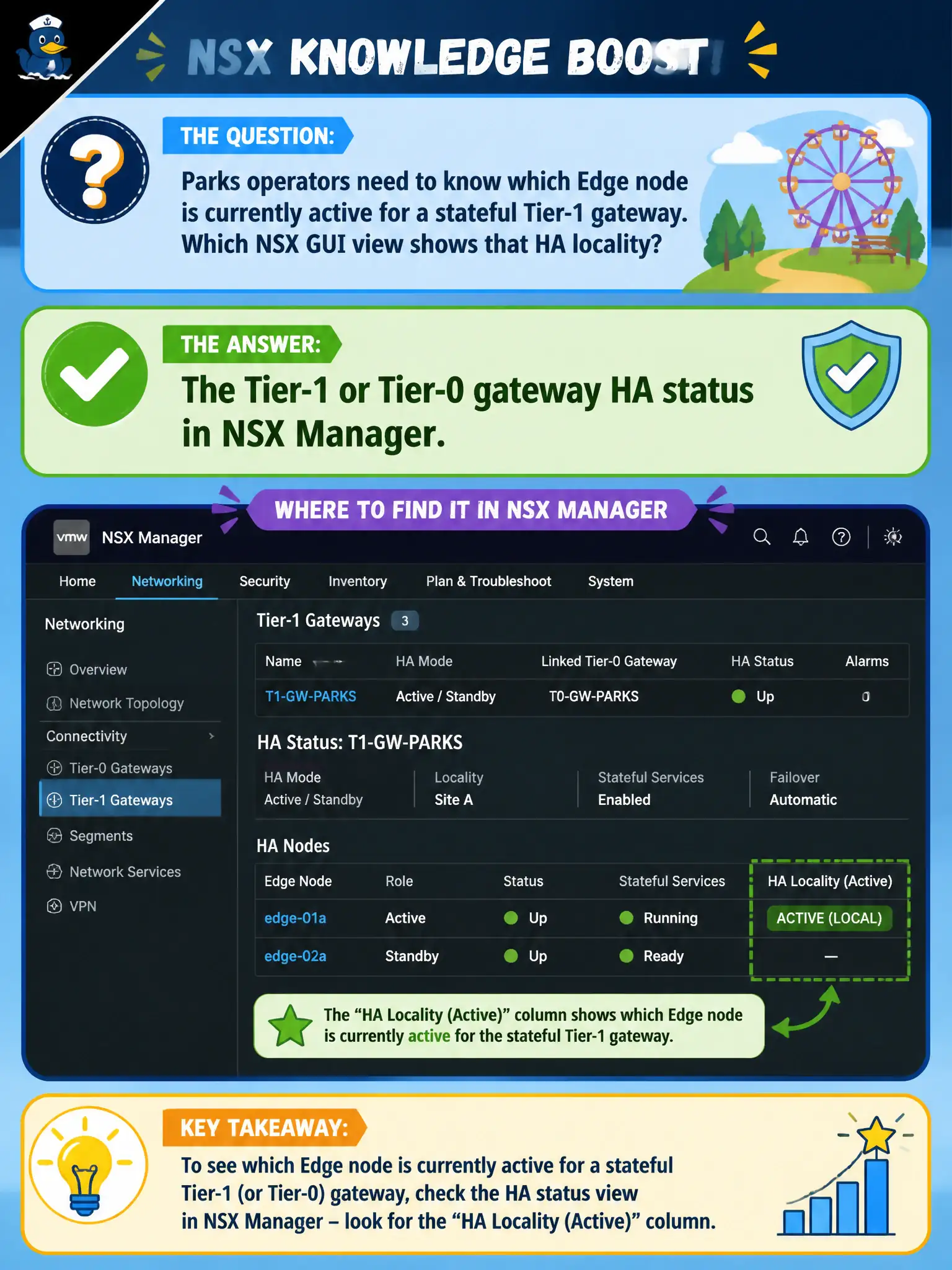
Parks operators need to know which Edge node is currently active for a stateful Tier-1 gateway. Which NSX GUI view shows that HA locality?
Select an answer to reveal the explanation.
Short Explanation
Who is covering the Parks front desk today is on the gateway's own status board. Open the T1 or T0 in NSX Manager and read HA. vSphere HA, the Host Client, and Carbon Black are different shift boards.
Full Explanation
Parks operators who need to know which Edge node is currently active for a stateful Tier-1 gateway read Tier-1 or Tier-0 gateway HA status in NSX Manager—the view that shows active/standby locality for civic gateways. Checking vSphere HA host isolation response on the Parks cluster describes compute HA behavior for VMs, not which Edge is active for the NSX gateway. The ESXi Host Client local services page on a random transport host does not present NSX gateway HA locality. Carbon Black Cloud sensor Online status for the Edge VM reports endpoint agent health, not Edge HA role for the Tier-1. Exam caveat: active/standby matters for stateful services; after failover, confirm the new active Edge and any failed peer before declaring Parks routing healthy. Operational check: open the Parks Tier-1 in NSX Manager, read HA/Edge status to identify the active node, correlate with recent alarms, and document the active Edge in the parks runbook for on-call. In municipal operations, record the chosen control and the rejected alternatives in the change ticket so future on-call staff understand which failure modes would affect city services. Re-validate after the next maintenance window that the same GUI path and realized state still hold under the current NSX build used by the civic platform team.