
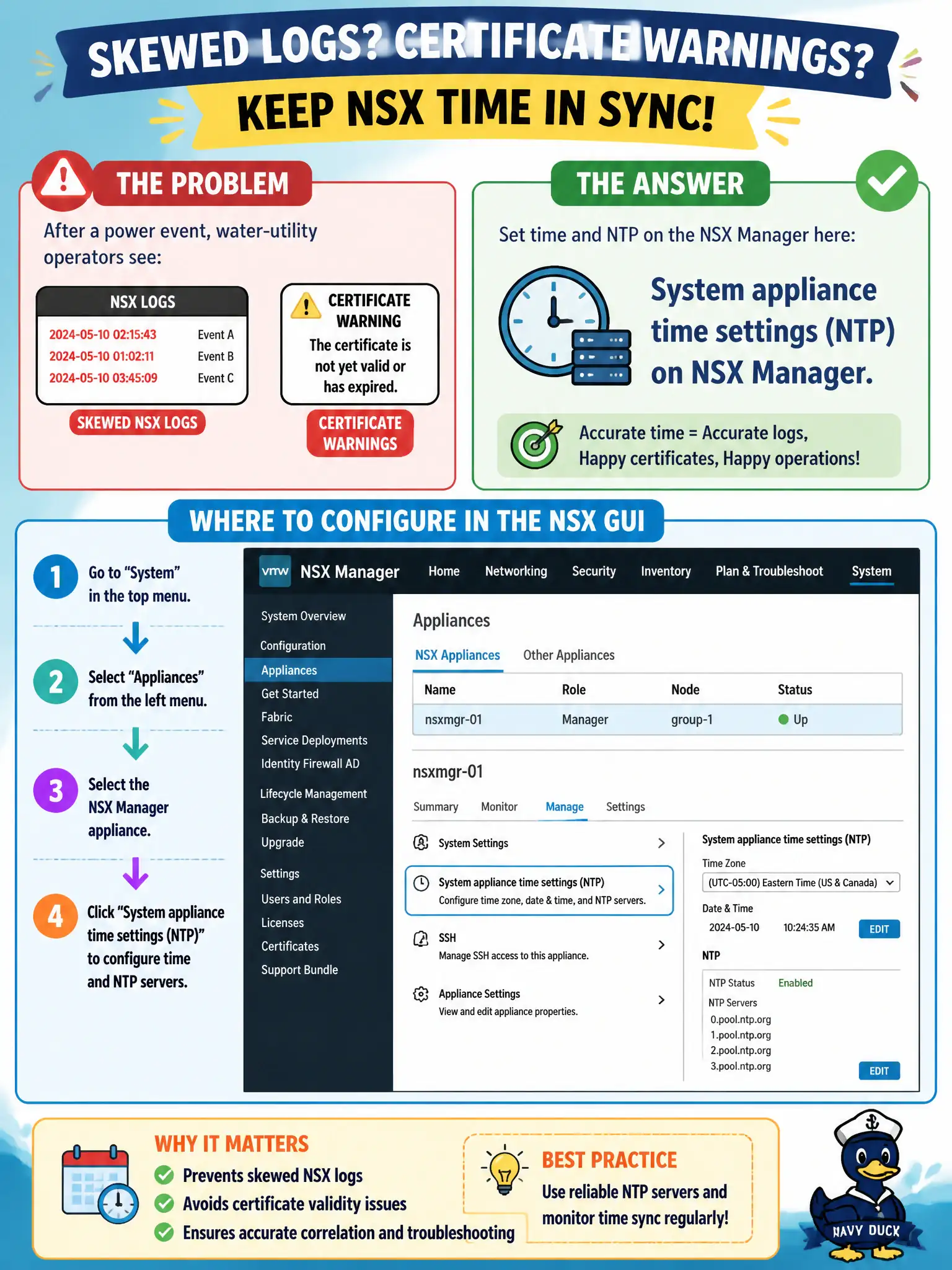
Water-utility operators see skewed NSX logs and certificate warnings after a power event. Where in the NSX GUI do they set time and NTP on the Manager appliance?
Select an answer to reveal the explanation.
Short Explanation
If city hall's wall clock is wrong, the visitor log and the door badges both look crazy. NTP for NSX Manager is a System appliance setting, not a 311 VM, vSphere HA, or a DFW schedule.
Full Explanation
Water-utility operators seeing skewed NSX logs and certificate warnings after a power event set time and NTP on the Manager appliance in System appliance time settings—correct Manager clock is foundational for logs, certificates, and sessions. Configuring the guest OS NTP client on a 311 web VM does not set the NSX Manager clock; that VM is a workload, not the management appliance. Adjusting vSphere HA admission control addresses cluster capacity policy, not NSX time source. Using Security → Distributed Firewall time-based policies schedules rule windows; those policies do not configure the Manager NTP servers. Exam caveat: large time jumps after power events can invalidate TLS and confuse alarm timelines—sync NTP before deep certificate troubleshooting. Operational check: open System appliance time/NTP settings on NSX Manager, point to approved civic NTP servers, confirm current time and sync status, then re-check log timestamps and certificate validity warnings. In municipal operations, record the chosen control and the rejected alternatives in the change ticket so future on-call staff understand which failure modes would affect city services. Re-validate after the next maintenance window that the same GUI path and realized state still hold under the current NSX build used by the civic platform team.