
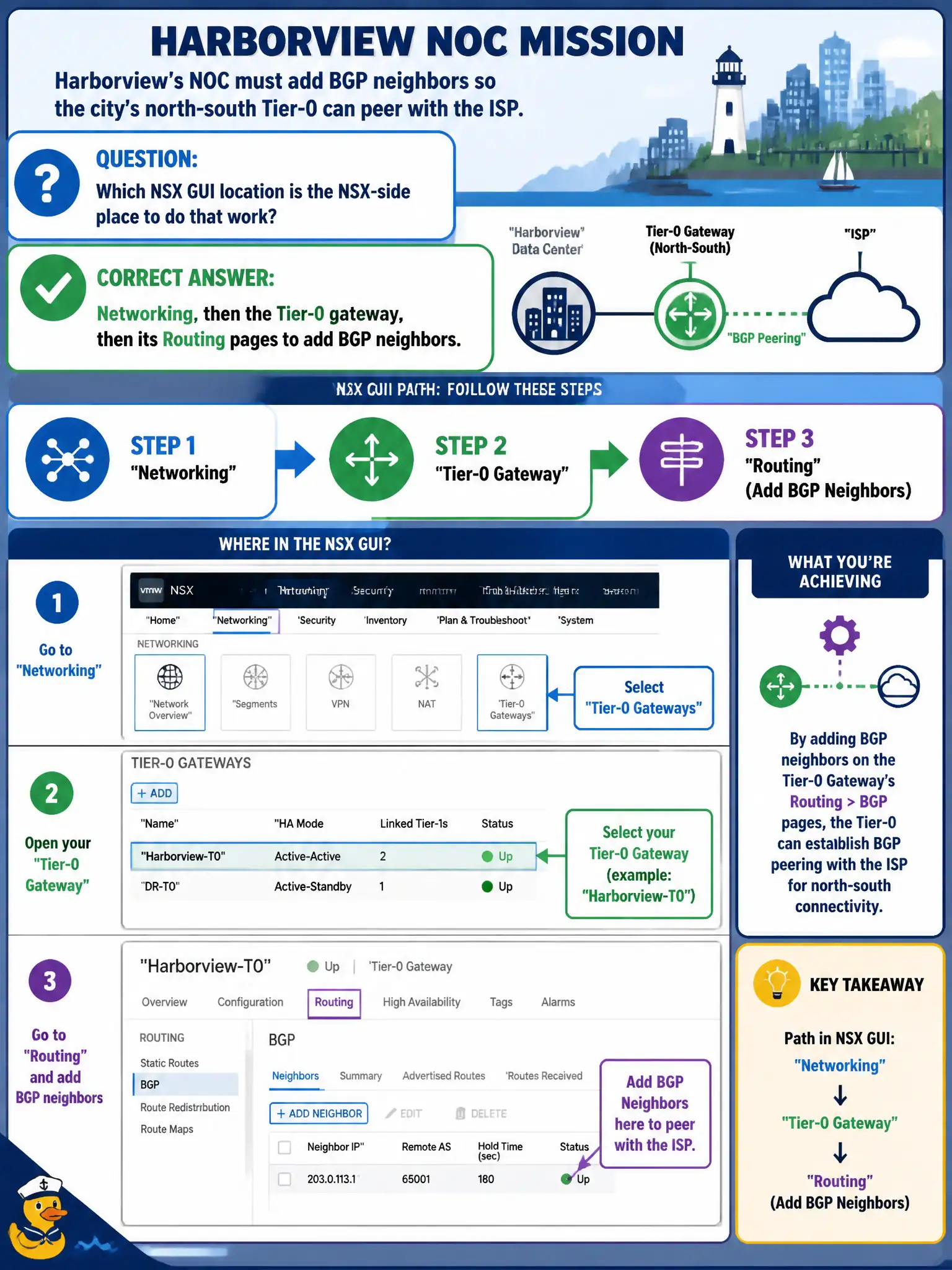
Harborview's NOC must add BGP neighbors so the city's north-south Tier-0 can peer with the ISP. Which NSX GUI location is the NSX-side place to do that work?
Select an answer to reveal the explanation.
Short Explanation
City hall's peering notebook lives on the civic front desk, not in the ISP lobby. Open the Tier-0 under Networking and use its Routing pages. The carrier GUI, Distributed Firewall, and the ESXi shell are not the NSX BGP counter.
Full Explanation
Harborview's NOC must add BGP neighbors so the city's north-south Tier-0 can peer with the ISP, and the NSX-side place to do that work is Networking, then the Tier-0 gateway, then its Routing pages—where civic operators create and edit NSX BGP neighbors. Configuring only the physical ISP router GUI creates the carrier side of the session but does not define the NSX Tier-0 neighbor object. Opening Security → Distributed Firewall and adding BGP as an east-west service confuses firewall policy with routing protocol configuration. Using the ESXi Host Client on a transport node and typing BGP neighbor commands at the shell bypasses the NSX Manager GUI path VCTA-NV expects for identify tasks. Exam caveat: associate items ask where BGP neighbors are configured on NSX, not for ASN design, route-maps, or full ISP change control. Operational check: open the city Tier-0 Routing pages, add the ISP neighbor with the agreed address and ASN fields from the NOC runbook, verify session state after the ISP side is ready, and document both ends in the Harborview peering ticket. In municipal operations, record the chosen control and the rejected alternatives in the change ticket so future on-call staff understand which failure modes would affect city services. Re-validate after the next maintenance window that the same GUI path and realized state still hold under the current NSX build used by the civic platform team.