
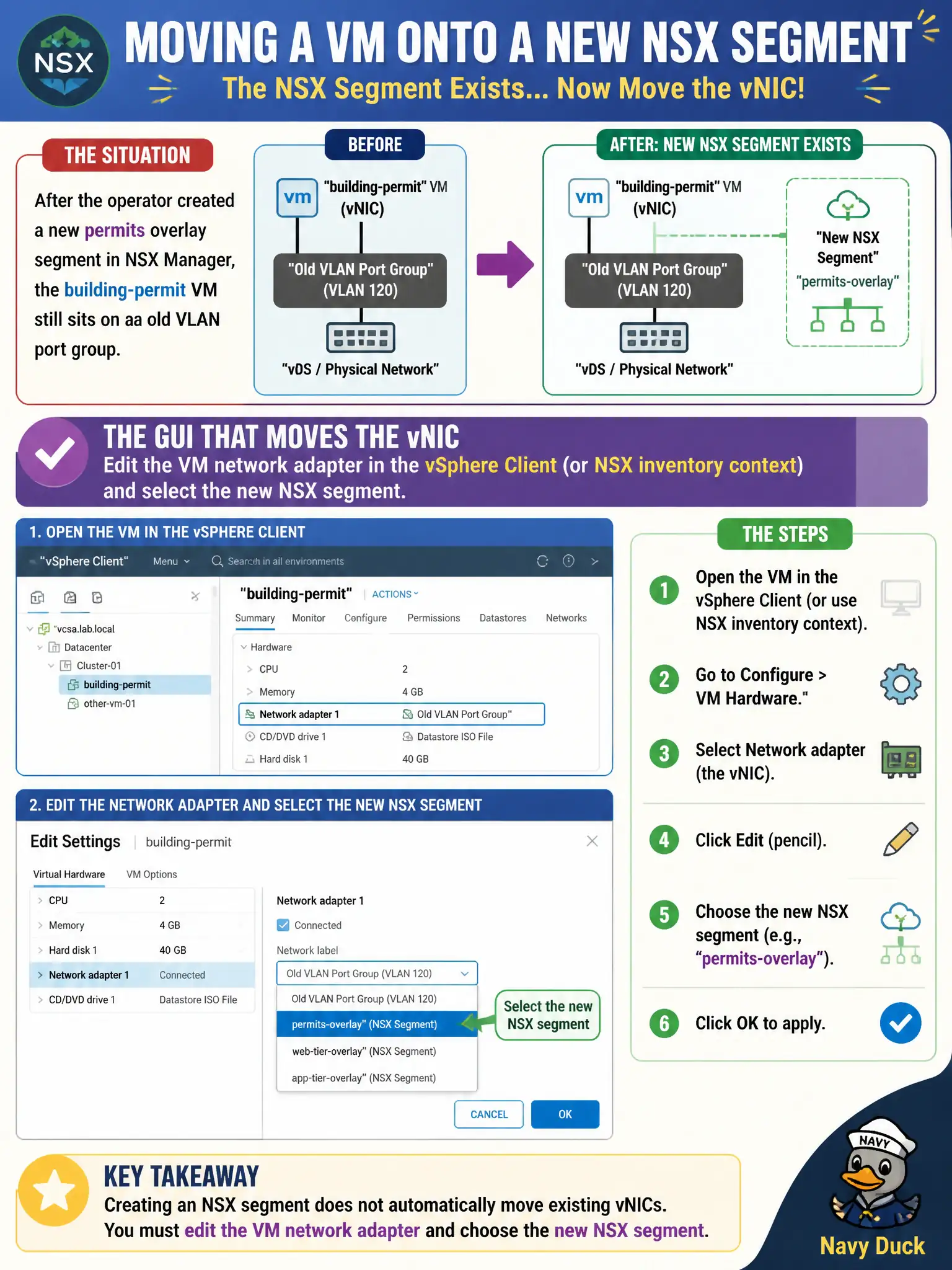
After the operator created a new permits overlay segment in NSX Manager, the building-permit VM still sits on an old VLAN port group. Which GUI actually moves the vNIC onto that NSX segment?
Select an answer to reveal the explanation.
Short Explanation
Creating the road in NSX Manager does not move the car. The vNIC still changes in vSphere (or the NSX inventory attach path)—a new T0, a hostname, or App Volumes will not slide that adapter onto the permits segment.
Full Explanation
Creating a permits overlay segment in NSX Manager does not automatically move an existing building-permit VM off an old VLAN port group. The operator must edit the VM network adapter in the vSphere Client (or via NSX inventory context actions that lead to the same vNIC change) and select the new NSX segment—the actual vNIC rebinding step for civic workloads. Adding another Tier-0 does not migrate guest vNICs onto a new segment. Changing the guest hostname inside the VM does not remap the vNIC to an NSX segment. Publishing an App Volumes stack delivers applications; it does not rebind networking to an overlay segment. Exam caveat: segment creation and VM attachment are separate tasks—realized segments can exist while VMs remain on legacy VLAN port groups until someone edits the adapter. Operational check: confirm segment realization, schedule a short outage window, change the building-permit VM adapter to the NSX segment, verify IP/connectivity, and update the CMDB network mapping. In municipal operations, record the chosen control and the rejected alternatives in the change ticket so future on-call staff understand which failure modes would affect city services. Re-validate after the next maintenance window that the same GUI path and realized state still hold under the current NSX build used by the civic platform team.