
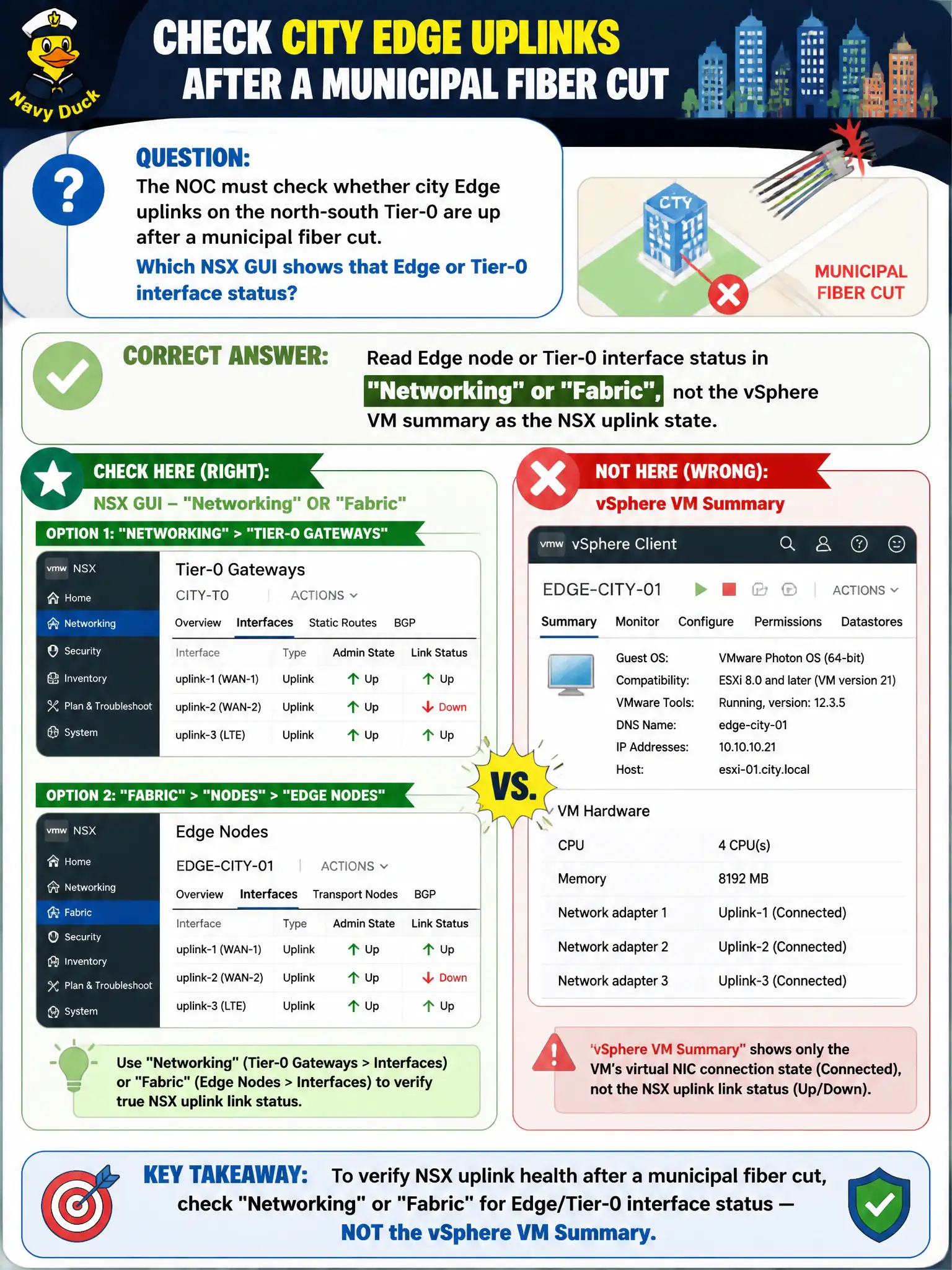
The NOC must check whether city Edge uplinks on the north-south Tier-0 are up after a municipal fiber cut. Which NSX GUI shows that Edge or Tier-0 interface status?
Select an answer to reveal the explanation.
Short Explanation
Edge uplinks are the city’s driveway onto the ISP street. You check that driveway on the Edge or Tier-0 interface pages in NSX—CPU Ready, vSAN iSCSI, and UEM compliance are other dashboards.
Full Explanation
After a municipal fiber cut, the NOC checks city Edge uplinks on the north-south Tier-0 by reading Edge node or Tier-0 interface status in Networking or Fabric views—NSX’s view of uplink state—rather than treating the vSphere VM summary alone as NSX uplink connectivity. vSphere VM CPU Ready on the Edge VM indicates compute contention, not whether the NSX uplink interface toward the ISP/fiber path is up. vSAN iSCSI target state is storage networking, not Edge north-south uplink health. Workspace ONE UEM device compliance does not report Edge uplink link status. Exam caveat: Edge guest powered-on can coexist with down NSX uplink interfaces—always confirm Tier-0/Edge interface status in NSX after physical fiber events. Operational check: open the Tier-0/Edge interface status, verify which uplinks recovered after the fiber restore, test north-south reachability for a known city service, and update the NOC incident timeline. In municipal operations, record the chosen control and the rejected alternatives in the change ticket so future on-call staff understand which failure modes would affect city services. Re-validate after the next maintenance window that the same GUI path and realized state still hold under the current NSX build used by the civic platform team.