
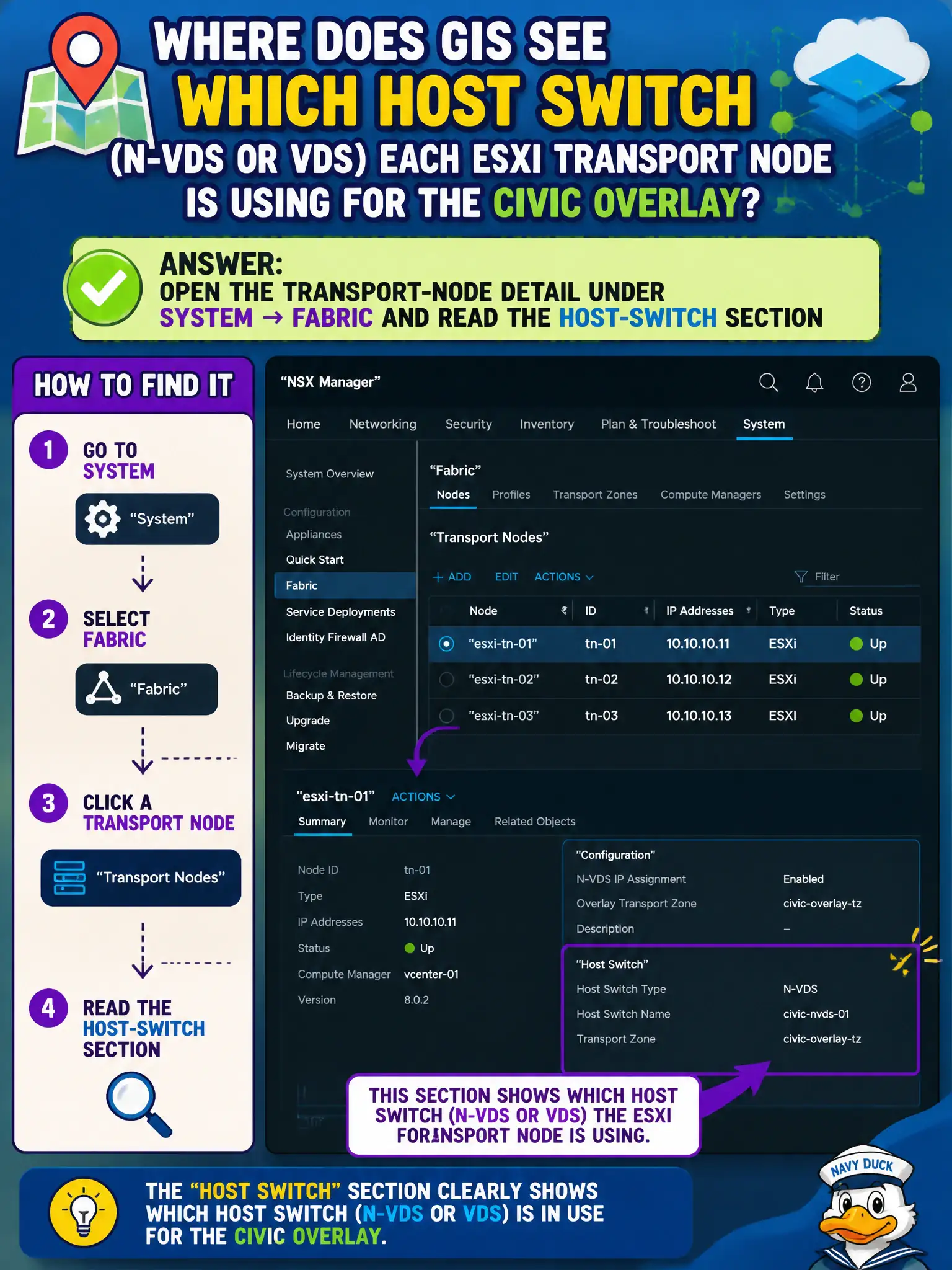
GIS wants to see which host switch (N-VDS or VDS) each ESXi transport node is using for the civic overlay. Where is that visible in NSX Manager?
Select an answer to reveal the explanation.
Short Explanation
The host switch is the on-ramp painted on each ESXi street, and that paint is shown on the transport-node detail in System → Fabric. DFW Applied To, VM hardware compatibility, and Carbon Black do not name N-VDS versus VDS.
Full Explanation
GIS operators who need to see whether each ESXi transport node uses N-VDS or VDS for the civic overlay open the transport-node detail under System → Fabric and read the host-switch section. That detail view is the inventory of host-switch type and related uplink/TZ bindings per node. The Distributed Firewall Applied To column lists security targets, not host-switch inventory. vCenter VM hardware compatibility levels are guest hardware versions, not N-VDS membership. Carbon Black sensor versions on GIS VMs report EDR agents, not ESXi host-switch type. Exam caveat: mixed N-VDS/VDS estates can exist during migration—document which courts/GIS clusters still differ before assuming identical troubleshooting steps. Operational check: sample transport nodes in System → Fabric, record host-switch type per cluster, and update the GIS fabric diagram so on-call staff know which switch model they are supporting. In municipal operations, record the chosen control and the rejected alternatives in the change ticket so future on-call staff understand which failure modes would affect city services. Re-validate after the next maintenance window that the same GUI path and realized state still hold under the current NSX build used by the civic platform team.