
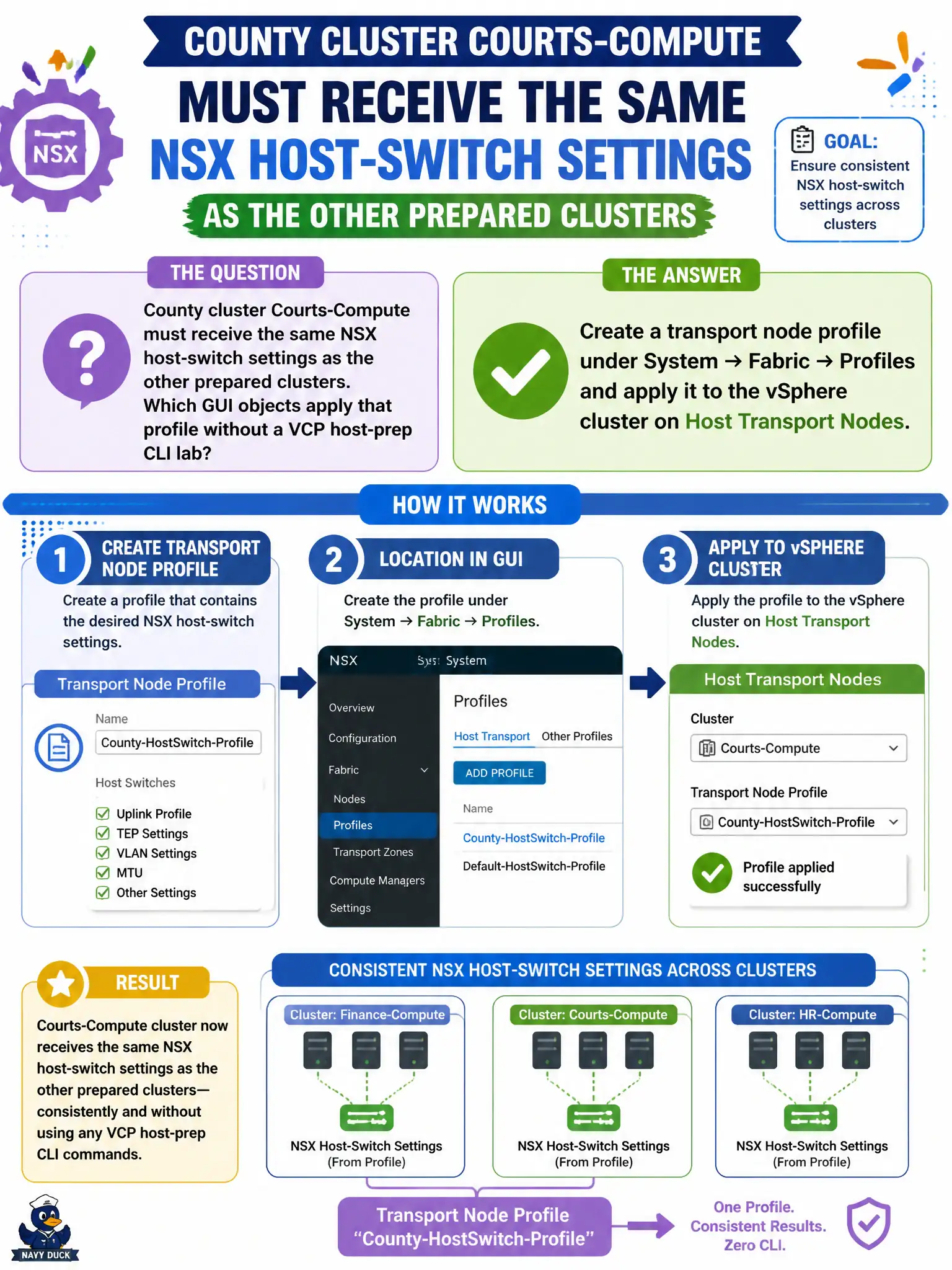
County cluster Courts-Compute must receive the same NSX host-switch settings as the other prepared clusters. Which GUI objects apply that profile without a VCP host-prep CLI lab?
Select an answer to reveal the explanation.
Short Explanation
A transport node profile is a cookie cutter for a whole ESXi cluster’s NSX host switch. You keep that cutter under System → Fabric, then stamp Courts-Compute—QoS segment profiles, esxcli, and Horizon are not that stamp.
Full Explanation
Courts-Compute receiving the same NSX host-switch settings as other prepared clusters is done with a transport node profile under System → Fabric → Profiles applied to the vSphere cluster on Host Transport Nodes. That GUI pattern applies consistent uplink, TZ, and host-switch settings without treating a VCP-style host-prep CLI lab as the associate answer. A QoS segment profile on a finance overlay shapes/marks segment traffic; it does not prepare host transport nodes. Running esxcli in Tech Support Mode may be an advanced host action but is not the VCTA-NV GUI answer for applying a cluster transport node profile. Adding the cluster in Horizon Connection Server configures VDI infrastructure, not NSX host switches. Exam caveat: applying a transport node profile is a significant fabric change—validate uplink profile MTU and teaming against courts ToRs before mass apply. Operational check: create or select the standard transport node profile, apply it to Courts-Compute, monitor host realization, and confirm VTEPs and host switches match peer civic clusters. In municipal operations, record the chosen control and the rejected alternatives in the change ticket so future on-call staff understand which failure modes would affect city services. Re-validate after the next maintenance window that the same GUI path and realized state still hold under the current NSX build used by the civic platform team.