
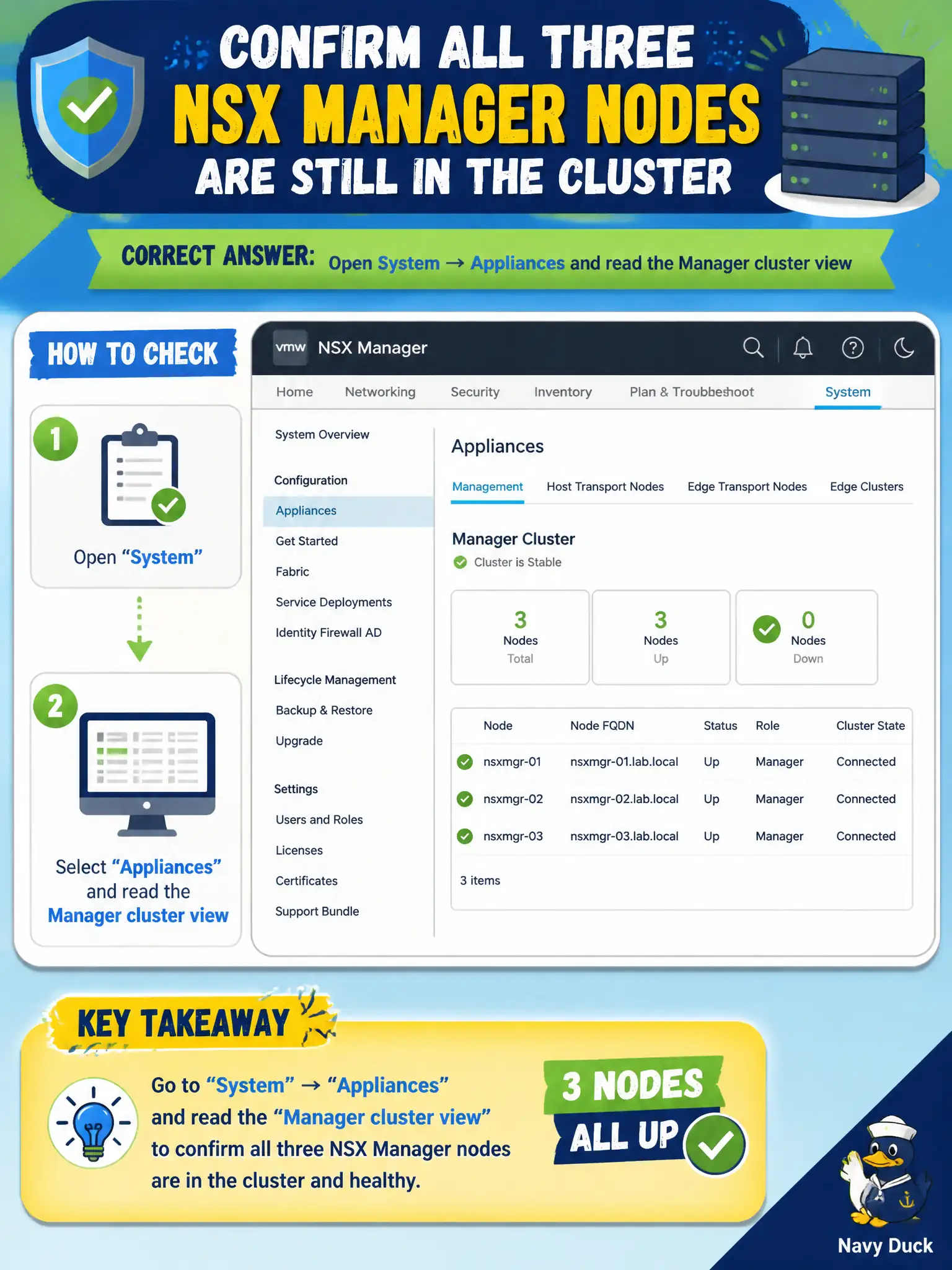
After a weekend power test, public-works needs to confirm all three NSX Manager nodes are still in the cluster. Which page shows that appliance cluster status?
Select an answer to reveal the explanation.
Short Explanation
The three NSX Managers are like three clerks who must all still be on the same shift. System → Appliances is the staffing board—T0 forms, vSAN disks, and Workspace ONE do not list those clerks.
Full Explanation
After a weekend power test, public-works confirms all three NSX Manager nodes remain clustered on System → Appliances by reading the Manager cluster view. That page is the appliance-cluster health roster for the civic NSX control plane. A Tier-0 uplink MTU field is a data-plane interface setting, not Manager cluster membership health. vSAN disk-group health reports storage; it does not replace the NSX Manager cluster view. Workspace ONE Access dashboards cover identity access, not NSX Manager appliance clustering. Exam caveat: vCenter may show all three Manager VMs powered on while NSX still reports a node not joined or degraded—trust System → Appliances for cluster status. Operational check: open System → Appliances, verify three nodes healthy/joined, note any repository or cluster alerts, and attach a screenshot to the power-test after-action report for public-works. In municipal operations, record the chosen control and the rejected alternatives in the change ticket so future on-call staff understand which failure modes would affect city services. Re-validate after the next maintenance window that the same GUI path and realized state still hold under the current NSX build used by the civic platform team.