
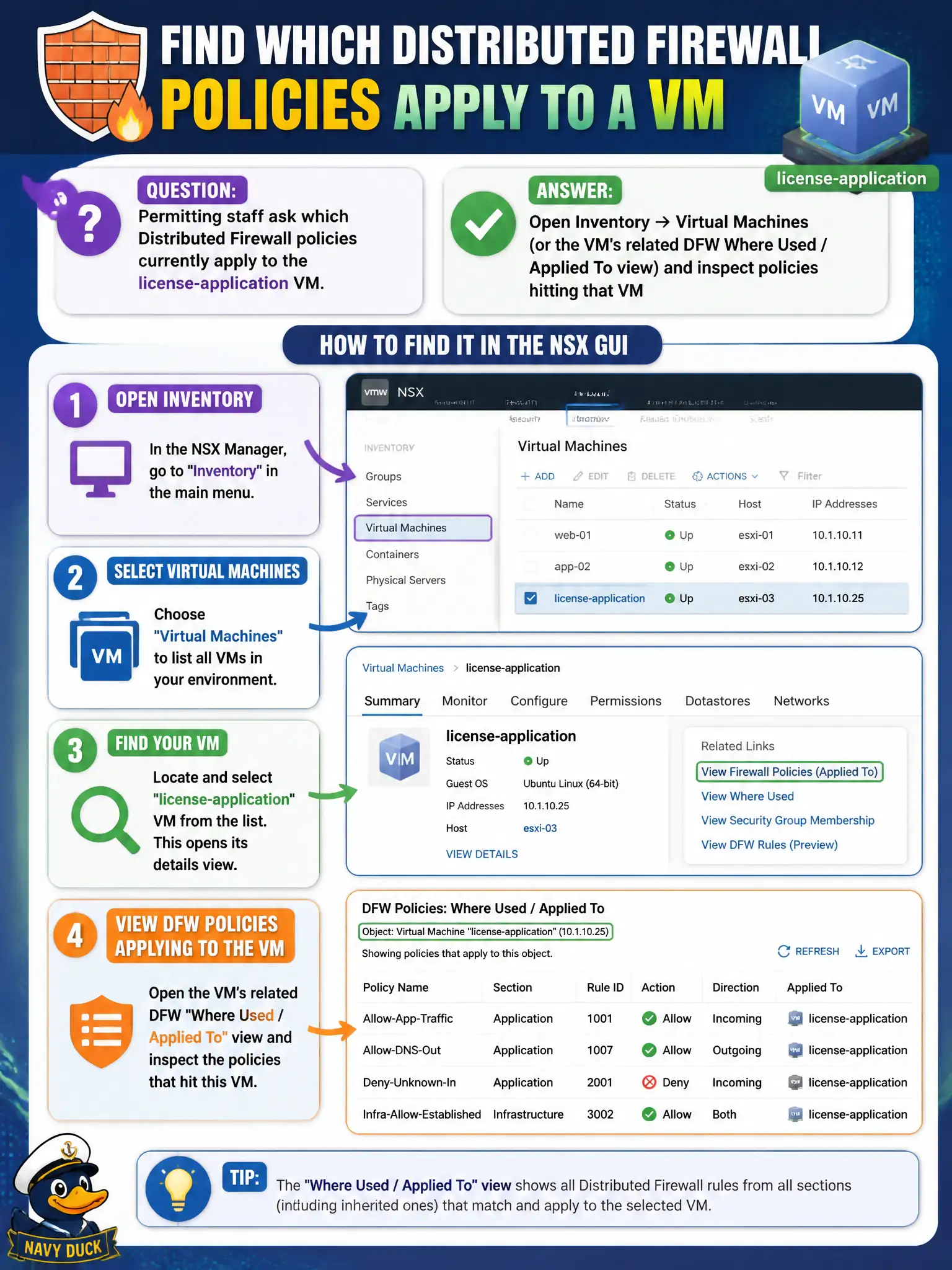
Permitting staff ask which Distributed Firewall policies currently apply to the license-application VM. How should the operator find that in the NSX GUI?
Select an answer to reveal the explanation.
Short Explanation
Finding which rules hit one permit VM is like asking which city ordinances apply to one storefront. Look the VM up in Inventory (or DFW Where Used / Applied To)—do not read vSphere notes, Carbon Black, or BGP as the firewall map.
Full Explanation
Permitting staff asking which Distributed Firewall policies hit the license-application VM should use Inventory → Virtual Machines (or the VM’s related DFW Where Used / Applied To view) to inspect policies currently applying to that guest. That inventory-centric view ties the civic workload to realized security policy rather than guessing from unrelated consoles. vSphere Client annotation text is free-form metadata, not the DFW apply-to list. Carbon Black sensor policy is EDR configuration, not the NSX DFW map. Tier-0 BGP neighbor tables advertise routes; they do not list Distributed Firewall policies for a VM. Exam caveat: Applied To can be groups/tags—membership changes can change which policies hit a VM without editing the rule text; re-check inventory when onboarding a new license-application instance. Operational check: locate the license-application VM in Inventory, open related DFW/Where Used, confirm expected permitting policies, and paste policy names into the ticket before troubleshooting application errors. When the VM is a member of nested groups, expand group membership in the same inventory view so permitting understands whether a tag-based group is unexpectedly widening or narrowing Applied To.