
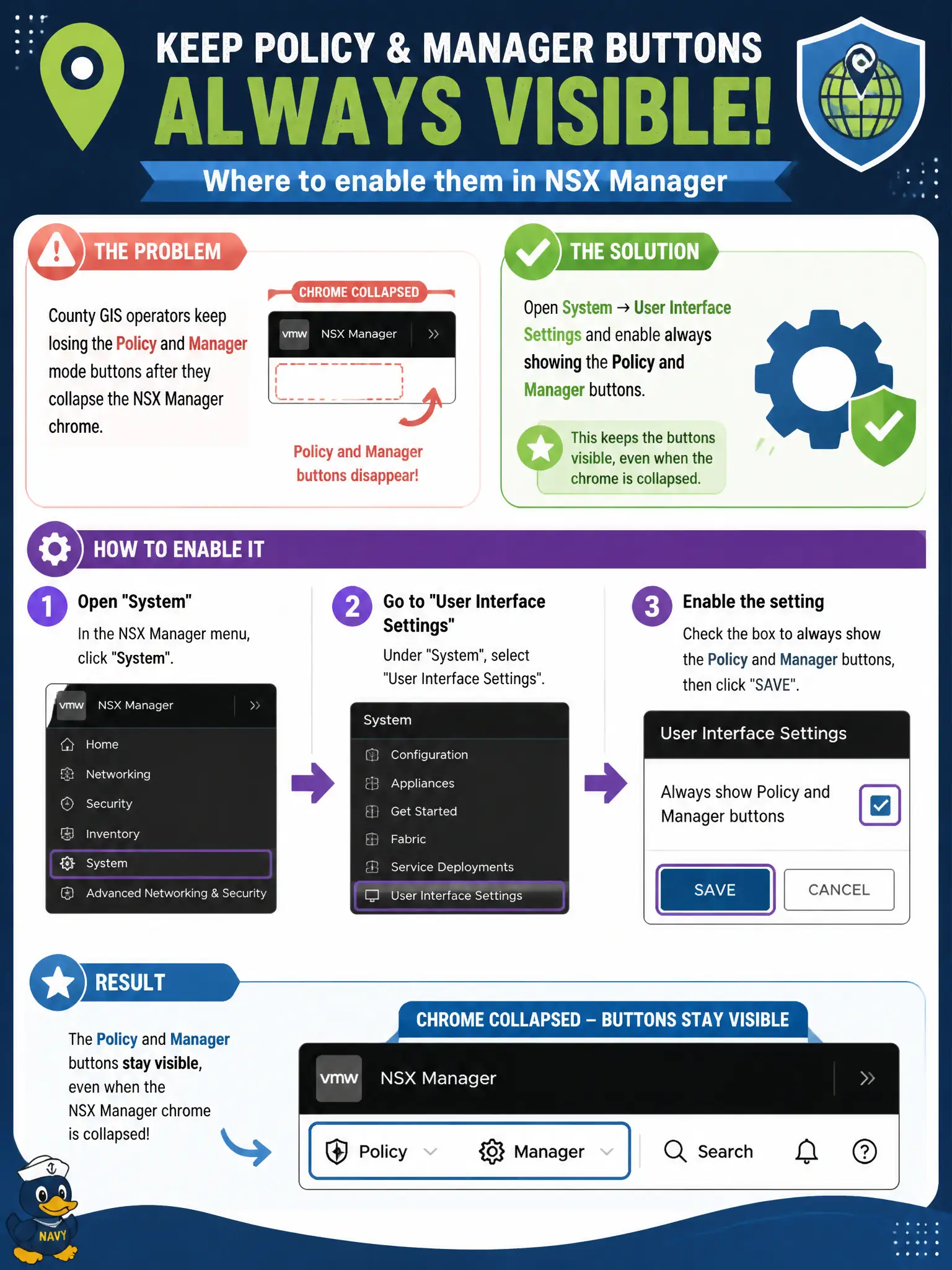
County GIS operators keep losing the Policy and Manager mode buttons after they collapse the NSX Manager chrome. Where should they make those buttons always visible?
Select an answer to reveal the explanation.
Short Explanation
The Policy/Manager buttons are like the two light switches on the city-hall lobby wall—you do not rebuild the building to keep them visible. Flip User Interface Settings so those switches always show, then operators can still pick the right mode.
Full Explanation
When County GIS operators lose Policy and Manager mode buttons after collapsing chrome, the durable fix is System → User Interface Settings enabling always showing the Policy and Manager buttons so the mode toggle remains visible for staff who switch between Policy segments and legacy Manager objects. Redeploying three NSX Manager OVAs is unnecessary heavy change and does not address a UI visibility preference. A Distributed Firewall “Environment” rule cannot force Manager mode on GIS VMs; DFW does not control NSX Manager chrome. A vCenter HTML5 plug-in is not the authoritative place to enable NSX Manager’s Policy/Manager buttons—those settings live in NSX UI settings. Exam caveat: UI settings can be per-Manager presentation preferences; confirm the setting on the Manager VIP/UI the operators actually use in the county. Operational check: enable always-show Policy/Manager buttons under User Interface Settings, have a GIS operator refresh the browser, collapse chrome, confirm buttons remain, and add the step to the GIS NSX cheat sheet. If buttons still disappear for only some browsers, clear cache or try a supported browser per NSX docs; avoid teaching GIS staff to rely on obscure menu paths when the mode toggle should remain visible.