
Harborview's NSX operator must collect an NSX Manager support bundle for Broadcom Support after a civic outage ticket, not a vSphere host log dump. Which GUI path generates that NSX bundle?
Select an answer to reveal the explanation.
Short Explanation
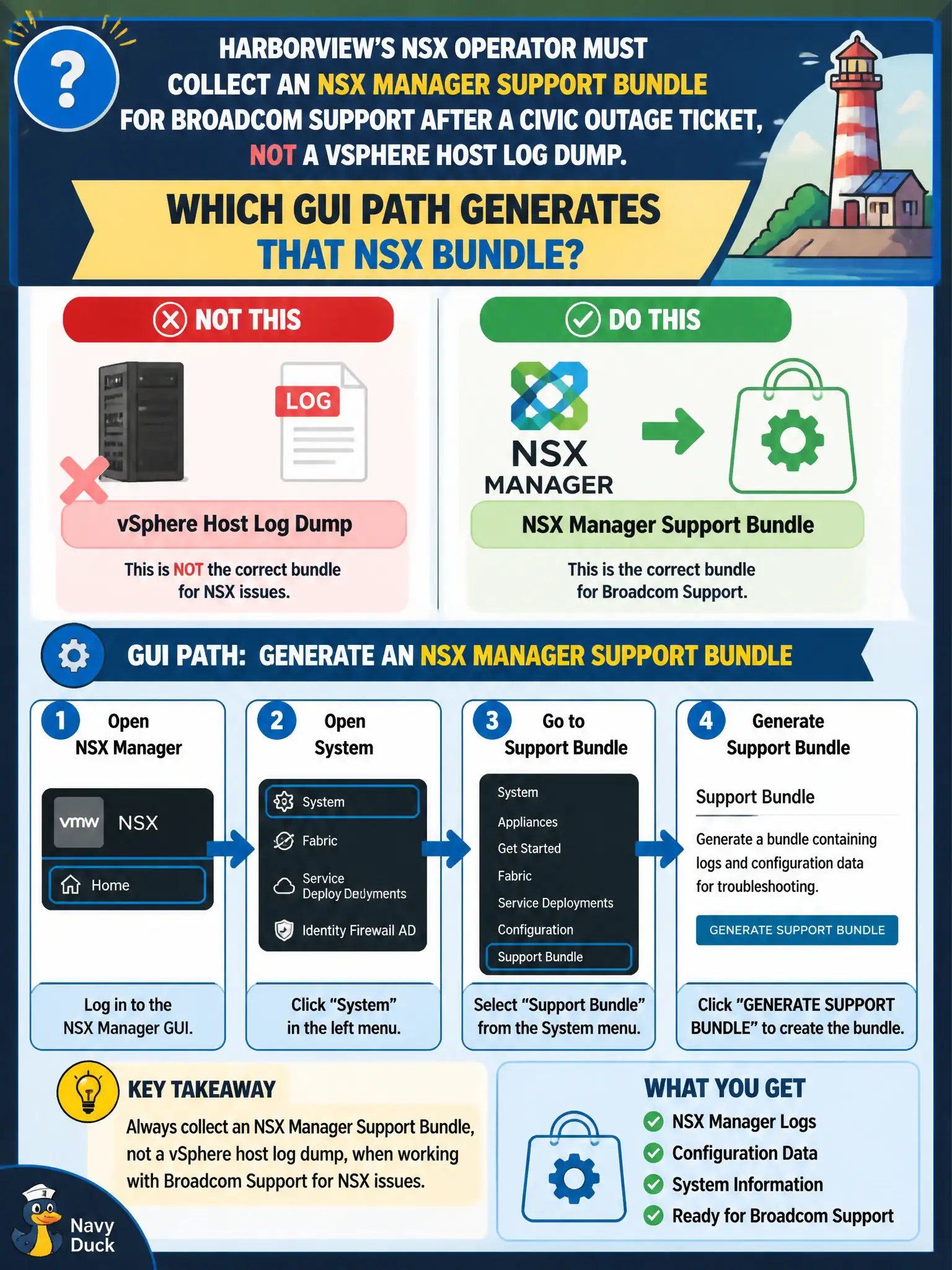
Think of the NSX Manager as the civic records clerk who already keeps the network-virtualization filing cabinet. When Broadcom Support wants the packet of NSX logs, you print it from System → Support Bundle on that clerk's desk—not from vSphere's host logs, Horizon, or Carbon Black.
Full Explanation
After a civic outage, Broadcom Support needs an NSX Manager support bundle generated from NSX Manager System on the Support Bundle page—not a generic vSphere host log dump. That bundle captures NSX Manager and related NSX diagnostic content appropriate for fabric and policy issues affecting Harborview services. Exporting hostd/vpxd from the vSphere Client labels the wrong product’s logs as an NSX support bundle and omits NSX Manager-centric evidence. Horizon Cloud / Workspace ONE packages are EUC support artifacts, not NSX Manager bundles. Carbon Black sensor diagnostics are EDR data and do not substitute for NSX Manager support bundles. Exam caveat: collect the NSX support bundle promptly while the issue is reproducible; also note Manager node, version, and outage ticket ID so Support can correlate civic impact. Operational check: open System > Support Bundle (or equivalent Support Bundle page), generate the bundle with appropriate log sets, download to a secure city share, upload per Broadcom instructions, and reference the bundle name in the outage ticket. Store the support bundle on an access-controlled share with the outage timeline, recent publishes, and Edge/Manager versions so Broadcom and city NOC engineers share the same evidence package.