
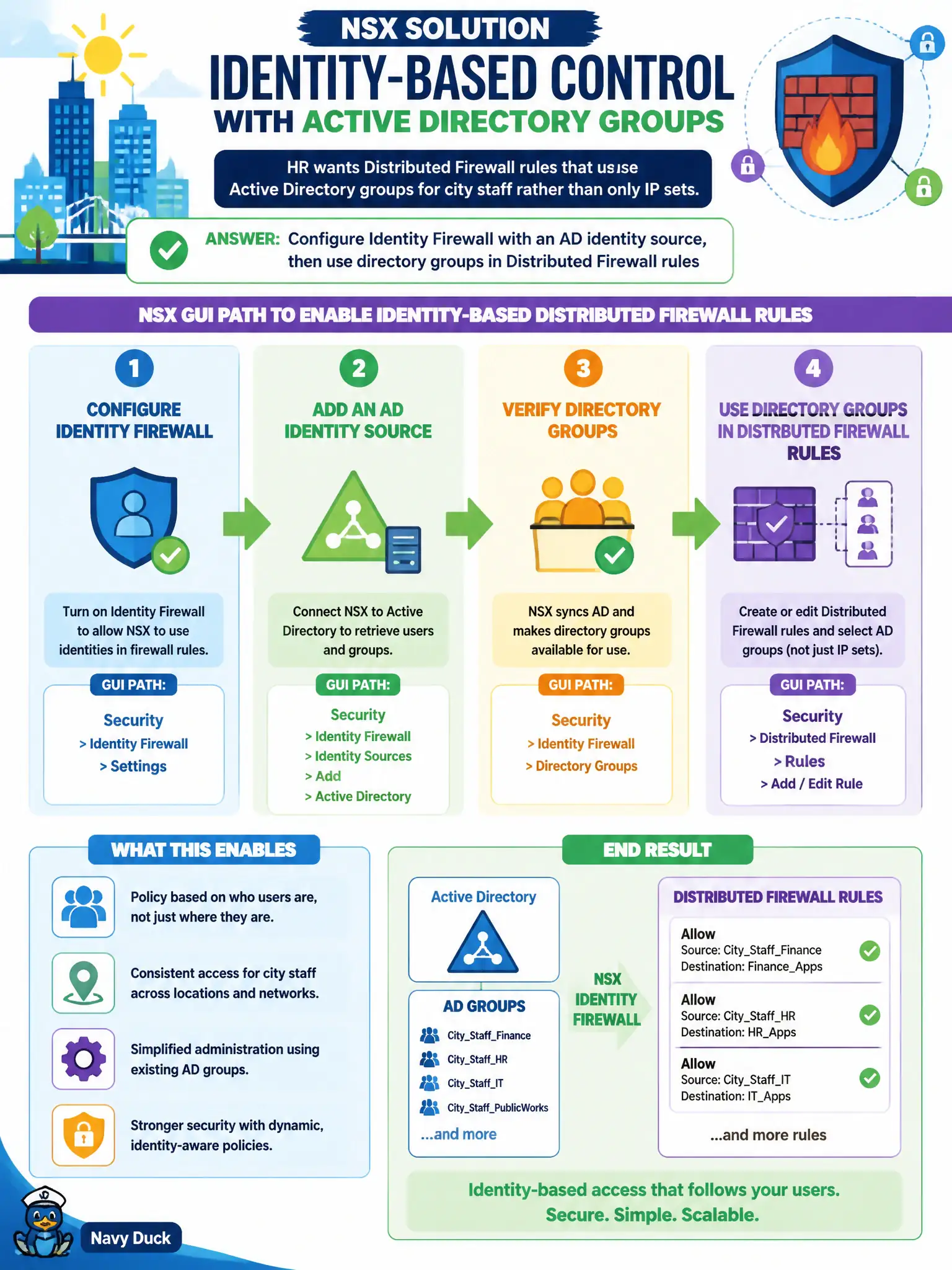
HR wants Distributed Firewall rules that use Active Directory groups for city staff rather than only IP sets. Which NSX GUI path enables that identity-based control?
Select an answer to reveal the explanation.
Short Explanation
Badges beat desk numbers: AD groups say who the person is, not which IP they grabbed today. Turn on Identity Firewall with AD, then use those groups in DFW—not NAT and not Carbon Black.
Full Explanation
HR’s request for Distributed Firewall rules based on Active Directory groups for city staff is Identity Firewall: configure an AD identity source for Identity Firewall, then use directory groups in DFW rules so policy follows user identity rather than only static IP sets—useful for shared workstations and roaming civic staff. Networking > NAT cannot translate AD group names into SNAT ports; NAT is address translation, not directory-based authorization. Traceflow is a synthetic packet path tool; it is not an Identity Firewall configuration template. Carbon Black user inventory is endpoint security telemetry; importing users as NSX Edge uplinks confuses EDR with fabric uplinks and does not enable AD-based DFW. Exam caveat: Identity Firewall needs guest introspection/identity components and healthy AD connectivity—group-based rules fail closed or unpredictably if identity is not collecting on the workload. Operational check: validate AD identity source health in NSX, build a DFW rule using an HR AD group, log on as a test city staff user on a domain-joined VM, confirm rule hits, and document the identity source and group DN in the municipal IAM/NSX integration record. Coordinate with city IAM so AD group nesting used in DFW matches HR’s intended staff cohorts, and re-test after group membership changes so terminated employees do not retain implicit network paths through stale identity cache.