
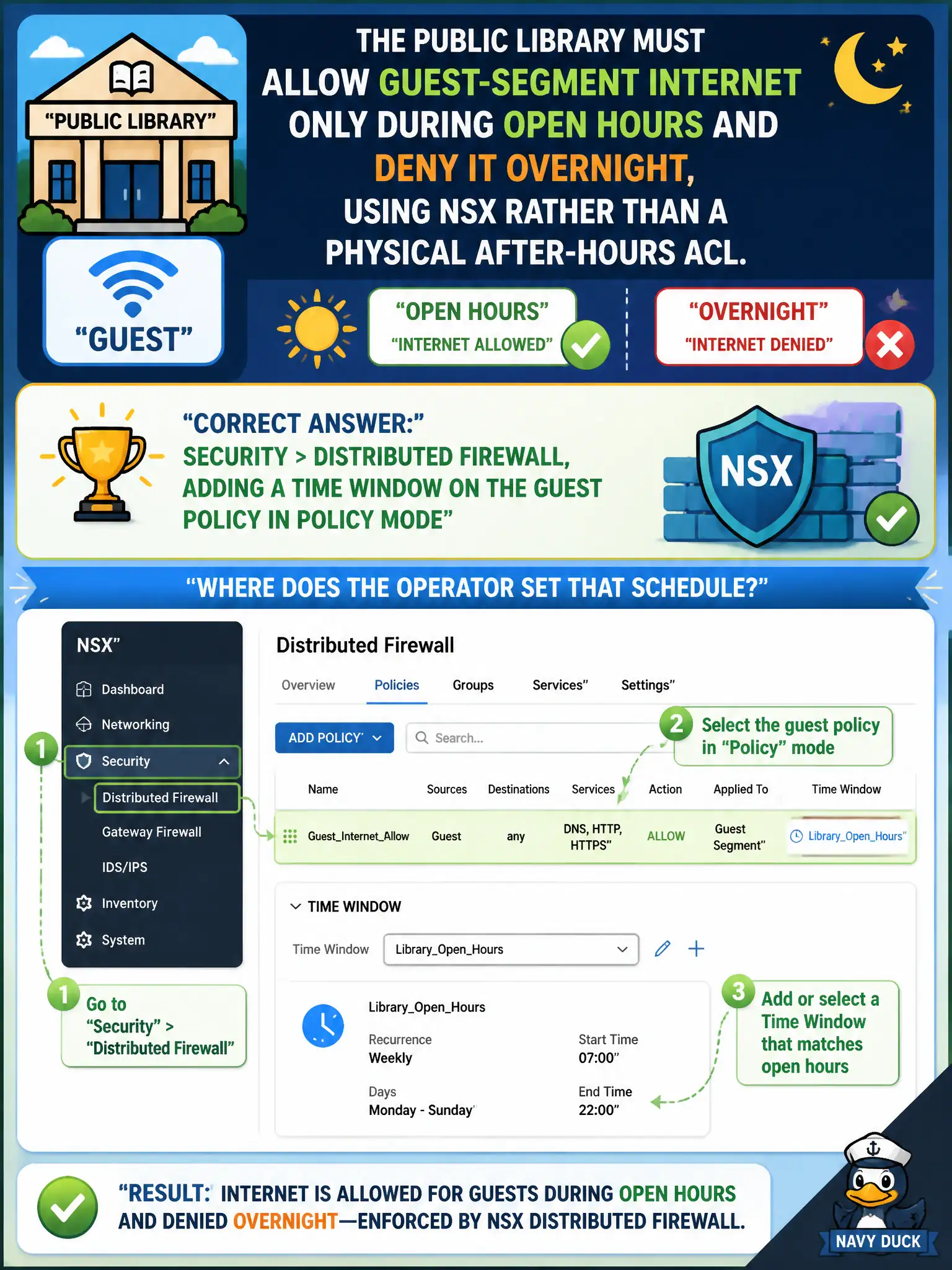
The public library must allow guest-segment internet only during open hours and deny it overnight, using NSX rather than a physical after-hours ACL. Where does the operator set that schedule?
Select an answer to reveal the explanation.
Short Explanation
The library already locks the doors at close—NSX can lock the guest network the same way with a time window on the DFW policy. That is a Security schedule, not a nightly backup wipe.
Full Explanation
The public library’s requirement to allow guest-segment internet only during open hours is a time-based Distributed Firewall control in Policy mode. The operator opens Security > Distributed Firewall and adds a time window on the guest policy so allow rules apply during business hours and overnight traffic is denied by schedule—civic after-hours enforcement in software rather than a physical ACL rewrite on the ToR. System > Backup & Restore is the wrong concept: scheduling a nightly configuration wipe would destroy policy and is not a time-based allow/deny for guest browsing. Networking > Load Balancing persistence profiles control session stickiness to pool members; naming one AfterHours does not schedule segment internet access. Plan & Troubleshoot > Port Mirroring creates SPAN-like copies for analysis; mirror schedules are not the library’s internet allow window. Exam caveat: time windows depend on NSX Manager time sync—skewed clocks can open or close guest access at the wrong civic hour; verify NTP before relying on overnight deny. Operational check: publish the timed DFW policy for the guest segment, test allow during a simulated open-hours window and deny after hours from a test laptop on the guest SSID/segment, and document the schedule and policy name in the library operations runbook for weekend desk staff.