
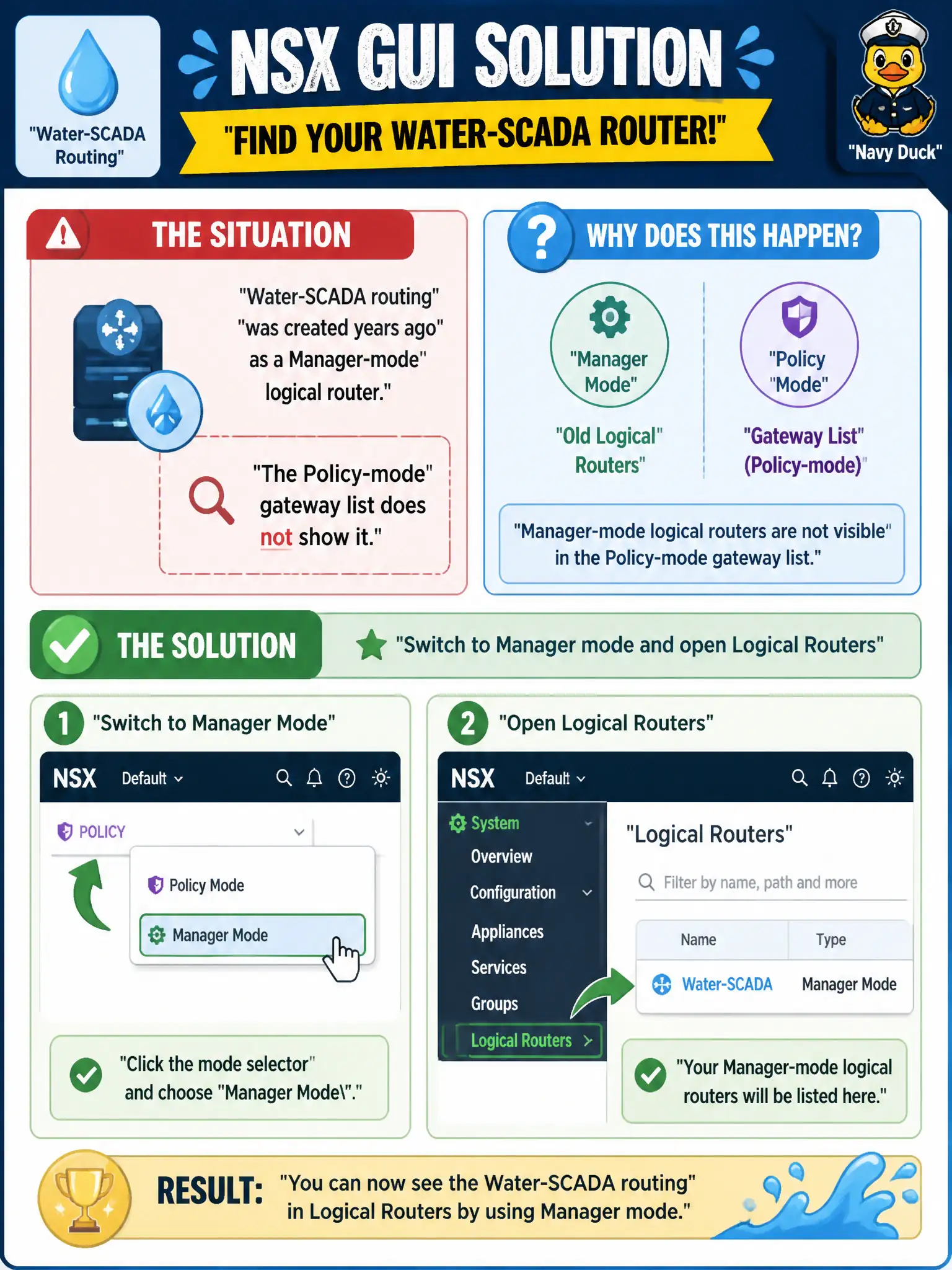
Water-SCADA routing was created years ago as a Manager-mode logical router. The Policy-mode gateway list does not show it. What should the operator do in the NSX GUI?
Select an answer to reveal the explanation.
Short Explanation
If someone filed the SCADA router in the old cabinet, you open that cabinet. Manager-created logical routers live in Manager mode under Logical Routers, not on the Policy gateway list.
Full Explanation
Policy mode lists Tier-0 and Tier-1 gateways; Manager mode lists Logical Routers for objects created or viewed in Manager. Water-SCADA routing created years ago as a Manager-mode logical router will not appear on the Policy gateway list until the operator switches to Manager mode and opens Logical Routers—the old filing cabinet for that civic router. Recreating it as a Distributed Firewall section named Logical Router confuses security sections with routing objects and does not recover the historical router. Inventory > Context Profiles (APP-IDs) classify application attributes; they are not Manager logical routers. Staying in Policy mode and opening vSphere Distributed Switches looks at vSphere switching, not Manager-mode NSX logical routers. Exam caveat: prefer Policy for new work; do not casually recreate a Manager router as a Policy gateway without a migration plan—duplicate or orphaned objects create outages. Operational check: switch the NSX GUI to Manager mode, open Logical Routers, document the SCADA router interfaces and status, and schedule a controlled Policy migration with wastewater change control if modernization is required. If Policy search still fails after confirming Manager mode, check whether a Policy promotion already occurred under a different name; never delete the Manager logical router until wastewater validates an equivalent Tier-0/Tier-1 path in a maintenance window.