
A GIS operator who learned NSX-V terms cannot find a logical switch for the mapping-app network that was created in Policy mode. How should they use the NSX GUI?
Select an answer to reveal the explanation.
Short Explanation
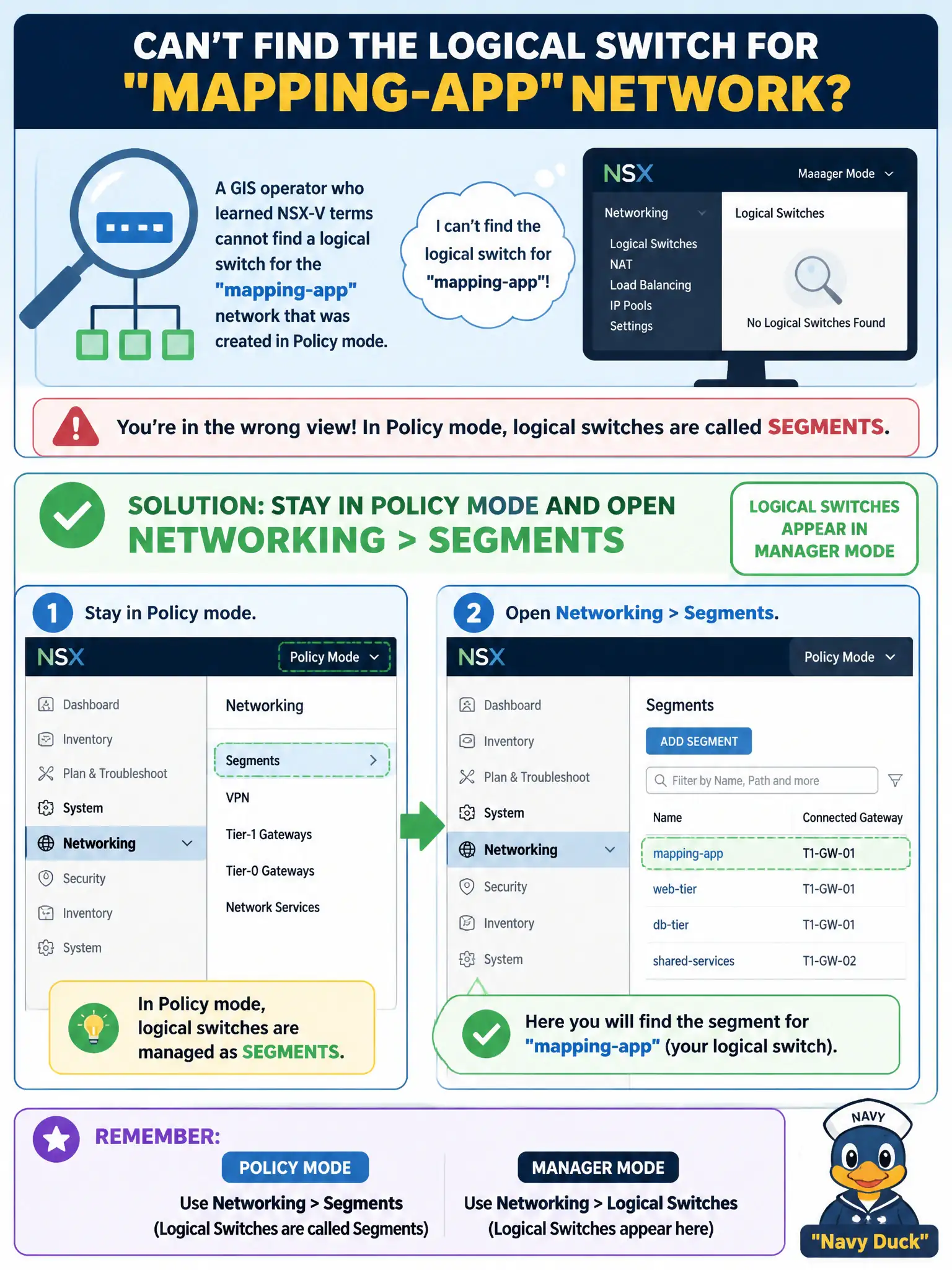
Policy mode renamed the old 'logical switch' to Segment—same idea, different door. Stay in Policy and open Networking > Segments; Manager mode is where the Logical Switch label still shows.
Full Explanation
In Policy mode, NSX-T L2 networks are Segments under Networking > Segments. A GIS operator who still thinks in NSX-V “logical switch” terms should stay in Policy mode and open Networking > Segments for the mapping-app network created in Policy; Manager mode is where the Logical Switch label still appears for Manager-view objects. Same civic hallway, Policy door labeled Segment. Opening Manager mode only to hunt vSphere Standard Switches named logical switch is wrong: VSS is not the NSX Policy segment object model. Security > Gateway Firewall sections are security policy, not L2 network definitions. Horizon published desktop networks are EUC constructs, not Policy segments. Exam caveat: Policy Segments and Manager Logical Switches can both exist in mixed environments—know which mode created the object before editing. Operational check: confirm the UI is in Policy mode, open Networking > Segments, locate the mapping-app segment, verify connectivity and transport zone, and update the GIS runbook to use Segment terminology for Policy-created networks. When training GIS staff, show both Policy Segments and Manager Logical Switches side by side once so they learn which door matches the object’s creation mode; update diagrams that still say “logical switch” for Policy-built mapping networks.