
After a parks-and-rec ESXi host dropped from the fabric, the operator needs NSX's own alarm list rather than only a vSphere host alarm. Where should they look in the NSX GUI?
Select an answer to reveal the explanation.
Short Explanation
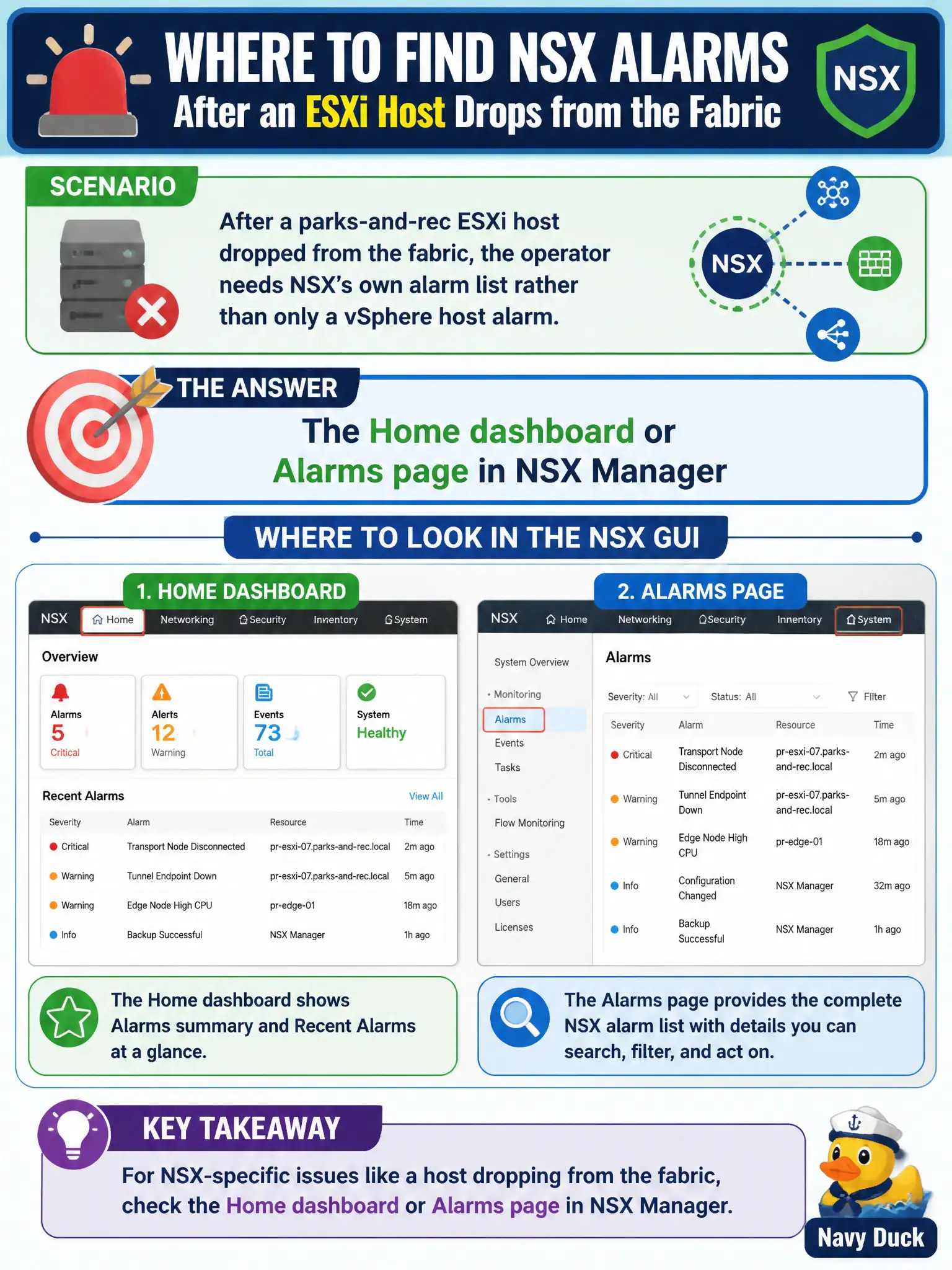
vSphere can yell that a host is down, but NSX keeps its own smoke alarms for fabric nodes. Open the Home dashboard or the Alarms page in NSX Manager—don't hunt DHCP or Carbon Black for that list.
Full Explanation
When a parks-and-rec ESXi host drops from the fabric, NSX raises its own alarms for disconnected transport nodes and related service failures. Operators should open the Home dashboard or the dedicated Alarms page in NSX Manager to see NSX-sourced fabric alarms rather than relying only on a vSphere host alarm. That NSX list is the smoke-alarm panel for civic fabric health. Networking > DHCP is incorrect: renewing a management lease does not list fabric disconnect alarms and is not the NSX alarm console. Inventory > Context Profiles fails conceptually—APP-ID or other context profiles classify application attributes for rules; they do not list disconnected hypervisors. Carbon Black Cloud alerts are endpoint-detection events; a fabric transport-node disconnect is an NSX System/Fabric condition, not an EDR finding. Exam caveat: vSphere and NSX may both alert—resolve using NSX Alarms for NSX readiness even when vCenter already shows the host as Not Responding. Operational check: open NSX Alarms/Home, filter for the parks host or transport-node UUID, note severity and open time, correlate with vmkernel/VTEP connectivity, clear or acknowledge per municipal policy after the host rejoins the fabric.