
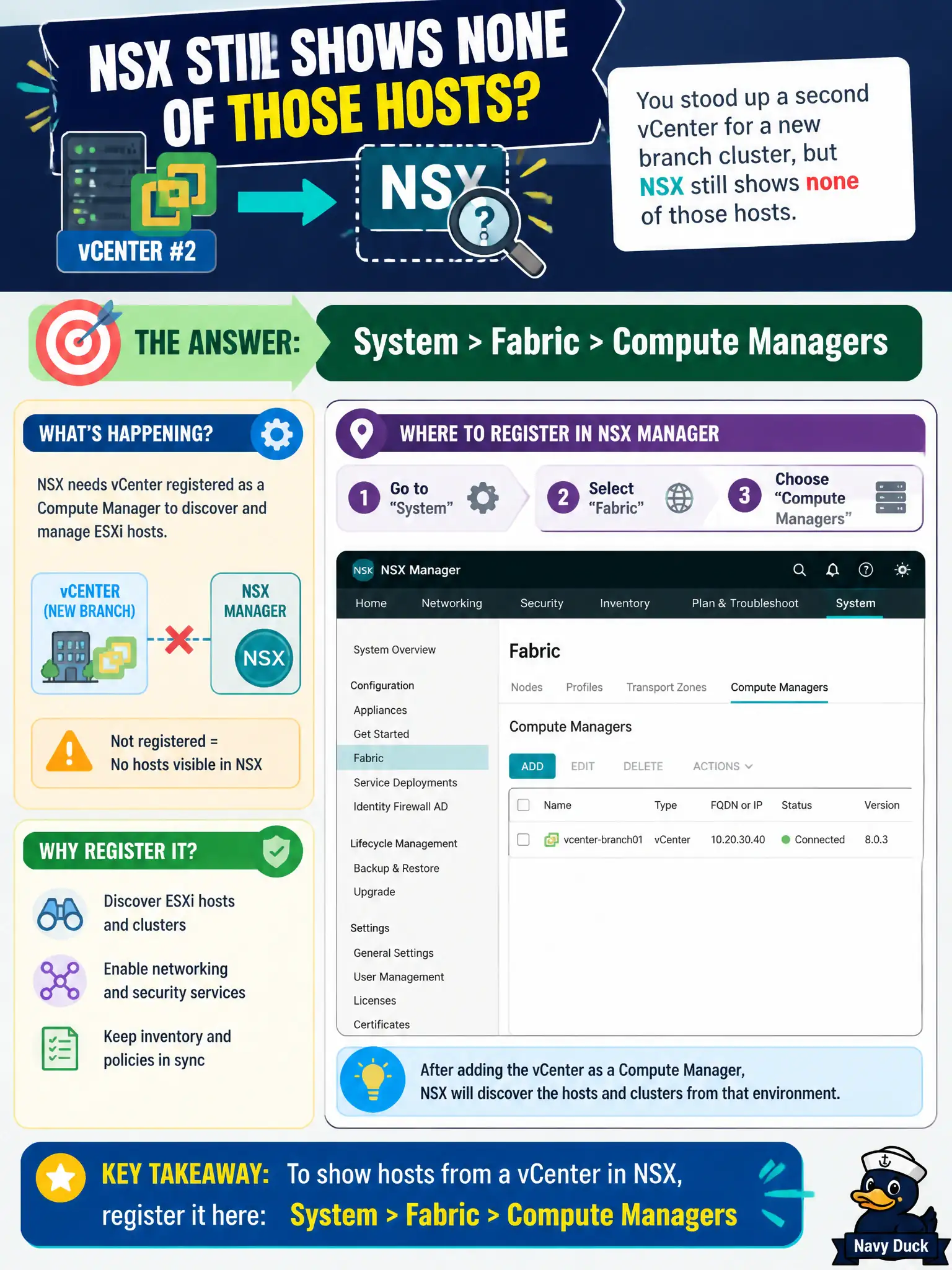
The library consortium stood up a second vCenter for a new branch cluster, but NSX still shows none of those hosts. Where in NSX Manager does the operator register that vCenter as a compute manager?
Select an answer to reveal the explanation.
Short Explanation
vCenter is the catalog of hosts and VMs NSX is allowed to see. Until you register it as a compute manager under System > Fabric > Compute Managers, the new branch cluster is invisible to the fabric.
Full Explanation
NSX discovers ESXi clusters and VMs only after vCenter is registered as a compute manager. When the library consortium adds a second vCenter for a branch cluster, the operator registers that vCenter under System > Fabric > Compute Managers so NSX can inventory hosts, clusters, and VMs for transport-node preparation and policy. Until that Fabric registration exists, the new branch remains invisible to the civic fabric. Networking > Tier-0 Gateways is wrong: T0 uplinks are routing adjacencies to the physical network, not compute-manager registrations. Security > Identity Firewall fails because Identity Firewall sources are directory services for user-based rules, not vCenter compute inventory. Plan & Troubleshoot > Port Mirroring is a SPAN-like copy feature; compute managers are not SPAN destinations. Exam caveat: registering a compute manager is necessary but not the same as preparing transport nodes—hosts still need transport-node profiles, uplink profiles, and transport zones after discovery. Operational check: add the branch vCenter under Compute Managers, wait for successful connection status, confirm the new cluster appears, then proceed with host preparation; note the compute-manager name and thumbprint acceptance in the library change record.