
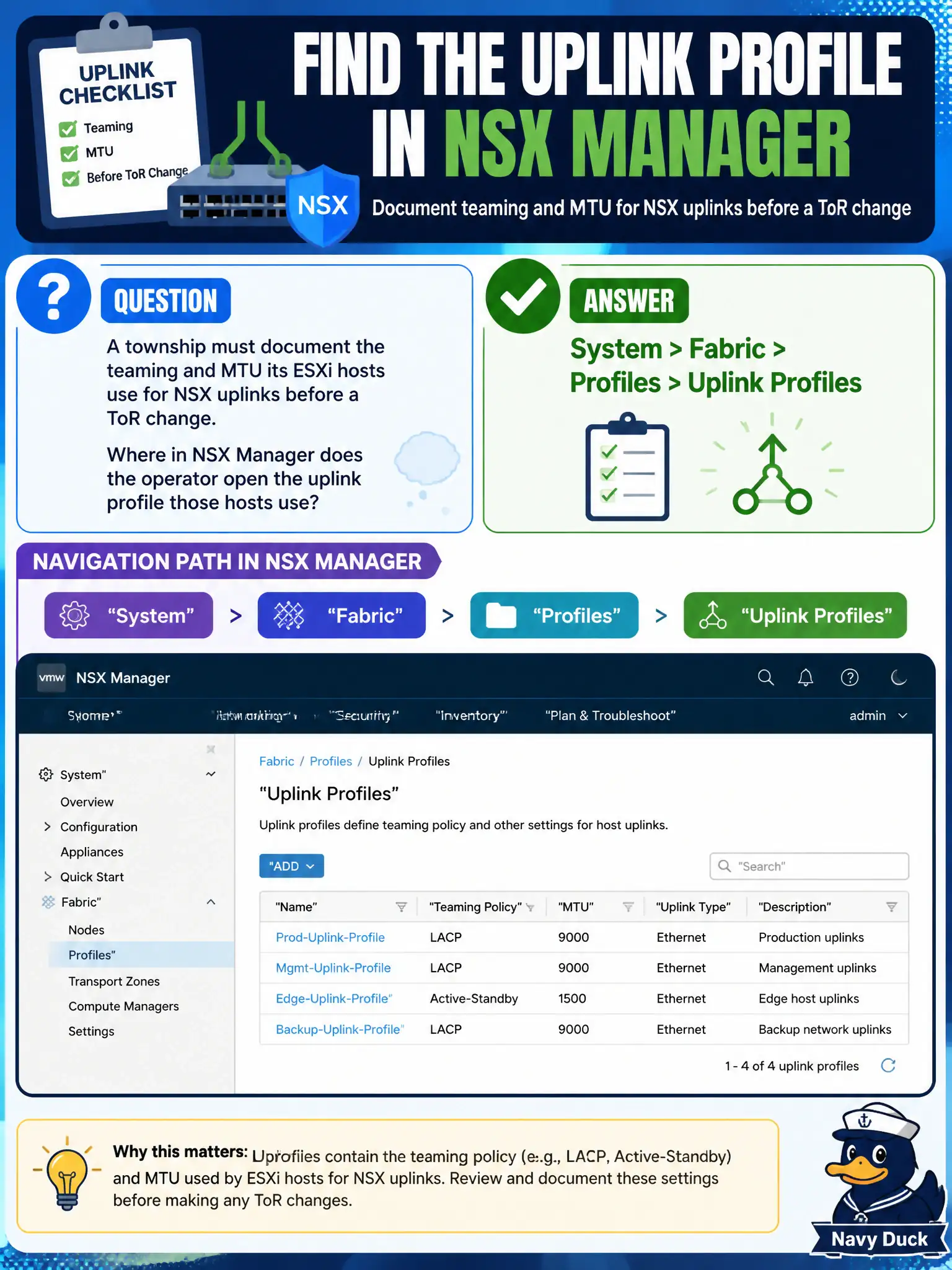
A township must document the teaming and MTU its ESXi hosts use for NSX uplinks before a ToR change. Where in NSX Manager does the operator open the uplink profile those hosts use?
Select an answer to reveal the explanation.
Short Explanation
An uplink profile is the recipe card for how hosts bond their NICs—teaming, active/standby, MTU—not a firewall exclusion and not a phone-enrollment profile. Open System > Fabric > Profiles > Uplink Profiles.
Full Explanation
Before a township ToR change, host uplink teaming and MTU must be documented from the NSX uplink profile those ESXi hosts consume. Uplink profiles live under System > Fabric > Profiles > Uplink Profiles and define active/standby or load-based teaming, named teaming policies, and the MTU presented to the fabric—essentially the recipe card for how civic hypervisors bond NICs toward the underlay. Security > Distributed Firewall > Settings is incorrect: DFW exclusion lists protect management VMs from distributed firewall enforcement; they do not configure host uplink MTU or teaming. Inventory > Virtual Machines fails because workload VMs do not store host fabric uplink MTU; that property belongs to the transport-node uplink profile, not guest inventory. Workspace ONE UEM device profiles are endpoint-enrollment constructs and have no role in ESXi NSX uplink bonding. Exam caveat: changing an uplink profile affects every transport node that references it—validate which host clusters share the profile before altering MTU for a parks or library ToR window. Operational check: open the uplink profile used by the township transport node profile, record teaming policy and MTU, compare to ToR and VTEP requirements (often 1600+ for Geneve), then update the change ticket with profile name and host count so public-works networking can align the physical switch MTU.