
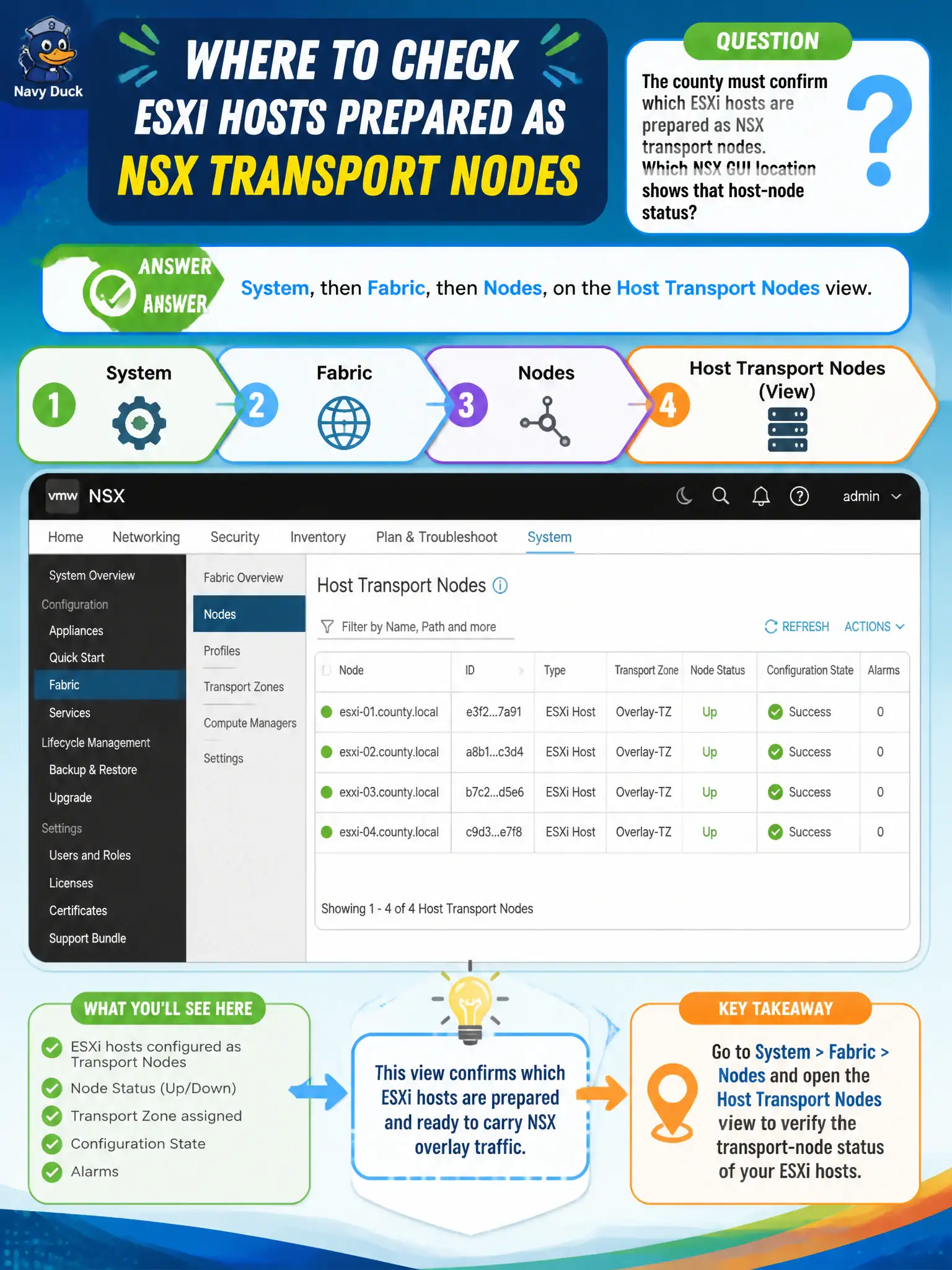
The county must confirm which ESXi hosts are prepared as NSX transport nodes. Which NSX GUI location shows that host-node status?
Select an answer to reveal the explanation.
Short Explanation
A prepared ESXi host is a transit depot, not a guest VM on the roster. Check System, then Fabric, then Nodes, on Host Transport Nodes. Horizon's vCenter list and Gateway Firewall Hosts are the wrong boards.
Full Explanation
Host transport-node status is shown under System, then Fabric, then Nodes, on the Host Transport Nodes view. A prepared ESXi host is a transit depot, not a guest VM on the roster—check that Fabric Nodes view for county preparation status. Inventory Virtual Machines lists compute VMs discovered from vCenter, not host preparation state. Horizon registered vCenter servers are an EUC dependency list. Gateway Firewall does not provide a host transport-node inventory. Exam caveat: a VM can appear in Inventory while its host is still unprepared; always verify Host Transport Nodes when overlay attachment fails. Operational check: open System Fabric Nodes Host Transport Nodes, confirm county ESXi hosts show prepared/success status, spot-check tunnel health, and reject Inventory VMs, Horizon vCenter lists, and Gateway Firewall Hosts as the preparation board. Document the civic rationale in the change record so the next operator can restate why the correct control matches the agency outcome, why each distractor fails by concept, and which NSX Manager view confirms the result after publish. Document the civic rationale in the change record so the next operator can restate why the correct control matches the agency outcome, why each distractor fails by concept, and which NSX Manager view confirms the result after publish.