
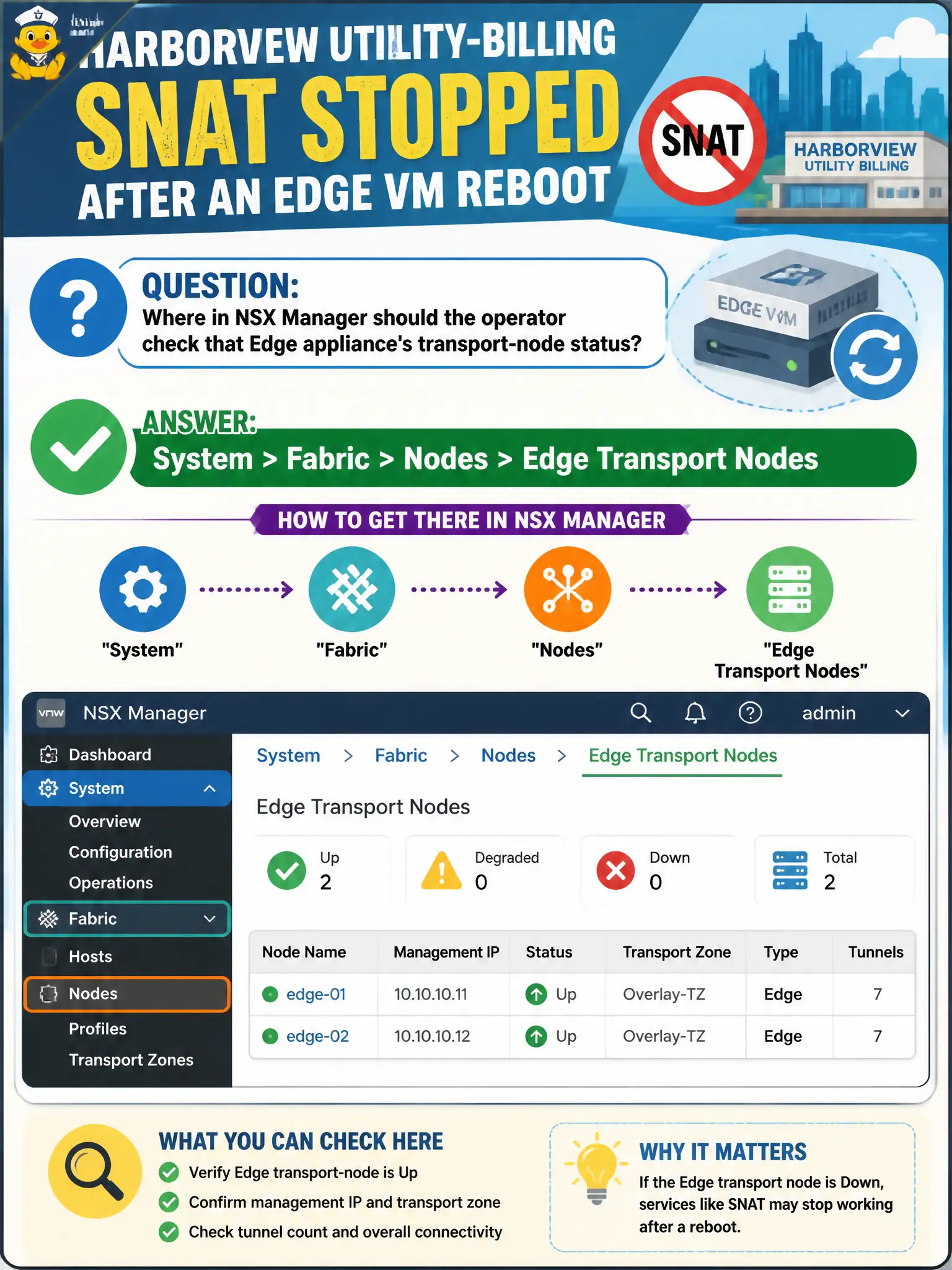
Harborview utility-billing SNAT stopped after an Edge VM reboot. Where in NSX Manager should the operator check that Edge appliance's transport-node status?
Select an answer to reveal the explanation.
Short Explanation
Think of the Edge as the city's loading-dock truck, not a firewall sticky-note. If NAT died after a reboot, look at the truck's status under System > Fabric > Nodes > Edge Transport Nodes—not under Distributed Firewall or Horizon.
Full Explanation
Harborview utility-billing SNAT runs as a centralized service on NSX Edge appliances, and those appliances are fabric objects: Edge transport nodes. After a reboot that stops SNAT, the operator must confirm the Edge node is present, connected, and healthy in NSX Manager under System > Fabric > Nodes > Edge Transport Nodes. That page is the civic loading-dock roster for Edge VMs—configuration, realization, and up/down status—so township and utility teams know whether the SNAT host itself is the outage. Distributed Firewall policy is incorrect because SNAT is not published as a DFW rule on an Edge vNIC; DFW is distributed east-west enforcement on workloads, a different control plane from Edge fabric status. Inventory > Groups fails because tagging or grouping for micro-segmentation does not report Edge transport-node connectivity or replace the Fabric Nodes view. vSphere Client Horizon sessions fail conceptually: an Edge appliance is not a published desktop pool, and EUC session views never surface NSX fabric health. Exam caveat: Edge VM power state in vCenter is necessary but not sufficient—NSX can still show the transport node disconnected, unrealized, or not ready even when the guest is powered on. Operational check: open System > Fabric > Nodes > Edge Transport Nodes, verify the billing Edge shows Up/Success, confirm its Edge cluster membership, then retest SNAT from a known utility-billing source; document the node UUID and alarm cleared time in the municipal change ticket so on-call staff can correlate the next ToR or maintenance window.