
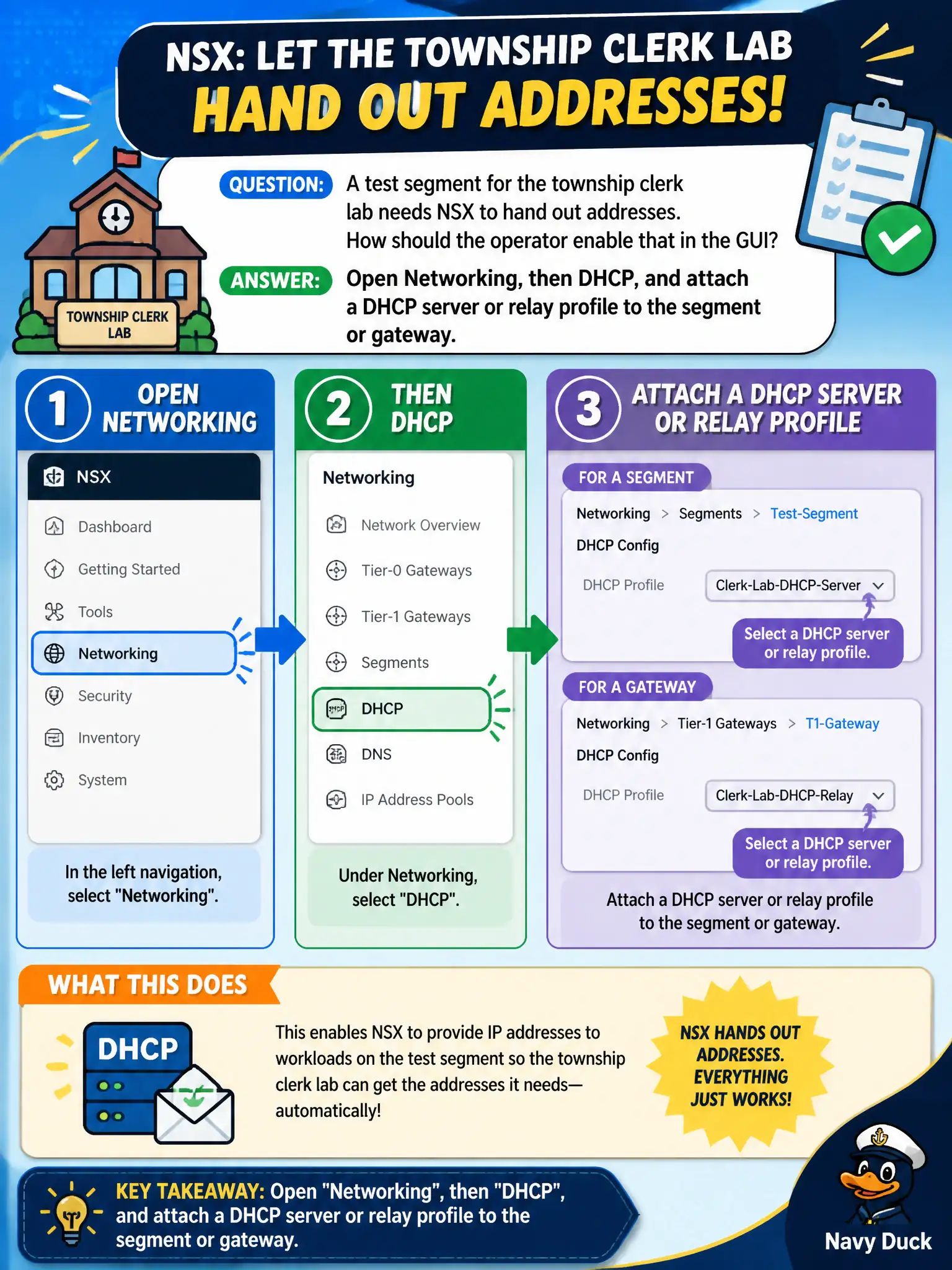
A test segment for the township clerk lab needs NSX to hand out addresses. How should the operator enable that in the GUI?
Select an answer to reveal the explanation.
Short Explanation
The clerk-lab segment needs a software clerk handing out addresses, not a firewall allow line. That is Networking, then DHCP, attached to the segment or gateway. Horizon Instant Clone and a vCenter DHCP-as-DNS story miss the NSX object.
Full Explanation
Policy Networking provides DHCP server and relay profiles that operators attach to a segment or gateway under Networking, then DHCP, so a township clerk-lab test segment can hand out addresses. The clerk-lab needs a software clerk handing out addresses, not a firewall allow line pretending to be an address server. A Distributed Firewall allow rule does not allocate addresses. Horizon Instant Clone DHCP is an EUC desktop mechanism. vCenter does not publish a vSphere DHCP service into NSX as Policy DNS. Exam caveat: choose server versus relay based on whether NSX owns the pools or forwards to an enterprise DHCP server—either way the GUI path is Networking DHCP. Operational check: open Networking DHCP, attach a server or relay profile to the lab segment or gateway, boot a test VM, confirm a lease, and reject DFW allows, Horizon Instant Clone, and vCenter-as-DNS stories. Document the civic rationale in the change record so the next operator can restate why the correct control matches the agency outcome, why each distractor fails by concept, and which NSX Manager view confirms the result after publish. Document the civic rationale in the change record so the next operator can restate why the correct control matches the agency outcome, why each distractor fails by concept, and which NSX Manager view confirms the result after publish.