
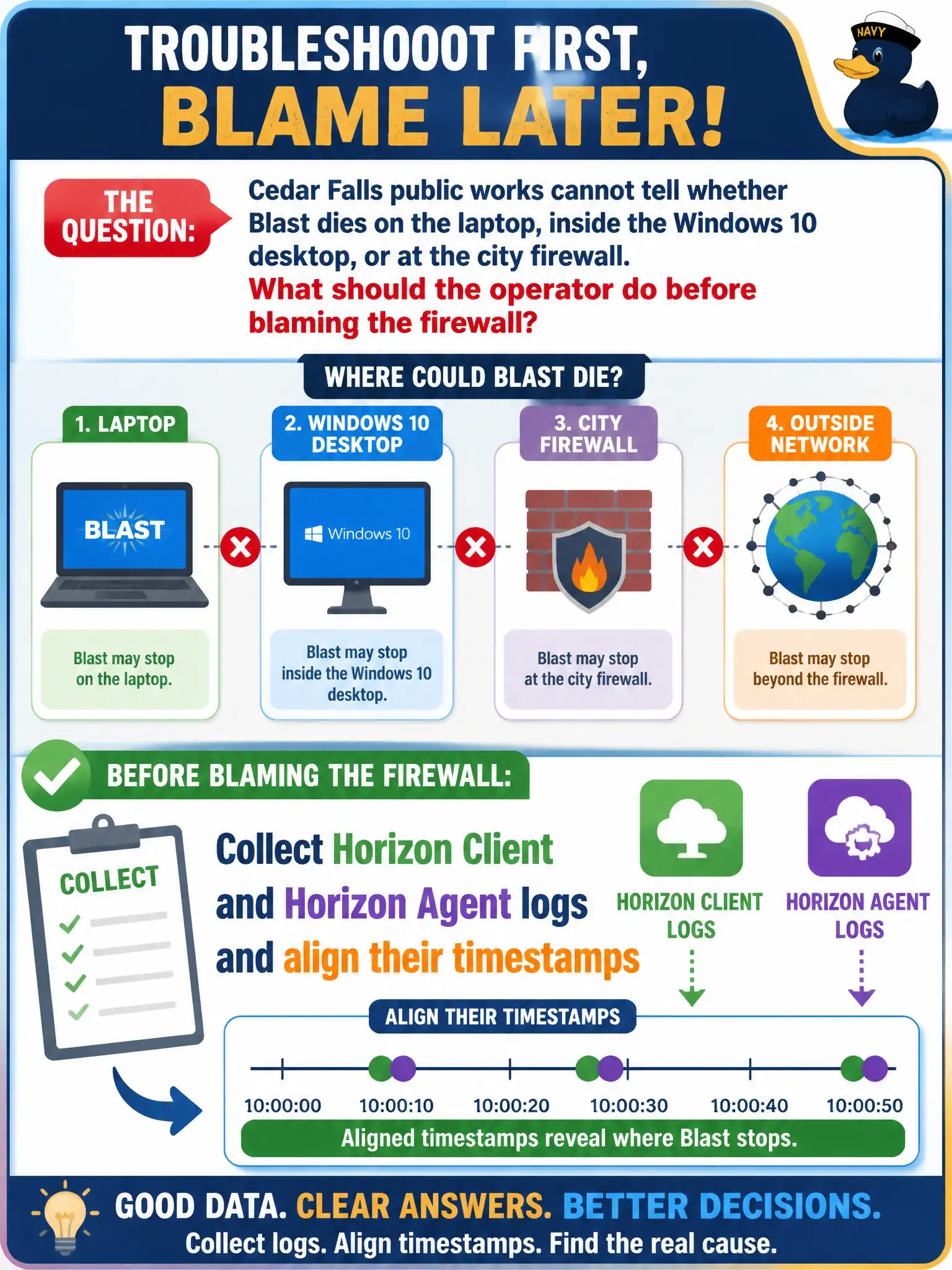
Cedar Falls public works cannot tell whether Blast dies on the laptop, inside the Windows 10 desktop, or at the city firewall. What should the operator do before blaming the firewall?
Select an answer to reveal the explanation.
Short Explanation
A Blast path has two clocks: the laptop client and the desktop agent. Line those timestamps up before accusing the city firewall of eating the session, or you will argue about two different minutes.
Full Explanation
Before blaming the city firewall when Cedar Falls public works cannot tell whether Blast dies on the laptop, inside the Windows 10 desktop, or at the firewall, the operator should collect Horizon Client and Horizon Agent logs and align their timestamps. Correlating both ends shows where the session last progressed. Public-works tickets that start with firewall disable requests should be redirected to dual-sided Horizon log correlation to protect civic network posture. Collecting only Intelligent Hub logs is wrong because Hub timestamps are not authoritative for Blast protocol teardown. Skipping logs and disabling the city firewall for all Blast ports citywide is unsafe and skips evidence-based triage. Collecting only App Volumes Manager logs is insufficient because package attach times do not prove the Blast or firewall path. Exam caveat: Associate troubleshooting expects Client-plus-Agent correlation before network teams make broad firewall changes. Operational check: Capture Client logs on the public-works laptop and Agent logs on the desktop VM for the same session window, align timestamps, and only then engage firewall owners with specific drop evidence. Keeping the civic evidence trail tied to the failing component also reduces cross-team handoffs that delay public services.