
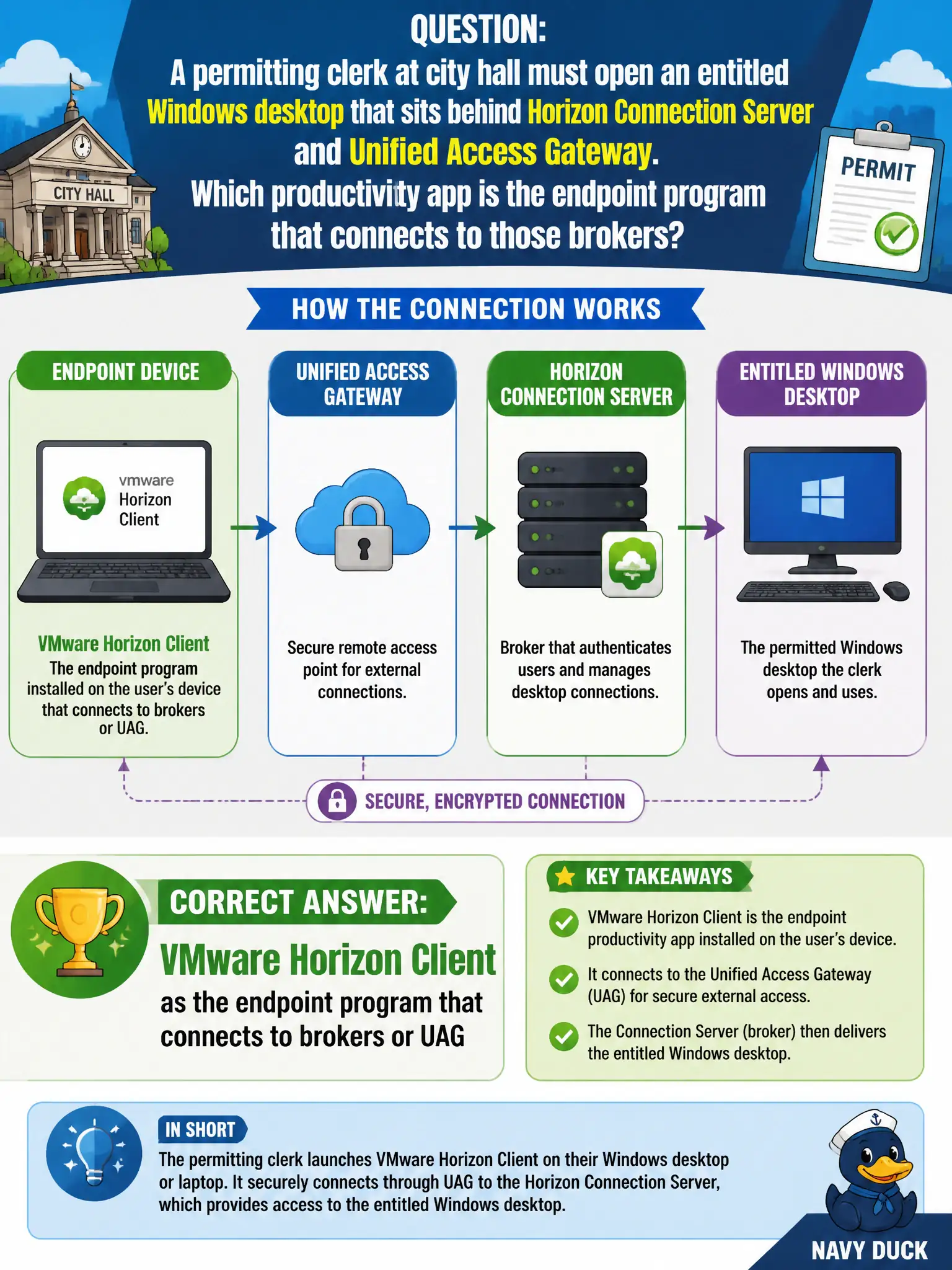
A permitting clerk at city hall must open an entitled Windows desktop that sits behind Horizon Connection Server and Unified Access Gateway. Which productivity app is the endpoint program that connects to those brokers?
Select an answer to reveal the explanation.
Short Explanation
Horizon Client is the clerk's key fob for the civic desktop garage. Hub catalogs apps, Boxer reads mail, and Tunnel carries app traffic, but none of those open a session to a broker or UAG. The endpoint program that signs in and launches the entitled desktop is Horizon Client.
Full Explanation
VMware Horizon Client is the endpoint productivity application that authenticates to Horizon Connection Server or Unified Access Gateway and then opens an entitled Windows desktop or published application for a city-hall permitting clerk. On the VCTA-EUC product map it is the display-protocol client for Blast Extreme or PCoIP, which is precisely what a brokered civic desktop behind those components requires. For permitting workstations and managed laptops, municipal IT therefore standardizes on Horizon Client as the broker-facing program even when Intelligent Hub remains the catalog for other city apps. Workspace ONE Intelligent Hub is the enrollment and application-catalog surface for compliance and app launch; it may deep-link into resources but it is not the Blast session endpoint that brokers desktop pools. Workspace ONE Boxer is the managed Exchange mail, calendar, and contacts client and has no role as a desktop-pool broker or display-protocol client. Workspace ONE Tunnel provides per-app micro-VPN connectivity for managed apps to internal networks through Unified Access Gateway; it does not render a VDI display protocol or replace Horizon Client. Exam caveat: Hub, Boxer, Tunnel, and Horizon Client commonly coexist on the same civic endpoint, so identification items test which component actually opens the brokered session rather than which other Workspace ONE apps are also installed. Operational check: On the clerk's device, confirm Horizon Client is installed, pointed at the civic UAG or Connection Server FQDN, and that an entitled desktop icon appears and successfully launches after authentication.