
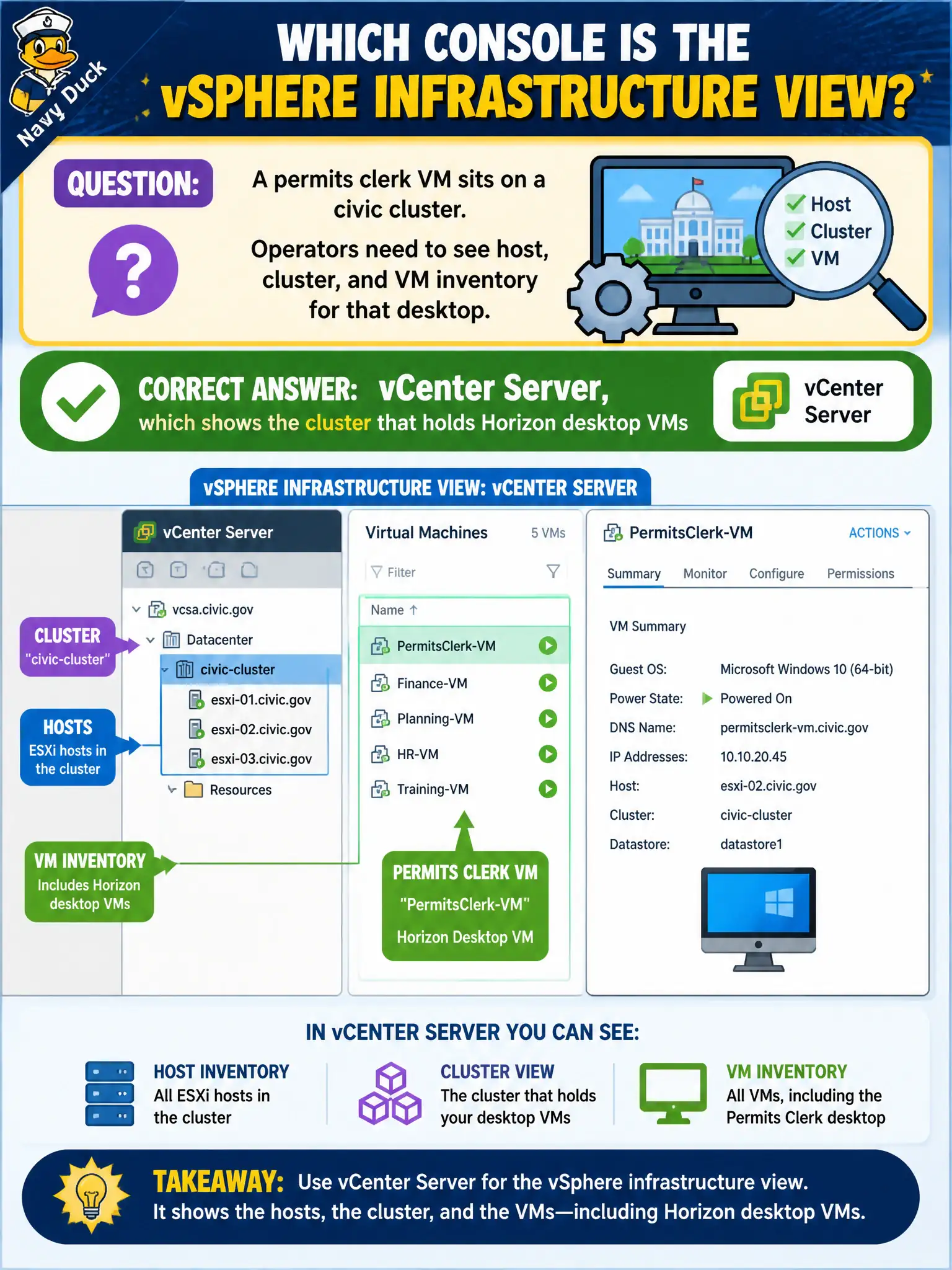
A permits clerk VM sits on a civic cluster. Operators need to see host, cluster, and VM inventory for that desktop. Which console is the vSphere infrastructure view?
Select an answer to reveal the explanation.
Short Explanation
Want to see which host the clerk VM is sitting on? That map is vCenter, not App Volumes Manager. Intelligence and Horizon Cloud Control Plane are different dashboards for different products.
Full Explanation
Operators who need host, cluster, and VM inventory for a permits clerk desktop on a civic cluster use vCenter Server, which shows the cluster that holds Horizon desktop VMs. vCenter is the vSphere infrastructure console for compute inventory beneath Horizon in municipal data centers. App Volumes Manager inventories packages and assignments, not ESXi hosts as the infrastructure view of record. Workspace ONE Intelligence is an analytics plane for UEM and related telemetry, not the vSphere HA dashboard. Horizon Cloud Control Plane does not replace vCenter for every on-premises Horizon cluster’s host and VM inventory. Exam caveat: Horizon Console shows pools and sessions while vCenter shows hosts, clusters, and VMs—pick the console that matches the inventory question rather than the session question. Operational check: open vCenter, locate the clerk’s desktop VM on its cluster and host, confirm App Volumes Manager and Intelligence do not list ESXi inventory the same way, keep Horizon Cloud Control Plane out of on-prem vCenter troubleshooting steps, and bookmark the correct console for facilities tickets. Keep civic diagrams labeled so help-desk and network teams do not swap these products during incidents.