
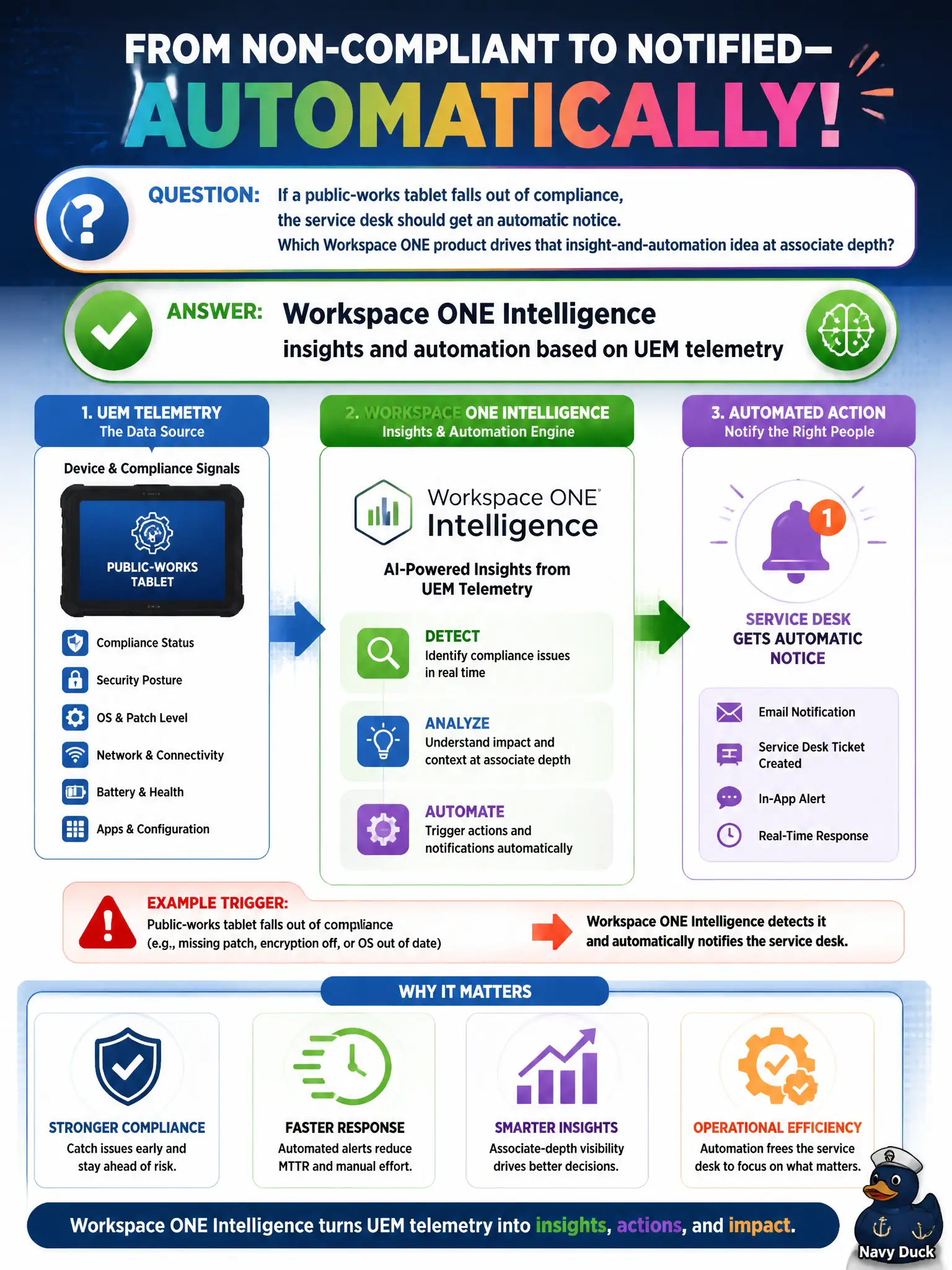
If a public-works tablet falls out of compliance, the service desk should get an automatic notice. Which Workspace ONE product drives that insight-and-automation idea at associate depth?
Select an answer to reveal the explanation.
Short Explanation
Enrollment is the front-door stamp. Automation is the clerk who rings the service desk when a tablet later fails inspection. Intelligence watches UEM data and can fire that notice. NSX rules and clone pushes are other departments.
Full Explanation
When a public-works tablet falls out of compliance and the service desk should receive an automatic notice, the associate-depth product that turns Unified Endpoint Management telemetry into insights and automation is Workspace ONE Intelligence. Intelligence can evaluate device state from UEM data and drive notifications or automated responses so civic help desks learn about compliance drift without waiting for a manual console search. The MDM enrollment QR code only starts enrollment; it does not watch ongoing compliance or page the service desk later. NSX Distributed Firewall rules that tag overlays operate on network security for workloads, not Workspace ONE tablet compliance automation. Horizon instant-clone push rebuilds gold-image desktops and is unrelated to notifying help desk about a mobile compliance failure. Exam caveat: Intelligence automation depends on accurate UEM compliance evaluation and correct integration or webhook targets; enrollment alone never equals ongoing insight. Operational check: place a nonprod public-works tablet into a non-compliant state, confirm UEM marks it non-compliant, verify Intelligence insight or automation fires a service-desk notice, and restore compliance to prove the pipeline clears as well as alerts.