
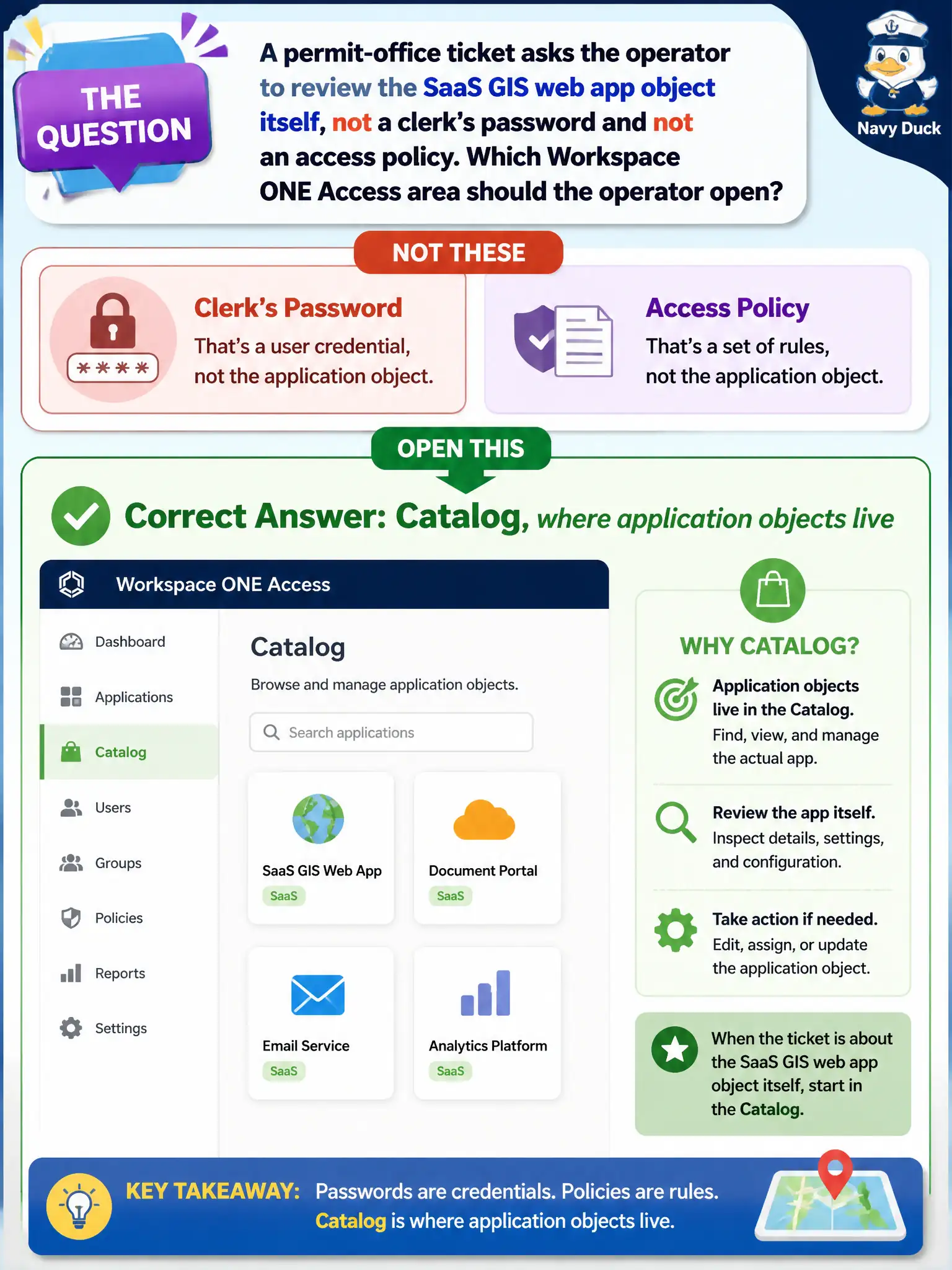
A permit-office ticket asks the operator to review the SaaS GIS web app object itself, not a clerk's password and not an access policy. Which Workspace ONE Access area should the operator open?
Select an answer to reveal the explanation.
Short Explanation
The GIS web app is a catalog card, not a patron record and not a pool. Open Catalog when the ticket is the application object.
Full Explanation
A permit-office ticket that asks to review the SaaS GIS web app object itself points to the Workspace ONE Access Catalog, where application objects live. Catalog holds the SaaS definition, icons, authentication adapters, and assignment hooks independent of any one clerk's password. Opening Users fails by concept when the ask is the application object rather than a person record or password reset. Horizon Desktop Pools are VDI constructs and do not store SaaS web apps as instant clones. The UEM Mail Dashboard governs managed email access posture, not GIS SaaS application objects. Exam caveat: distinguish Catalog application review from conditional access policy edits and from user password troubleshooting—tickets often blur those three. Operational check: open Access Catalog, locate the SaaS GIS application object, review assignment and launch settings without changing unrelated policies, confirm Hub still shows the tile for a sample permit user, and note Catalog as the object home in the ticket. In municipal EUC operations, record the console path and the rejected alternatives in the change ticket so the next on-call technician repeats the same evidence-first workflow for city staff.