
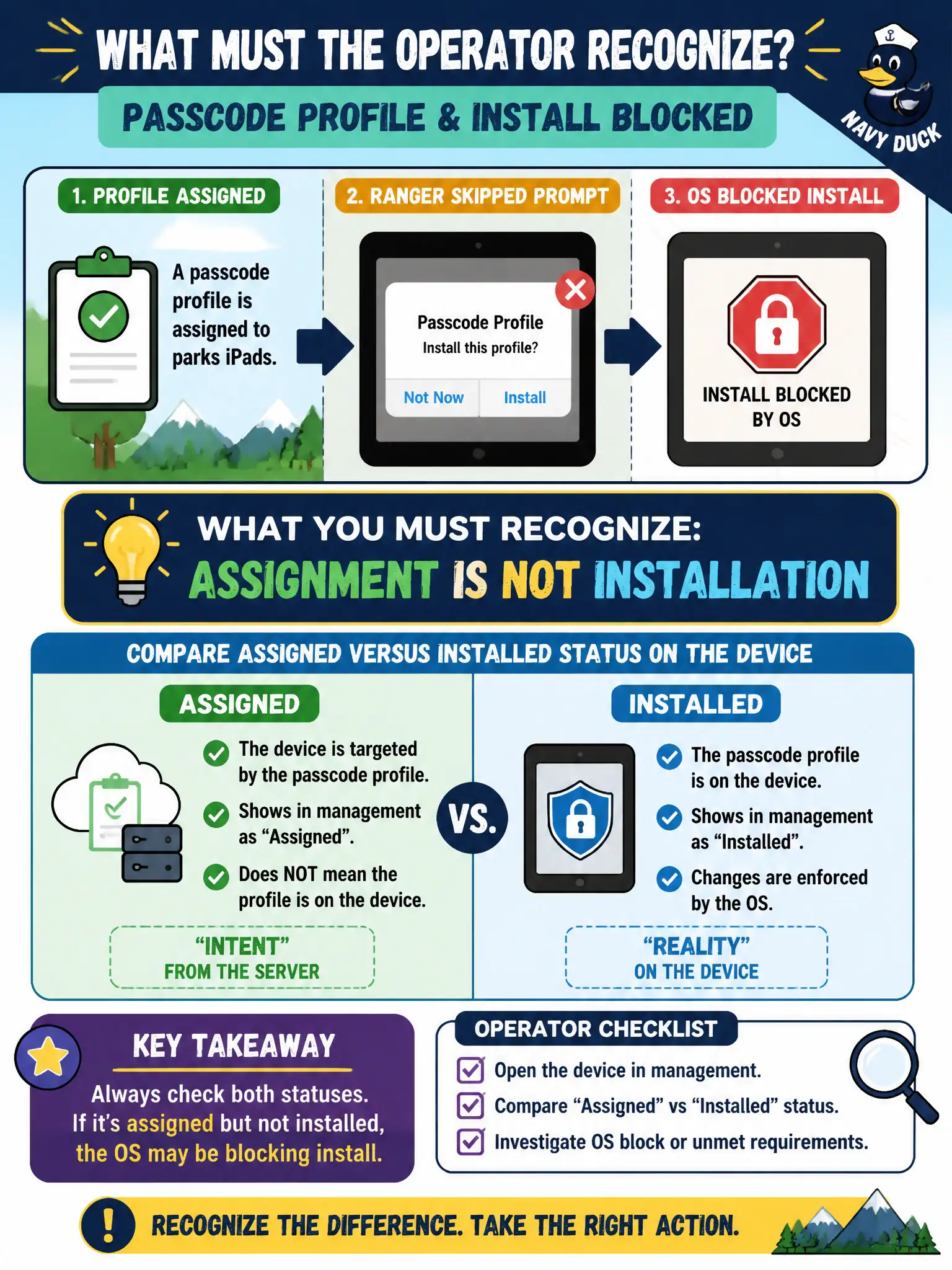
A passcode profile is assigned to parks iPads, but a ranger skipped the prompt and the OS blocked install. What must the operator recognize?
Select an answer to reveal the explanation.
Short Explanation
The work order can be filed while the sticker never went on the glass. Assigned but not installed is a gap you have to look at. Do not assume success, and do not jump to mass wipe or Horizon entitlements.
Full Explanation
UEM profile lifecycle separates assignment from installation. A passcode profile assigned to parks iPads may still fail to install if a ranger dismisses prompts or the OS blocks the payload; operators must compare assigned versus installed status on the device rather than equating assignment with success. Treating assignment as always successful skips the install-state check the associate exam emphasizes for break-fix. Enterprise-wiping every parks iPad as the first verification step is destructive and premature when a simple deferred prompt may explain the gap. Horizon pool entitlement status is unrelated to UEM profile installation on iPads used by rangers. Exam caveat: user-deferred or blocked installs are common on BYOD and unsupervised devices—remediation may be re-push, supervised enrollment, or user coaching rather than wipe. Operational check: open a sample parks iPad device record, compare passcode profile Assigned versus Installed, note any blocked or pending reason codes, re-notify or reassign as policy allows, confirm install after the ranger completes the prompt, and document the outcome for parks IT. In municipal EUC operations, record the console path and the rejected alternatives in the change ticket so the next on-call technician repeats the same evidence-first workflow for city staff.