
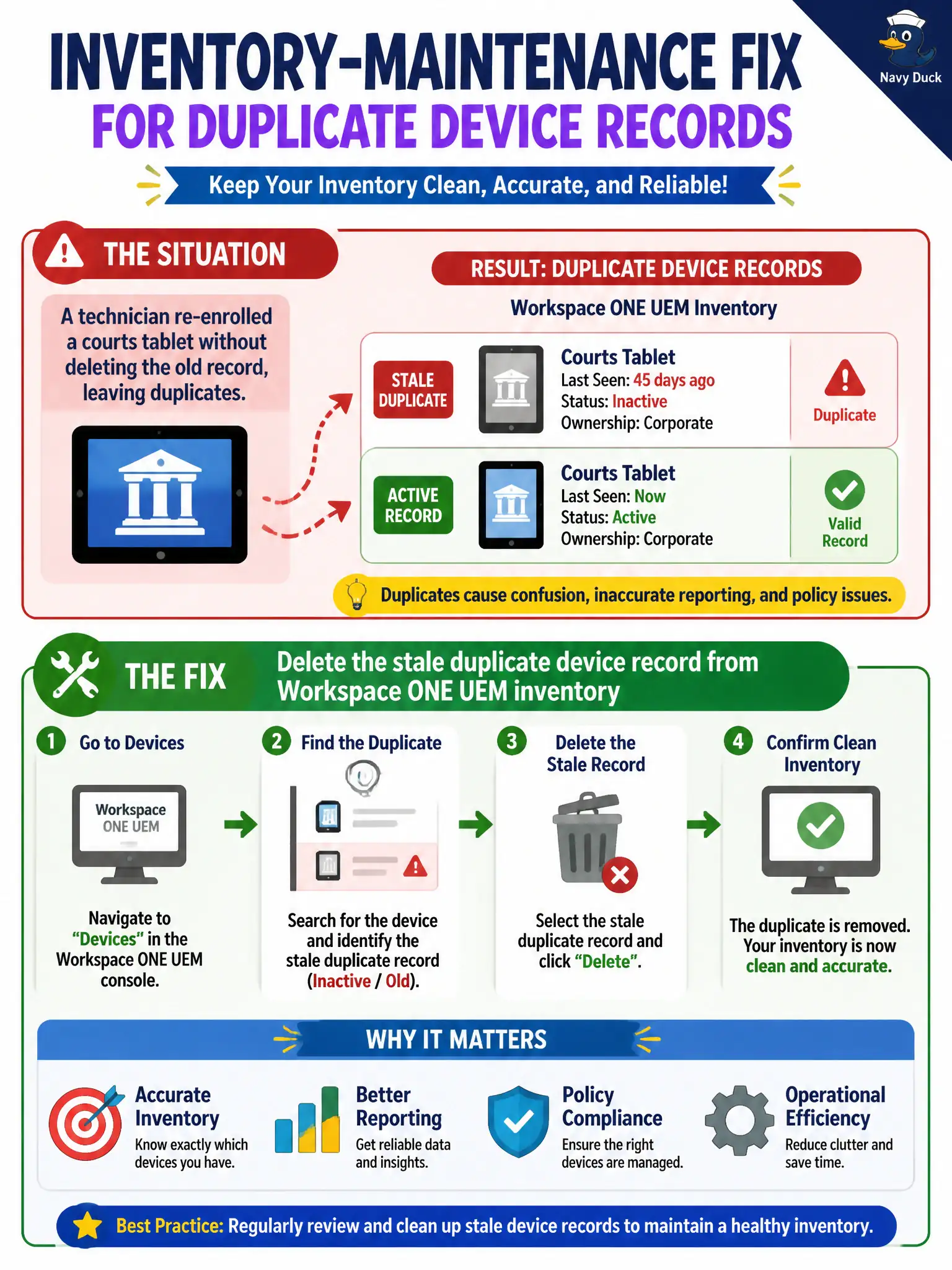
A technician re-enrolled a courts tablet without deleting the old record, leaving duplicates. What is the inventory-maintenance fix?
Select an answer to reveal the explanation.
Short Explanation
Two nameplates on one tablet is a stale record, not a feature. Delete the leftover UEM row. Do not invent a second Hub user or an App Volumes bandage, and do not wait for a magic merge that the operator is supposed to do.
Full Explanation
Duplicate UEM device records appear when a courts tablet is re-enrolled without removing the stale record. The inventory-maintenance fix is to delete the stale duplicate from Workspace ONE UEM inventory so reporting, compliance, and assignments bind cleanly to the active enrollment. Creating a second Intelligent Hub user to keep both records "valid" doubles identity confusion and does not heal inventory for court operations. Attaching a second App Volumes writable volume does nothing useful for tablet MDM duplicates and targets the wrong product plane. Ignoring duplicates because UEM will automatically merge serial numbers at next check-in is unsafe—operators should not assume automatic merge will clean council-facing inventory or license counts. Exam caveat: confirm which record has the current enrollment token and newest last-seen before deleting, so the live courtroom device is not removed by mistake. Operational check: compare serial/UDID, last-seen, and enrollment user on both courts-tablet records, delete the stale duplicate, confirm a single inventory row remains, re-check profile and app assignment on the live device, and note the cleanup in the change ticket. In municipal EUC operations, record the console path and the rejected alternatives in the change ticket so the next on-call technician repeats the same evidence-first workflow for city staff.